Transport and Navigation : Navigation
6 - 120
Frames & Perfs
An alternative method of defining a Te m po used by film composers. It is based on
24 frames per second, each frame subdivided into 8 perfs, or perforations. Thus a
value of 24.0 results in a Tempo of 60BPM. Perfs are entered as decimals. E.g. 12.7.
Illegal entries are rounded.
Smoothing Enables values between Note and 1/64 . to be chosen. (or OFF)
Start
The starting point for the Tempo can be entered by typing.
End The end point for the Tempo can be entered by typing.
The Information pane shows all currently defined Tempos.
Add Tempo
Adds a new Tempo
Remove Tempo
Removes the highlighted (selected Tempo) from the list.
Playhead Cursor Options
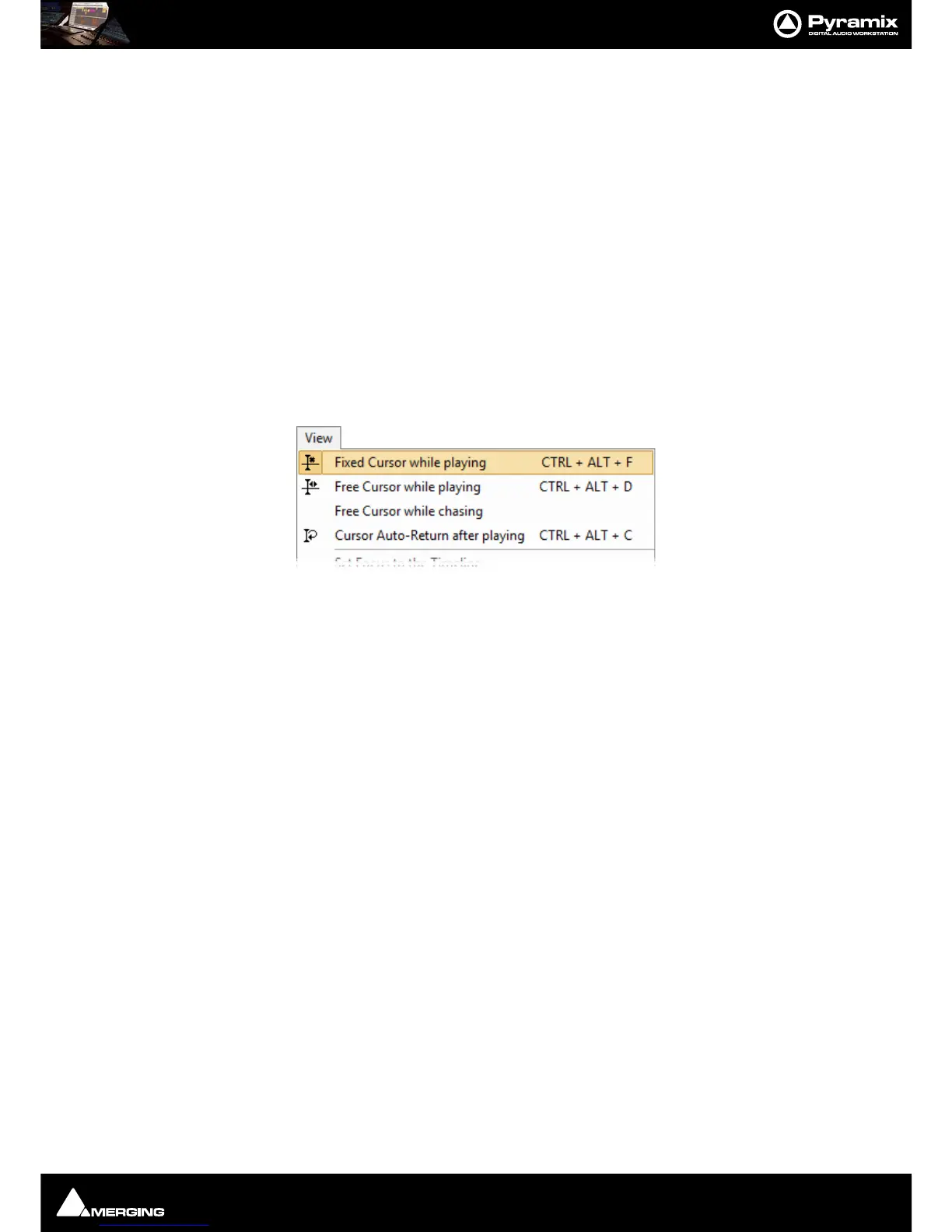
Four Playhead Cursor options will be found at the top of the View menu:
Local Options
Fixed or Moving Playhead Cursor
The Playhead Cursor can be static with the Timeline moving (choose: View > Fixed Cursor while playing) or the
Playhead Cursor can move while the Timeline remains static, ‘Paging’ when the Playhead Cursor hits the screen
edge. (Choose:
View > Free Cursor while playing).
Note: In Fixed Cursor While Playing mode, if Play Selection is invoked then Cursor switches to
Free Cursor mode until Stop is pressed.
Chase Options
When Free Cursor while chasing is selected in conjunction with either of the local options the Playhead Cursor
and Timeline position can be freely manipulated from the workstation whenever the TimeCode Master machine is
in Stop, Rew, FF, Play, Locate, etc. as well as while chasing, but as soon as Pyramix has locked to incoming Time-
Code, the cursor will "jump" to current TC. This mode is useful for Cinema mixing since it allows the Sound Editor
to make good use of idle moments to perform quick edits and adjustments, anywhere in the Timeline and regard-
less of current TC position. This used to be the default behavior.
When
Free Cursor while chasing is NOT selected, the Cursor will always be locked to TimeCode when Pyramix is
set to chase, whether in Stop, Rew, FF, Play, Locate, etc. as well as while chasing.This mode is desirable for TV Post,
where the Pyramix Playhead cursor and Timeline display should always reflect the current TC position.
Auto Return
Cursor Auto-Return after playing. When this is selected with either of the local options, the Playhead Cursor
will return to the point at which
Play began when Stop is selected.
Playhead Position
When View > Fixed Cursor while playing is selected, the Playhead position can be set in Settings > All Settings
> Application > Playback/Record
in the Fixed Cursor Settings section. The Place of Cursor in Screen combo
box offers a range of choices between 1/10th and 1/2 of Screen.



 To Next Page