Effects and Plug-Ins : Mastering Peak/VU Meters
14 - 324
Peak-Meter
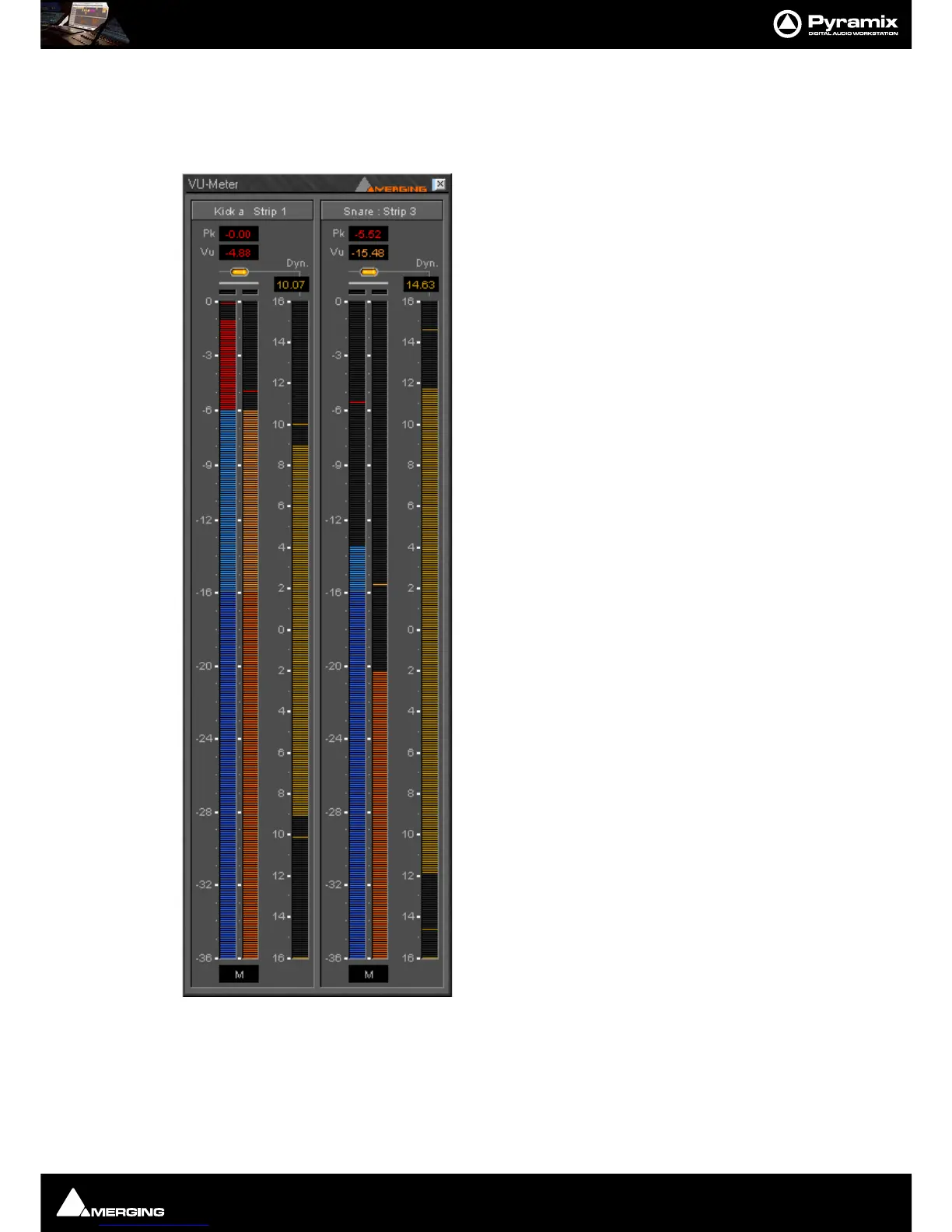
This measures the peak value of the audio signal. Peak meter-
ing is very useful to check the absolute digital level of the
audio signal. The Peak meter bars are blue and it has a default
release time of 16 dB/second.
VU-Meter
The VU (Volume Unit) meter displays an average amplitude
level. The VU meter is displayed in orange/yellow color, has a
default integration time of 60 ms and a release time of 10 dB/
second.
Dynamic-Meter
This display measures the instantaneous dynamic range of the
audio signal. Basically this is the difference between the Peak
and the VU display. If a pure sine tone is measured, the
dynamics would be zero. The Dynamics meter is displayed in
yellow and has a default release time of 12 dB/second.
Activating the VU-Meter
The VU-Meter can be added like any other plug-in on any strip
by choosing
Add Effect > VU-Meter from the context menu
within the mixer strip. The only difference compared to other
plug-ins is that when multiple instances of the VU-Meter are
activated they are always displayed within a single window
frame.
Display options
The Peak and the VU meter can be displayed individually with
a middle mouse click anywhere within the window area of the
VU meter. Each click with the middle mouse switches between
the options Peak and VU, only Peak and only VU.
The Dynamics display can be activated by clicking on the
switches at the top of the meter bargraphs. On multi-channel
meters (stereo strips, surround mixes, etc.), the dynamics are
summed together into one bargraph, allowing for example to
display the dynamics of the L, R and C channels of a surround
mix without the rear channels.



 To Next Page