Project Processes : Process Plug-ins
17 - 414
Effects Rack
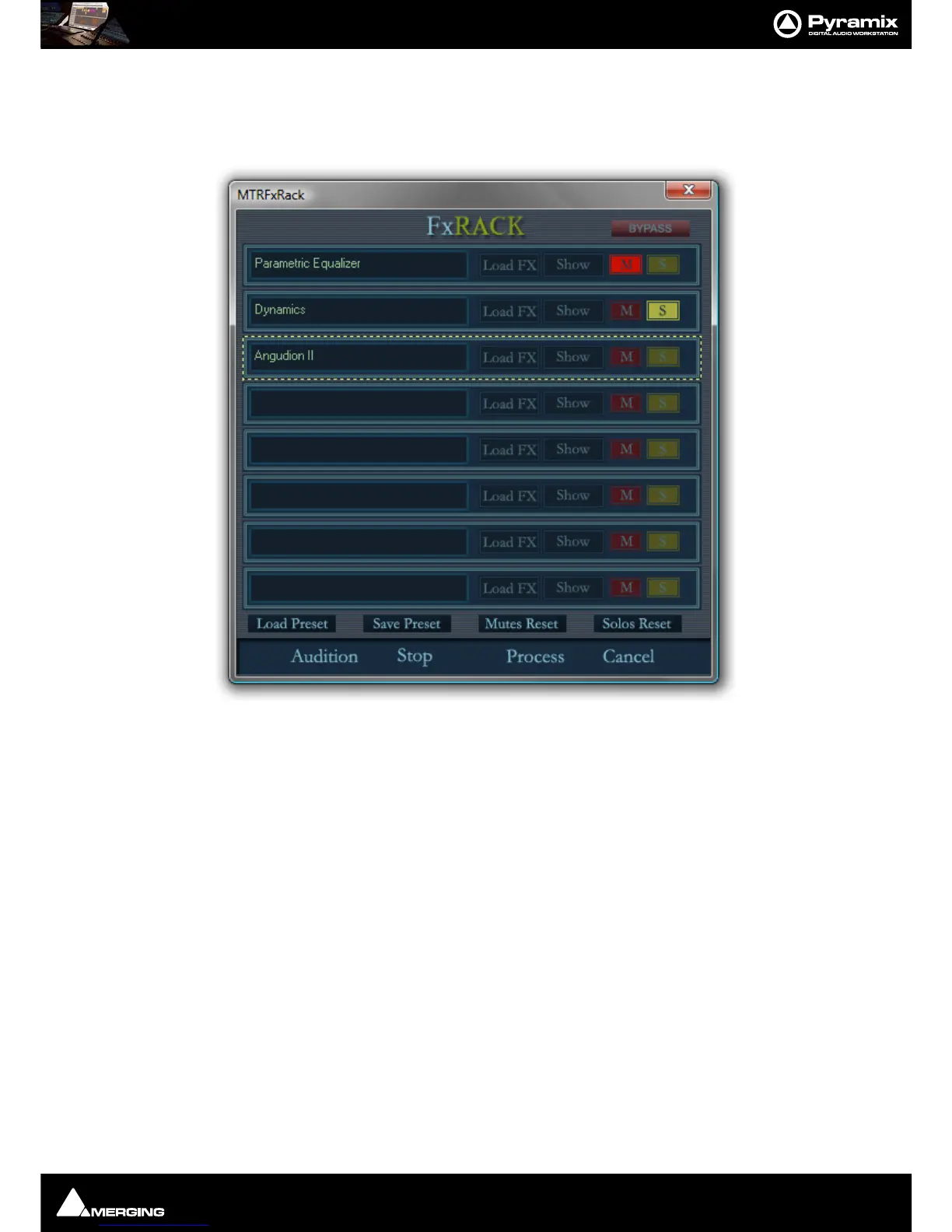
Enables chains of up to eight VS3, VST and or Direct X plug-ins to be used as rendered processes. Select Effects
Rack
in the Rendering Process list in the Render dialog, make other settings as required then click on Render to
open the
Effects Rack Window
Note: The Effects Rack is a Stereo Only process. Automatic Delay compensation is available.
Each of the eight slots can be loaded with one plug-in effect.
Most of the buttons are self explanatory.
Load FX
Opens a pop-up with lists of installed VS3 and VST plug-ins. Selecting None removes the currently loaded effect.
Show
Toggles the control Window for the currently loaded effect visible or hidden.
M
Mutes the effect in this slot
S
Solos the effect in this slot
Bypass
Bypasses all effects in the rack when lit
Audition
Plays the Timeline to audition the effects



 To Next Page