File and Project Interchange : File Interchange - Formats
18 - 424
Compressed Audio Support for formats not supported directly
Technology
The decompression is handled via Microsoft DirectShow technology. So the formats supported will depend on
which DirectShow codecs are installed. Default Windows installation should handle most of the common com-
pressed file formats (wma, ra (RealAudio) avi and more), but a wide variety of codecs exist to support all the major
compressed formats.
If you experience problems with the default Widows Installation or if you are in need of specific Codec, Merging
has a list of recommended third-party codecs available.
For more details please refer to the
Merging Forum Pyramix Troubleshooting & Tips section
http://forum.merging.com/viewforum.php?f=16
To enable sample accurate editing, the compressed files are first decompressed into a cache file. The file is format-
ted as follows:
originalFileName__DXC(tag)DCX_.wav
This file is a plain wav file.
Pyramix Setup
First, set up the Default decompression cache options in :
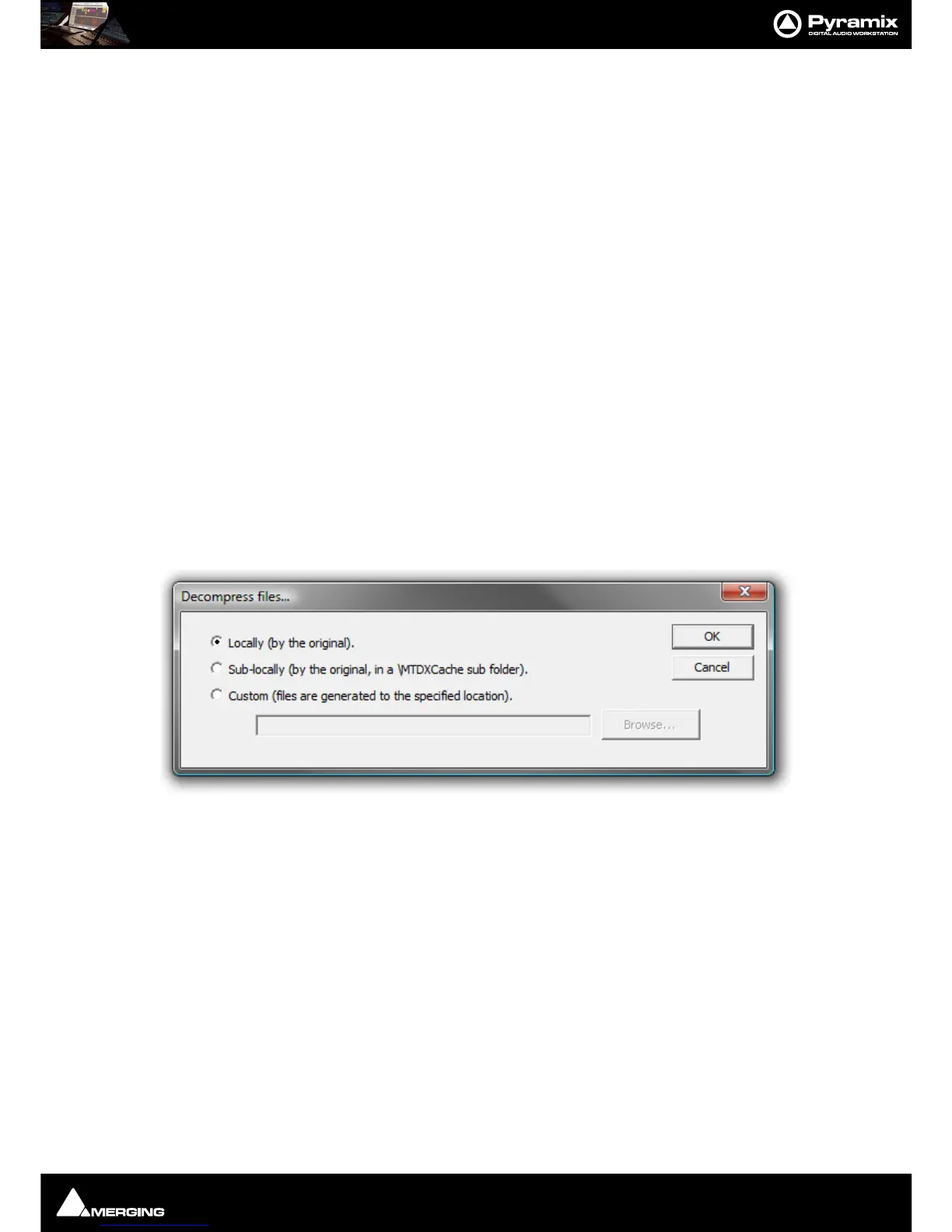
Settings > All Settings > Application > Location and click on Decompression Settings to open the Decom-
press files...
dialog.
Here you specify where the media should be decompressed to when no
Mounting Rules are specified :
Locally (by the original) File(s) will be created in the same location as the original file.
Sub-locally (by the original, in a \MTDXCache sub folder). File(s) will be created in a sub folder created by Pyra-
mix in the same location as the original file.
Custom (files are generated to the specified location). File(s) will be created in a user specified location. When
this option is selected the
Browse... button is available to open a file browser window to set the user defined path.



 To Next Page