Monitor : Media Manager and Library Monitoring
11 - 276
Media Manager and Library Monitoring
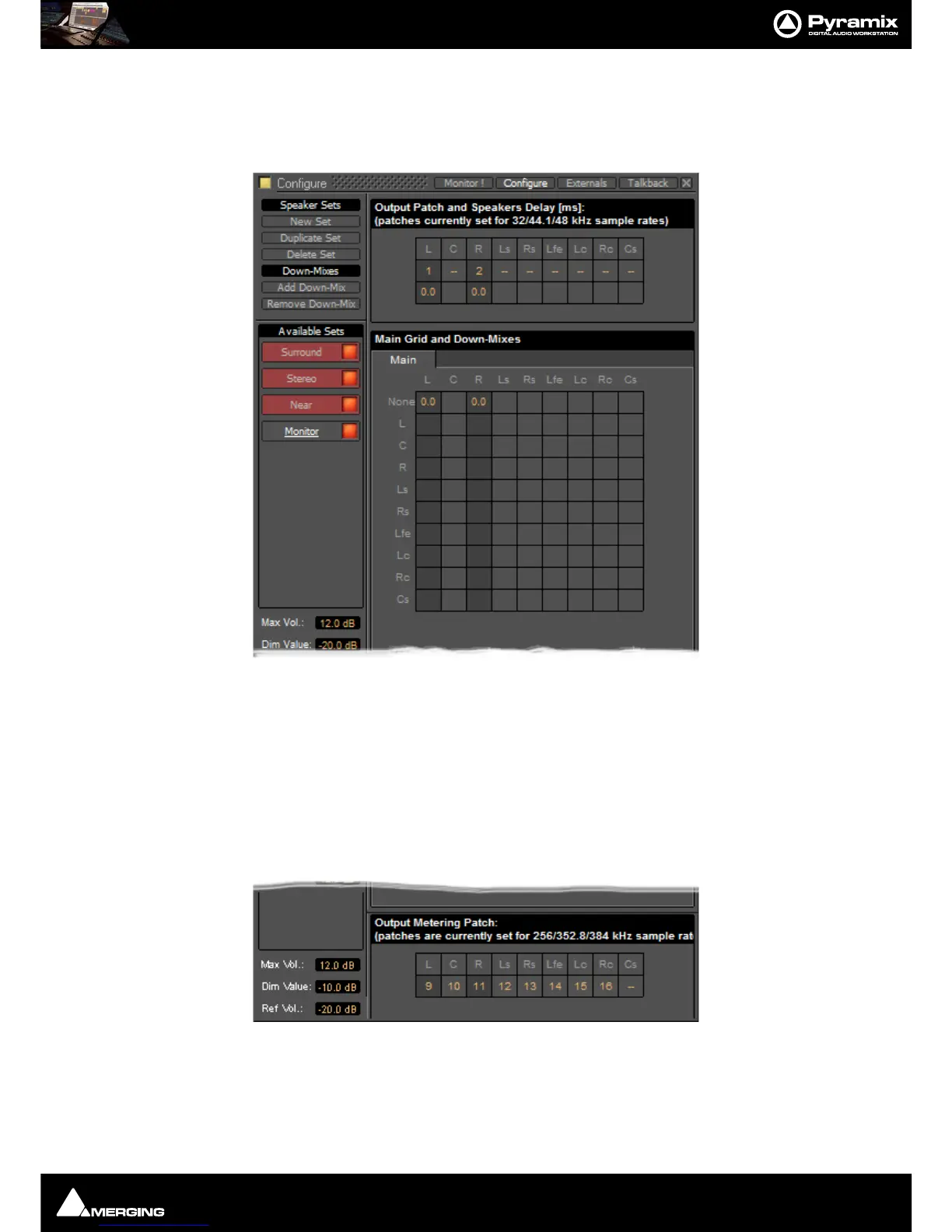
Note: In order to be able to audition cues in the Media Manager and Libraries the L and R
None entries in the Main Grid matrix must be set to a value, e.g. 0.0
If you plan to audition Surround material also set the C entry to a value e.g. 0.0.Delete PointsDeletes all points
from the automation curve in the current Region.
External Metering
If you wish to use your favorite external hardware meters with Pyramix this can be achieved easily and conve-
niently.
At bottom right of the
Monitor Configure page an extra set of nine patches is provided to configure external out-
puts specifically for metering.
Patches are made in exactly the same way as the Speaker
Output Patches. Please see: Output Patch: on
page 275



 To Next Page