Appendices : Appendix III VS3 Control Panel
30 - 731
Appendix III VS3 Control Panel
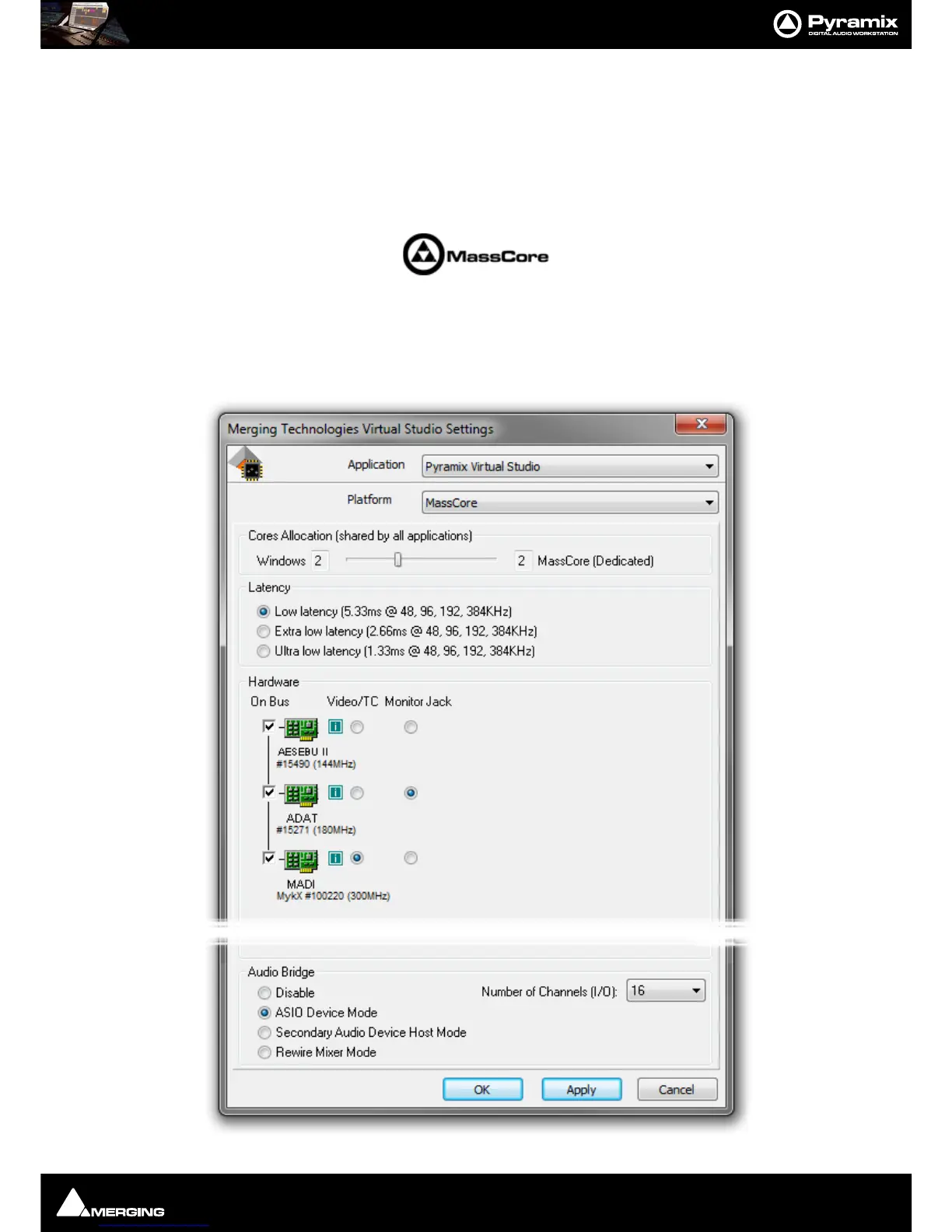
The VS3 Control Panel is a separate application that should only be launched when Pyramix is not running. Here,
you can set various parameters relating to Merging Technologies hardware and software. For example, in a multi-
board system, this is where you determine which boards will be used, the
Buses Mode and which board will han-
dle Video reference and TimeCode. If you are running both VCube and Pyramix on one system you can assign
boards to each application. In the case of a system running MassCore this is also where you can set global latency.
for detailed information about busing and I/O capabilities.
Application
The drop-down list enables you to choose which Merging Technologies application the settings apply to. E.g.
Pyramix Virtual Studio, VCube, ASIO Driver etc.
The rest of the settings in the VS3 Control Panel Window update to reflect the current settings for the selected
application.



 To Next Page