Productivity : Bars & Beats
26 - 576
This is useful for those situations in which you might want a Pre-Roll count to a given section in a song, but don´t
want the Metronome playing after that section starts. If you also want the Metronome to play the first beat after
the Pre Roll countdown, just reduce the Region to the first beat of the first bar at which your Click In starts. Easy.
Tempo Map
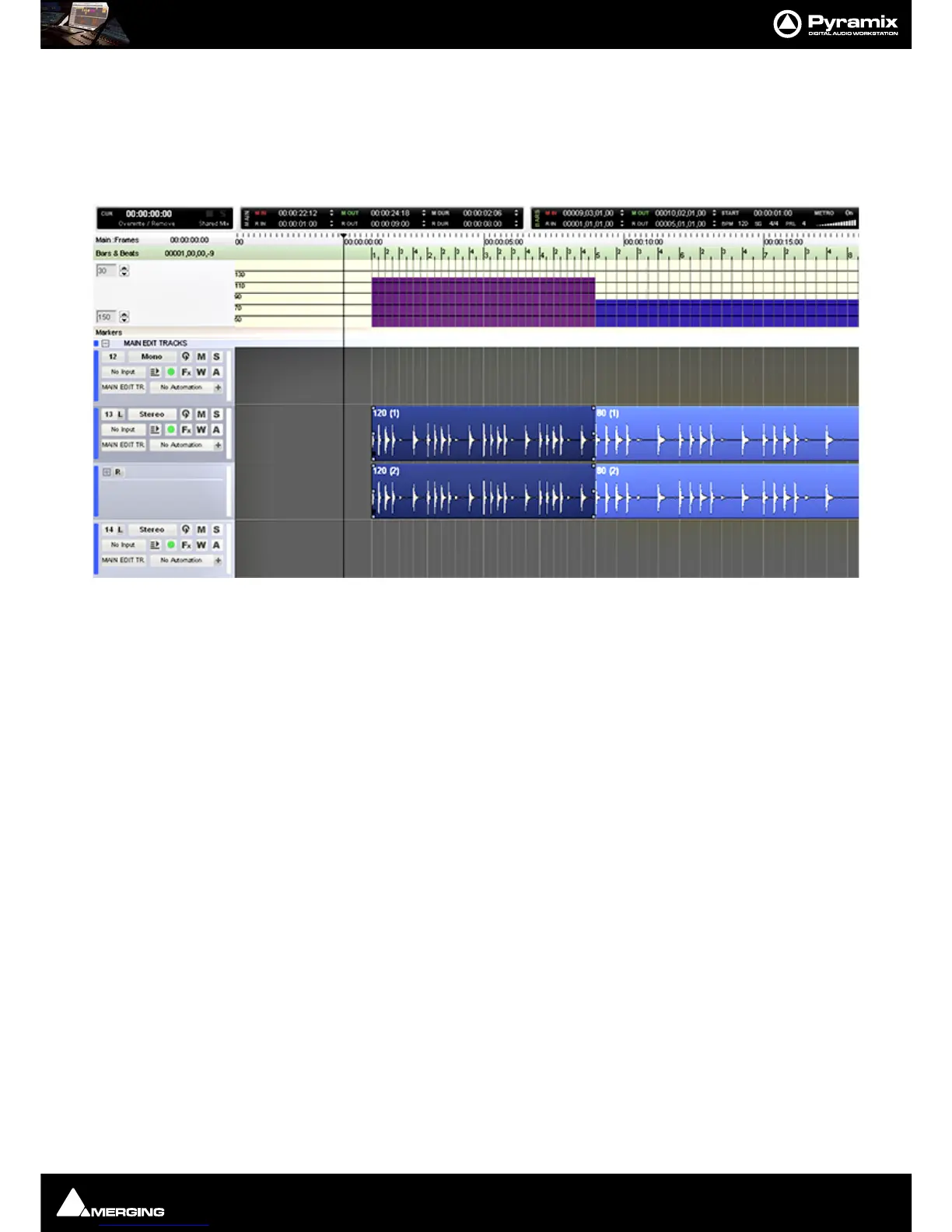
The Tempo Map is accessed by clicking on the Bars & Beats label in the Ruler Bar and selecting Tempo Map.
From within this window, it is possible to be able to adjust the length of each Bar and Beat to match that of an ini-
tial recording, via keyboard modifiers.
Shift + Left-click, hold and drag in the ruler bar:
When the mouse cursor is over a grid line it changes to a double-headed arrow with a clock. Dragging left or right
then modifies, up or down, the BPM of the area following the mouse cursor position.
If there is only one tempo section in the timeline, then it effectively changes the BPM for the entire project.
So, operationally, the user would make the initial recording, then, using a reference waveform (like a Kick Drum)
would go through and adjust the tempo at each point the grid moves away from the transients in the waveform
denoting the kickdrum pattern.
Ctrl + Left-click, hold and drag in the ruler bar:
When the mouse cursor is over a grid line it changes to a double-headed arrow with a clock and knife. Dragging
left or right then modifies, up or down, the BPM of the previous tempo change (By Bar) in the tempo map.
Ctrl + Shift + Left-click, hold and drag in the ruler bar:
When the mouse cursor is over a grid line it changes to a double-headed arrow with boundaried arrows below.
Dragging left or right then adjusts, up or down, the previous Beat.
Snap
When Bars & Beats mode is active, it is possible to have edits snap to the Bars & Beats Grid.
Edit > Snap > Snap to bars & Beats Grid
This will help speed up the syncing process.



 To Next Page