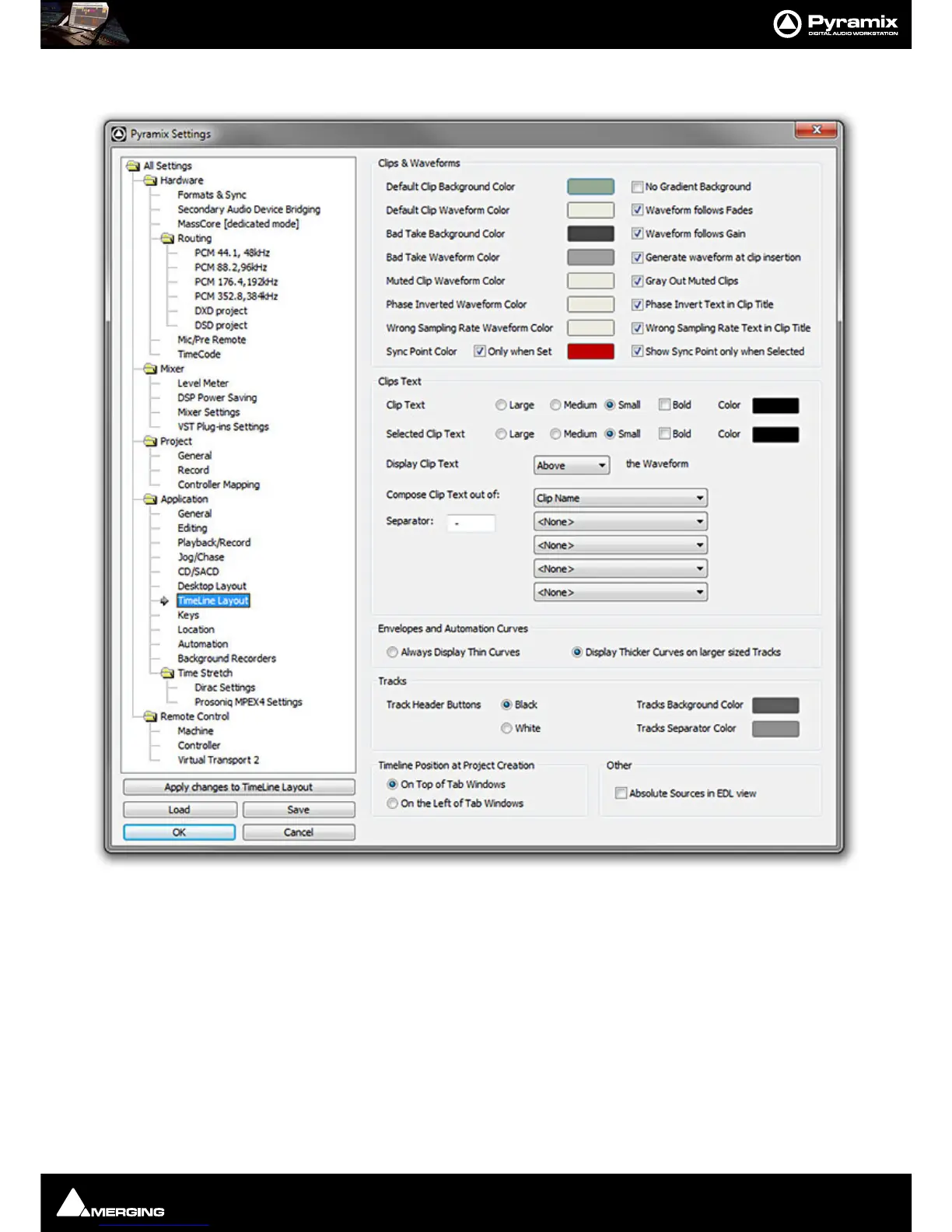
Settings : Application
28 - 690
TimeLine layout
For all the color options, clicking on the colored block pops up a list of defined colors. At the bottom of the list
selecting
More Color... opens a full Color picker dialog.
Clips and Waveforms
Default Clip Background Color No Gradient Background When checked Clip Background color is solid.
Default Clip Waveform Color Waveform follows Fades When checked the waveform display is scaled in
height during fades and crossfades. The original
waveform is shown grayed out.
Bad Take Background Color Waveform follows Gain When checked the waveform display is scaled in
height to follow Gain changes. The original wave-
form is shown grayed out.



 To Next Page