Settings : Application
28 - 691
Bad Take Waveform Color Generate Waveform at Clip insertion
When checked Waveform display is generated
when the Media File is placed on the Timeline.
Muted Clip Waveform Color Gray Out Muted Clips When checked Muted Clips are grayed out in the
Timeline.
Phase Inverted Waveform Color Phase Invert Text in Clip Title When checked Phase Invert is shown in the Clip
Title when the Clip phase is inverted.
Wrong Sampling Rate Waveform Color Wrong Sampling Rate Text in Clip Title When checked Wrong Sampling Rate is
shown in the Clip Title when the Clip phase is
inverted.
Sync Point Color Only when set When checked, means that Sync Points are only vis-
ible when set somewhere other than the default
position at the beginning of the Clip.
Show Sync Point only when selected When checked the Sync Point(s) is/are displayed
only when the Clip(s) are selected.
Clips Text
Clip Text Font Size The radio buttons offer a choice of Large, Medium or Small and the Bold check
box em
Boldens.
Clip Text Color
Selected Clip Text Font Size
The radio buttons offer a choice of Large, Medium or Small and the Bold check
box em
Boldens.
Selected Clip Text Color
Display Clip Text
The combo box offers a choice of Above, Below, In Front Of or Behind the Wave-
form
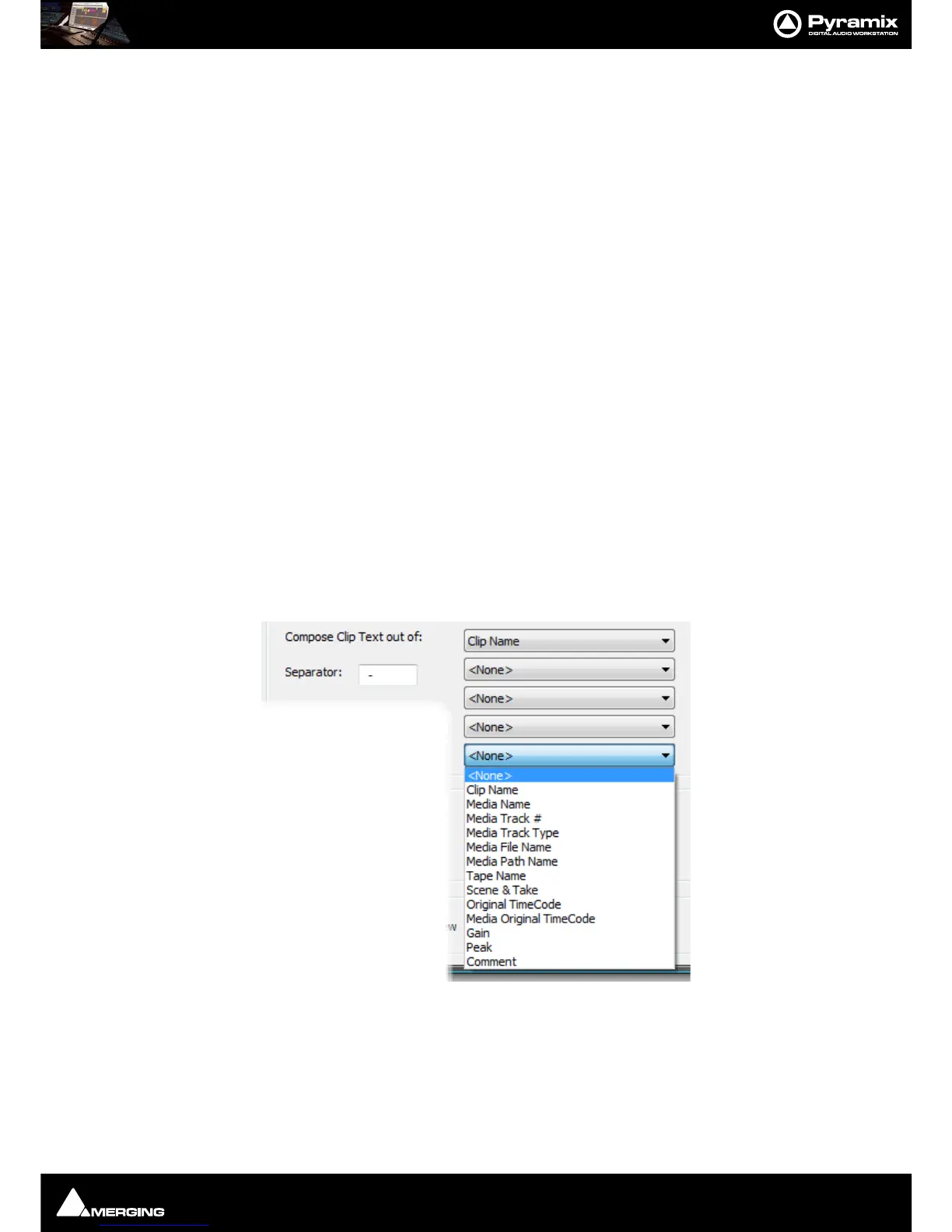
Compose Clip Text out of:
The Clip text displayed can consist of up to five elements chosen from the five
combo boxes, separated by the character typed in the
Separator box:
Envelopes and Automation Curves
Always Display Thin Curves When checked, curves are always shown “thin” as in previous versions.
Display Thicker Curves on Tracks with larger size When checked, curves are displayed thicker on Tracks with
increased Track height.



 To Next Page