Mixer : Mix !
10 - 205
Expand / Collapse
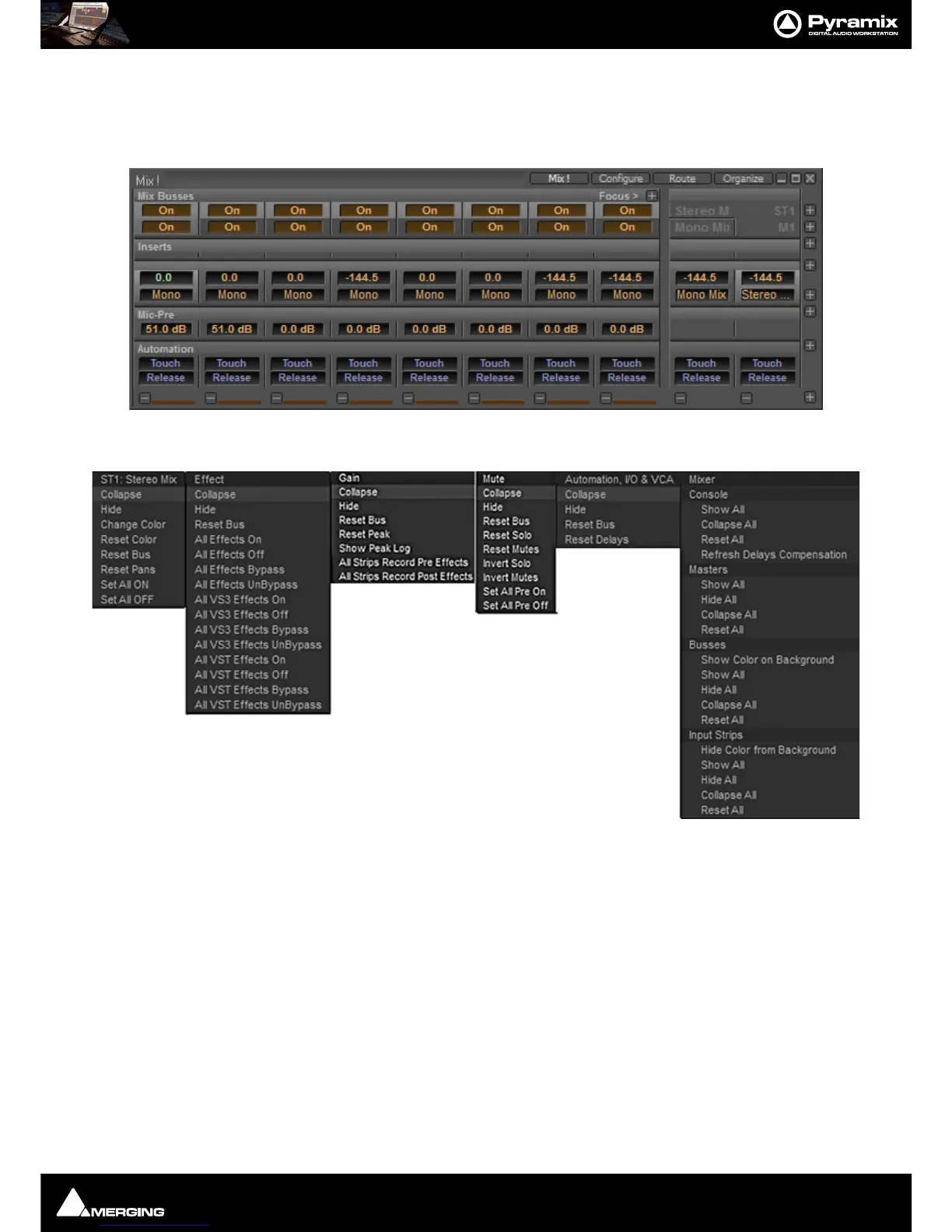
The small, grey + - boxes on the right of the mixer surface toggle horizontal areas of the mixers surface shown full
size or collapsed. They also pop-up context menus when the cursor is above them. (see below) Expand / Collapse
and Hide can reduce clutter by concealing unused controls. This is the same mixer with all areas Collapsed:
Each
+ - box also pops-up a menu relevant to the area of the mixer it deals with when the cursor is above it. E.g. :
Collapse/Hide
Choosing Collapse leaves a small artefact of the mixer area visible, a gray horizontal bar with a + box at the right-
hand side.
Hide completely removes the area from view. Choosing Show All in the Mixer + - pop-up will restore.
Resets
These context menus also provide a convenient way to restore all controls of specific types or, in the relevant sec-
tions, the entire strip or mixer to the default condition.



 To Next Page