Settings : Application
28 - 695
Permanently Mounted Media Folders
Shows a list of Media Folders available to all projects. Clicking Add opens the Choose a Media Folder to Mount
window. Here you can browse for Folders or create new ones.
Folders are removed by highlighting their list entry and clicking the
Remove button.
Note : these folders are mounted at application loading time. See other options in the Application > General
page
Default decompression cache settings
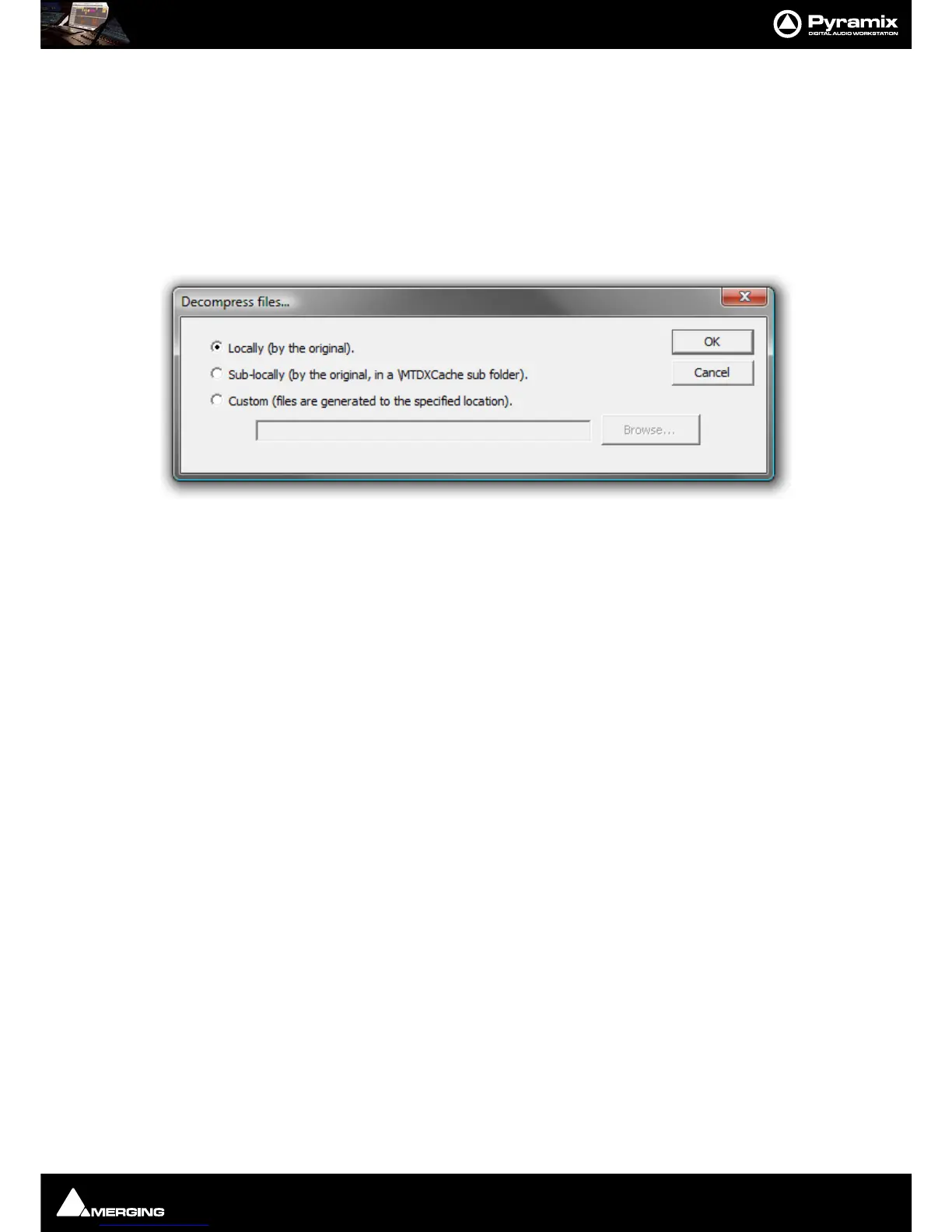
Click on the Decompression Settings button to open the Decompression files... dialog :
When compressed audio files are mounted Pyramix creates an uncompressed WAV version of the file(s) in a cache.
The location of these cache files is determined by this dialog.
Locally (by the original) File(s) will be created in the same location as the original file.
Sub-locally (by the original, in a \MTDXCache sub folder). File(s) will be created in a sub-folder created by Pyra-
mix in the same location as the original file.
Custom (files are generated to the specified location). File(s) will be created in a user specified location. When
this option is selected the
Browse... button is available to open a file browser window to set the user defined path.



 To Next Page