Automation : Automation Editing
15 - 383
Automation Editing
VCA Group Automation Editing
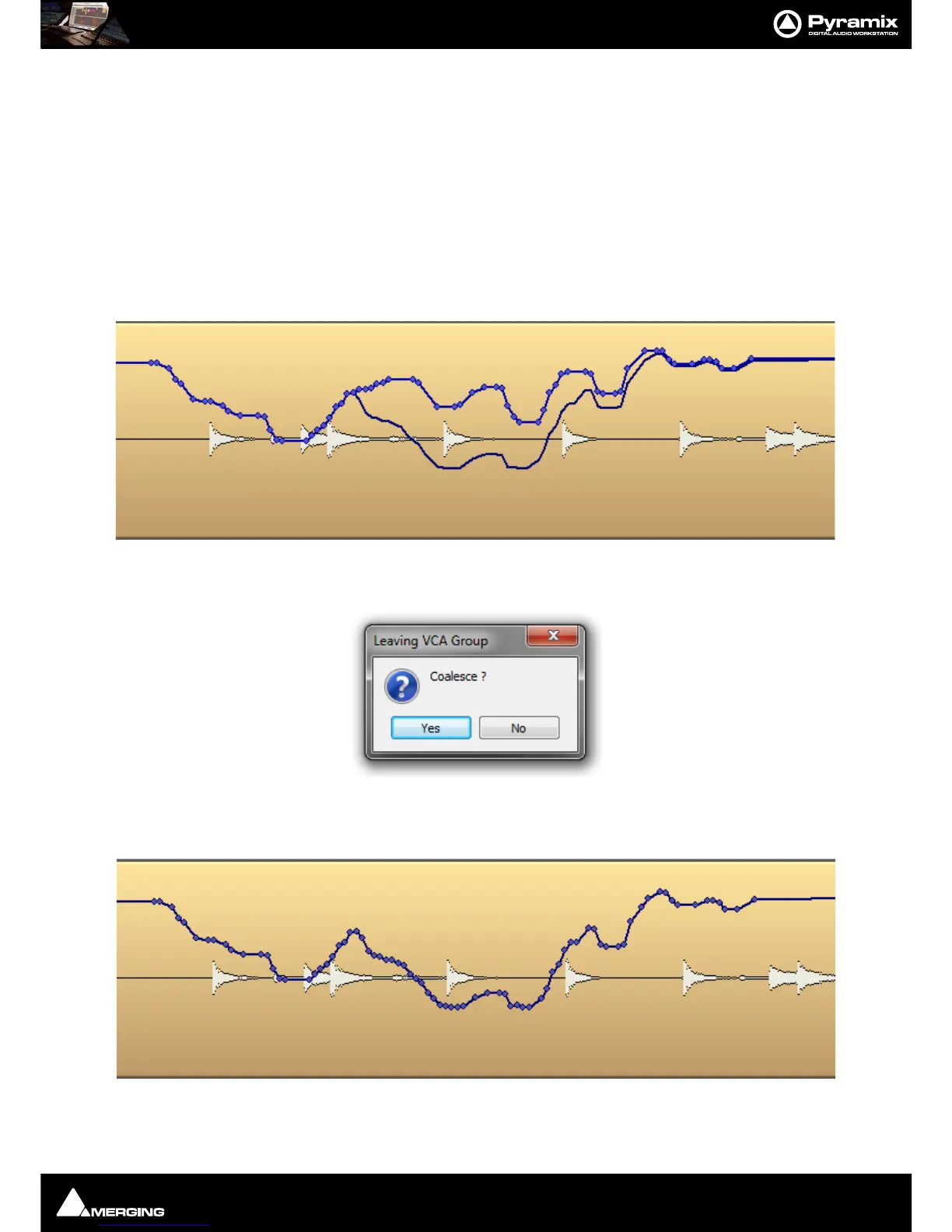
VCA Group Automation is displayed in the Timeline as an extra curve showing the summed effect of the original
Strip Automation and the VCA Group automation (Gain or Mute only).
The VCA Group Automation can not be edited when it is displayed in a Strip Track part of that Group, but all edit-
ing of the Strip Automation will Link and calculate the summation in real time.
The VCA Group Automation can only be edited if displayed in its own Track Header. (Right-click on the
A button in
a Track Header and select the VCA Group you wish to edit the automation for from the list.)
VCA Coalesce
If a Strip is associated with one or more VCA Groups then, when you exit the group, the
Leaving VCA Group box
appears:
Two choices are available:
Yes (default) Merges the Strip Automation with the VCA Group Automation into a single sum curve.
No Excludes the effect of the VCA Group Automation and leaves the Strip Automation curve as it was. The
Coalesce option is the only one in the Mixer which supports Undo/Redo.



 To Next Page