Conforming and Reconforming : Reconform
21 - 497
Relink to New Media
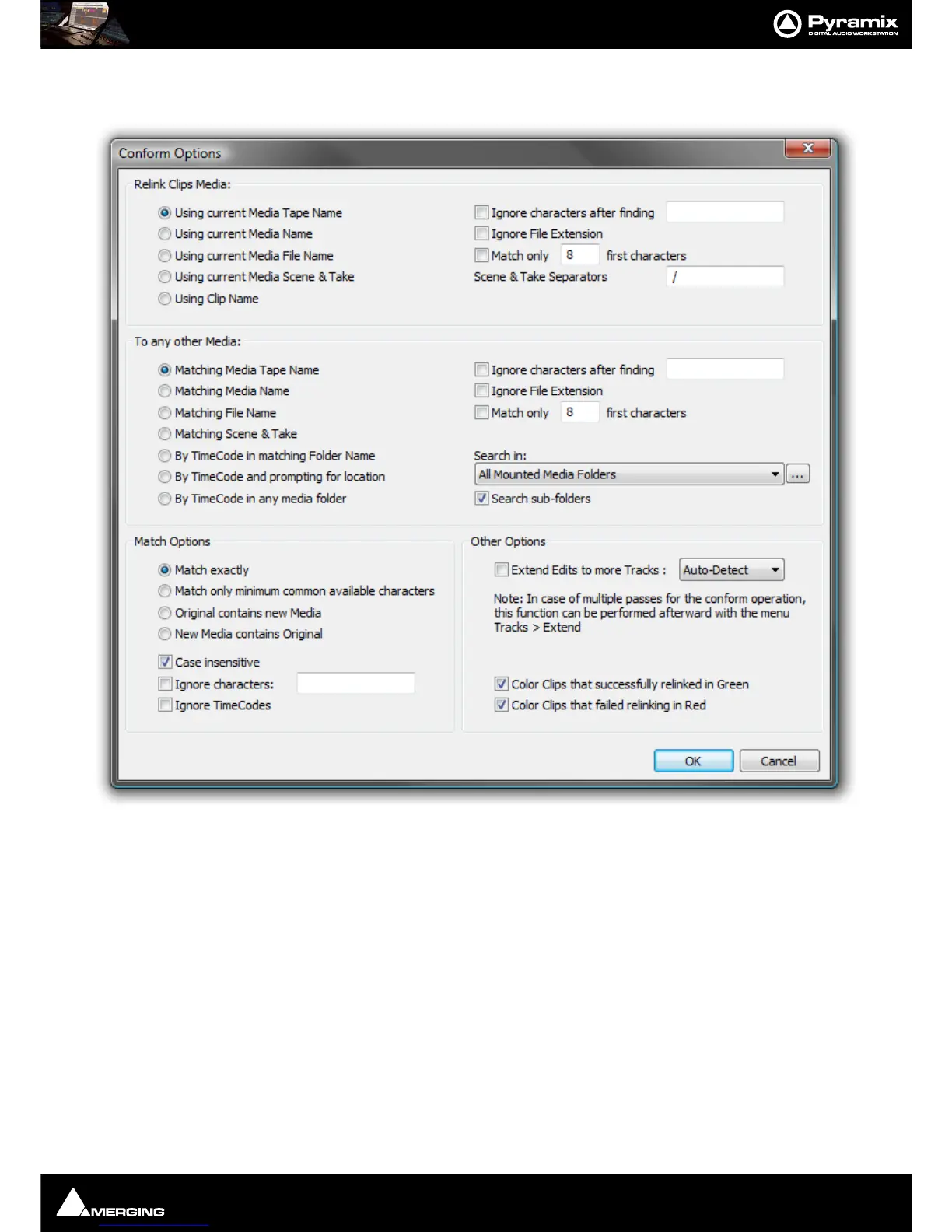
Opens a dialog offering various options similar to the Import CMX EDL function.
This allows relinking all or a selection of Clips to new media. Typically. this is used for replacement of 16 bit ver-
sions of audio files with 24 bit versions based on the Clip name, media name, Scene & Take information or original
TimeCode.
Relink Clips Media Gives options to extract a string from the original Clip:
Using current Media Tape Name
Using current Media Name
Using current Media File Name
Using current Media Scene & Take
Using Clip Name
With various options applicable to the above:
Ignore characters after finding… ignores the rest of the string after a given substring is found
Ignore File Extension ignores any characters after the last dot
Match only … first characters ignores all characters after a given number



 To Next Page