File and Project Interchange : Import / Export
18 - 450
If the same file is imported a second time, there's no need to extract the audio twice, simply mount the folder
where it's been extracted to, prior to importing the OMF file. The OMF Media Handler generates an external Wave-
form (.pk) file when the file is first imported.
When importing an OMF file that references (links) to external audio files, the folder(s) that contain these files
must be Mounted in Pyramix before importing the OMF file. (This also applies to Sonic Solutions import).
Ticking the
Remove any Rendered Fade Clips if present box converts any rendered fades or X-fades present in
the OMF file into normal Pyramix real-time fades. These can subsequently be manipulated in the usual Pyramix
manner.
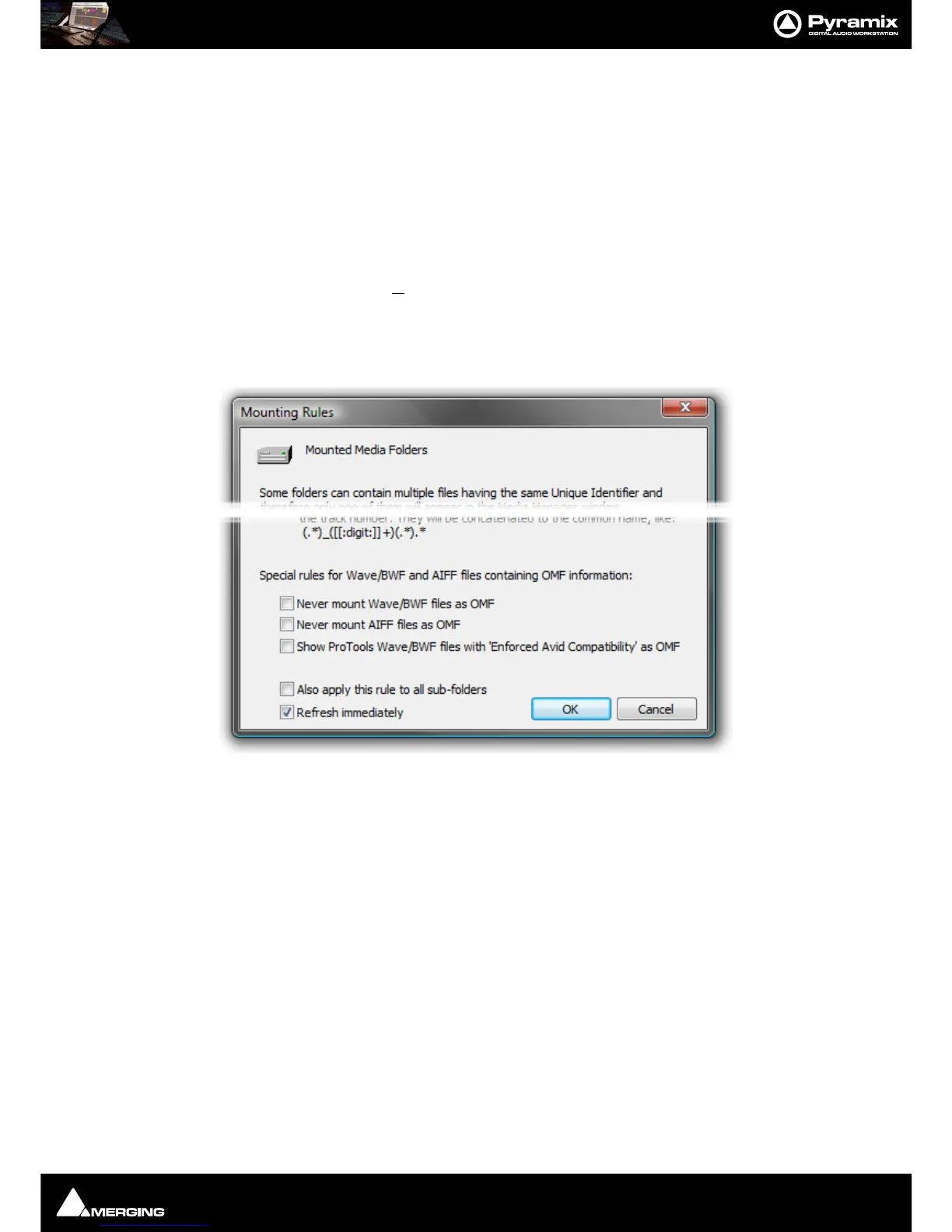
OMF Mounting Rules
(Media Management Tab window, Media Folder > Mounting Rules)
AIFF files generated by Avid systems and BWF files generated by Pro Tools with the option
Enforce Avid Compat-
ibility
have a built-in OMF chunk and have always been recognized by Pyramix as an OMF Media. The Mounting
Rules
dialog has some special Mounting Rules options for folders containing Wave/BWF and AIFF files that have
an OMF chunk These enable the default behavior to be altered:
• Never mount Wave/BWF files as OMF (for files coming from Avid)
• Never mount AIFF files as OMF (for files coming from Avid)
• Show Pro Tools Wave/BWF files with
Enforced Avid Compatibility as OMF (the new default behavior is to
always show BWF files generated by Pro Tools as BWF even if they have the OMF/Avid compatibility chunk.
This option allows forcing these files to be mounted "a la Avid" as in previous Pyramix versions)
Importing Avid and AudioVision bins
Avid and AudioVision bins may be imported as a library. In a library tab window select:
Library > Import OMF library (Avid bin)
Open TL
Straightforward Import and Export in Tascam Open TL format.
Pro Tools
Note: Please see also: the PDF file ‘Pro Tools 5 InterChange with Pyramix 5’ This file is installed
with Pyramix 6.0 or it can be downloaded from:-



 To Next Page