Transport and Navigation : Transport Controls
6 - 134
Mouse Scrubbing Settings
There are two scrub modes, Analog Tape Mode and Repeat Loop Mode. Check the appropriate box for the
required mode. The length of the loop in
Repeat Loop Mode is related to the base sampling frequency so the
loop will be 116mS long at
44.1, 88.2 and 176.4 kHz or 106ms at 48, 96 and 192 kHz.
Analog Tape Mode gives a similar response to ‘reel-rocking’ on an analogue tape machine.
Jog anyway
When lit, Jog Mode is used regardless of how much audio is visi-
ble in the
Timeline
Shuttle when more than 10 [s] is shown in the Timeline
When lit, if there is more than 10 seconds of audio visible in the
Timeline scrub will be in
Shuttle Mode
Repeat Loop Mode
continuously repeats a short loop starting at the cursor position.
Vari Speed Audio Quality
High when playing less than of equal to [6] track(s)
Best when playing less than or equal to [2] track(s)
MassCore : the varispeed quality is set automatically according to the current core load.
Native : the playback quality is defined by the playback streams numbers set above.
Fast Speed Settings
F.FWD and REW nominal speed ratio [20]
Type in the box to set the nominal F. FW D and REW speed. (I.e. a value of 20 means 20 times sync play speed)
Transport Controls
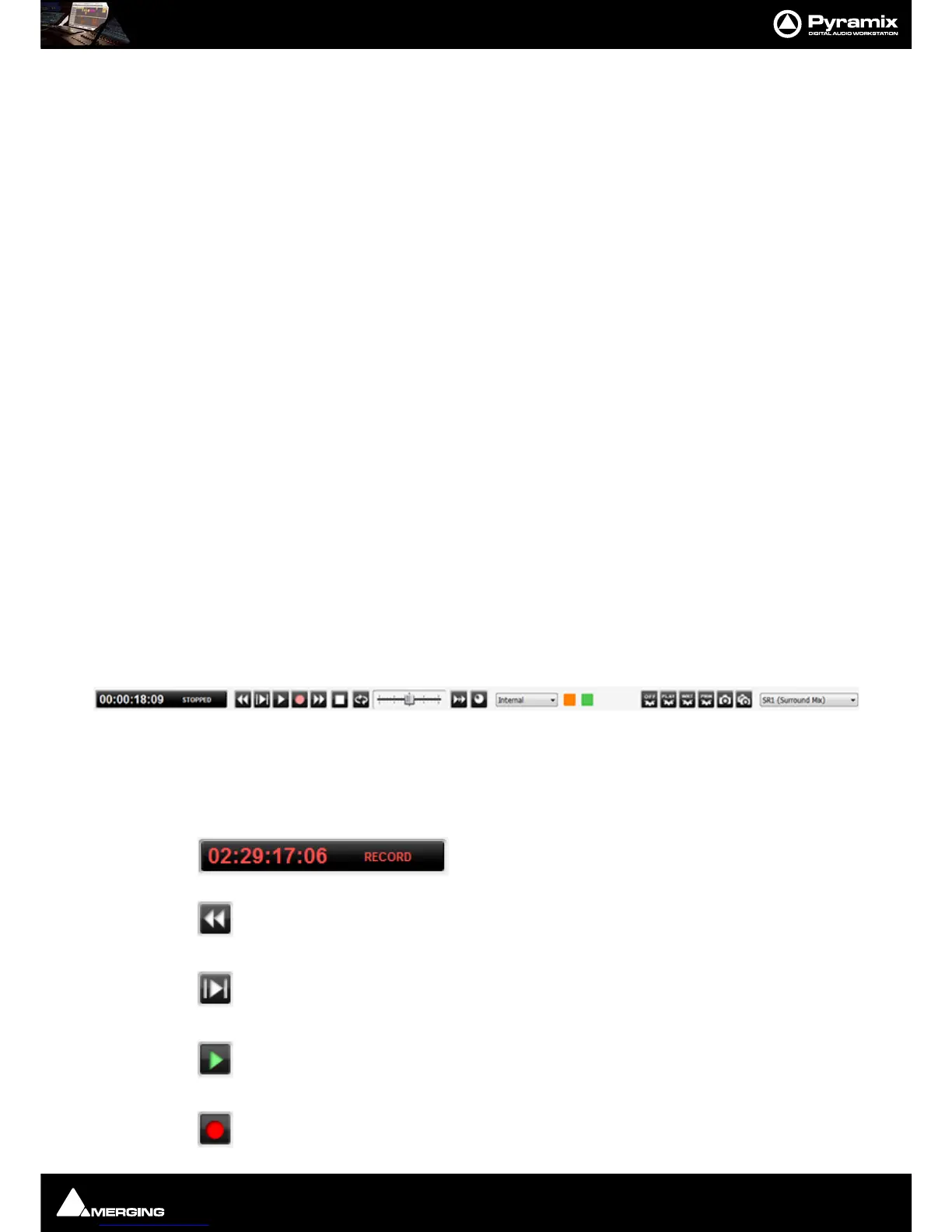
The Transport Bar brings together the most commonly used Transport Controls, Chase and Capture Offset but-
tons, and a Counter / transport status display.
From left to right, the controls are as follows:
The counter shows the current Active Machine position and transport mode.
Counter in Record mode.
The Rewind button moves the Active Machine at an accelerated speed backwards. A sec-
ond press doubles the speed.
The Play Selection button plays the current highlighted selection area when the Active
Machine is the Internal Machine (Pyramix).
The Play button plays the Active Machine at normal speed forward. A subsequent press
Pauses playback and another Restarts.
The Record button puts the Active Machine into Record mode.



 To Next Page