Effects and Plug-Ins : Flux
14 - 355
Compression or expansion of a portion of audio to fit in a given time, generally dialogue, ADR, translation or Foley.
Pyramix provides three ways to stretch/squeeze a Region of audio:
• Just select the Region or Clip to process and place the cursor at the position where the nearest Region
boundary should be extended to and select
Edit > Stretch. A dialog will then allow the boundaries to be
precisely adjusted with the help of TimeCode entries, or simply click OK or press the Enter key to confirm
the operation.
• Select the Region or Clip you want to process and copy it (
Edit > Copy, or Ctrl C etc.). Select the Region
you want the copied Region to fit into then simply use the command
Edit > Fit Selection.
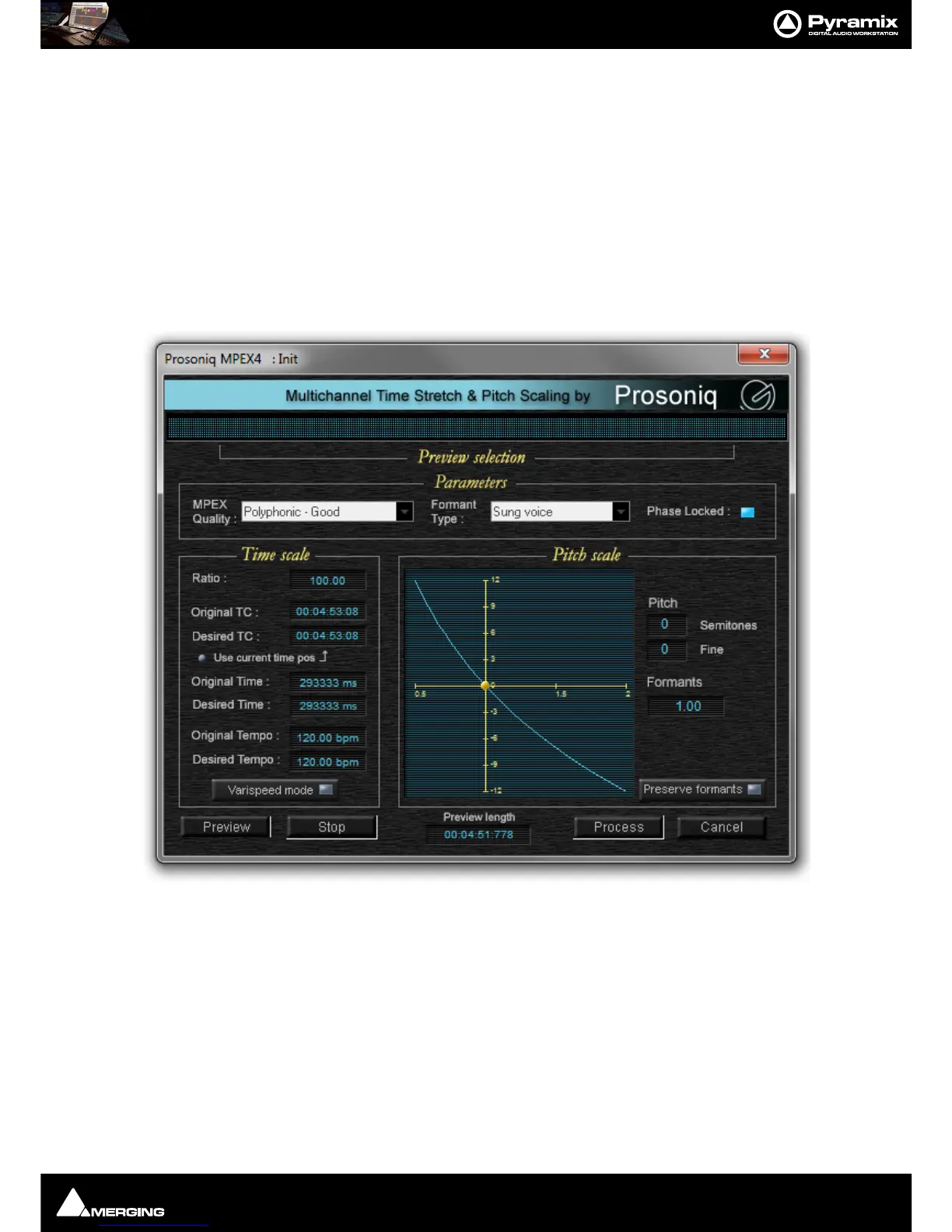
• Select the Region or Clip to process, select the menu
Project > Render and choose the Prosoniq MPEX4
module.
A comprehensive interface then enables the time-stretch parameters to be precisely adjusted. In addition to time-
stretching this interface also allows Pitch and Formant adjustments.
Quick Convert
The Prosoniq MPEX4 process can also be accessed by the Quick Convert function (Media Management Tab Win-
dow, Menu
Convert > Quick Convert > Prosoniq MPEX4
Scopein
TimeZone Time Compression



 To Next Page