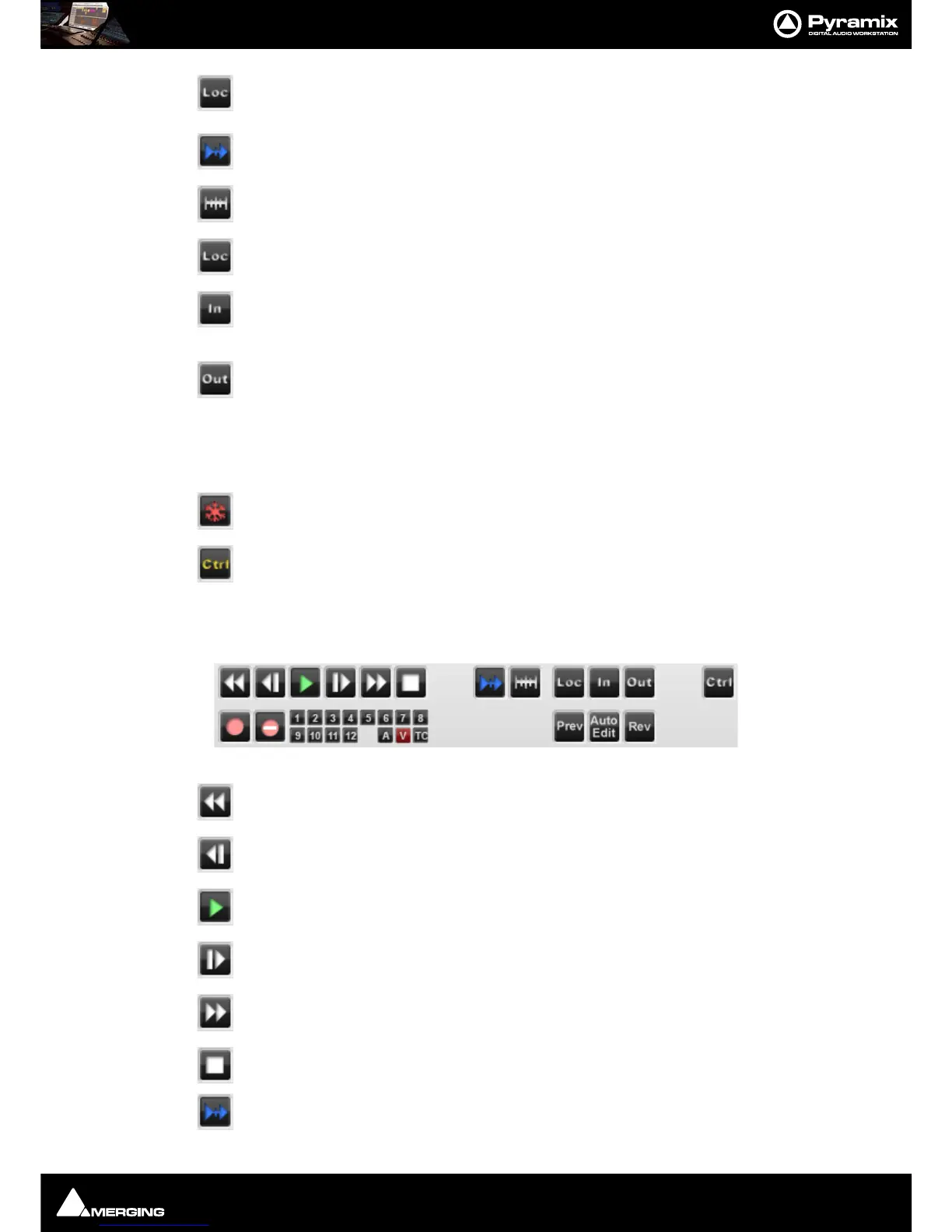
Machine Control : Transport Control Panel
22 - 509
Pops up the Goto Timecode dialog. See above in Internal / External Machine panels -
Common Features
Chase Please see: Chase Mode on page 510
Offset capture button. Captures the current offset which is shown in the OFFSET register.
Locate. Opens the Goto TimeCode dialog.
In Locates Playhead Cursor to the value in the IN register. Ctrl + In Captures the current Play-
head Cursor position to the IN register.
Out Locates the Playhead Cursor to the value in the OUT register. Ctrl + Out Captures the
current Playhead Cursor position to the OUT register.
Note: The In and Out points set for the Internal Machine are the main, red In and green Out,
marker positions in the Pyramix TimeLine.
The Freeze button stops all External Machines where they are. See Freeze Mode below.
Sets the Internal Machine (Pyramix) as the Active Machine. See Active Machine below.
External Machine panel - Features
Transport Controls
The Rewind button moves the External Machine at an accelerated speed backwards.
The - 1 Frame button nudges the External Machine backwards one frame per press.
The Play button starts the External Machine in Play mode.
The + 1 Frame button nudges the External Machine forwards one frame per press.
The Fast Forward button moves the External Machine at an accelerated speed forwards.
The Stop button sends a Stop command to the External Machine.
Chase Please see: Chase Mode on page 510



 To Next Page