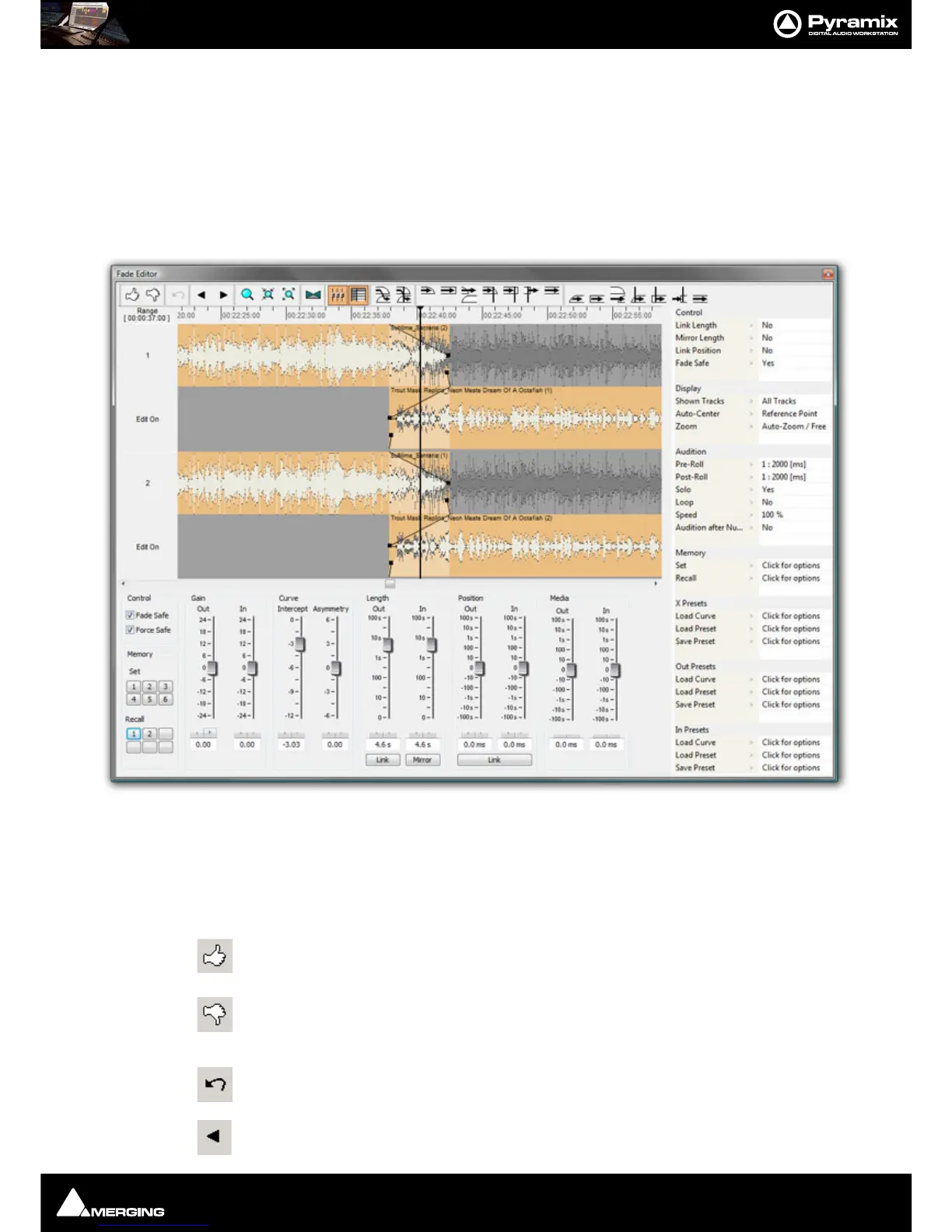
Fade Editor : Fade Editor Tab Window
9 - 192
Fade Editor Tab Window
The Pyramix Fade Editor offers several methods for creating fades and cross-fades. Fades can be made graphically
by simply clicking and dragging appropriate points on the display or by using a specialized set of faders and but-
tons or by directly entering numeric data. A comprehensive set of auditioning options is provided together with
libraries for user defined fade shapes and fades.
The Fade Editor always displays the fades for the current selection in the main Editor. The nearest fade to the click
point is automatically selected.:
Toolbar
Contains these buttons:
Accept & Close Editor (Close the Fade Editor and keep the changes, in effect an ‘OK’ button)
Restore & Close Editor (Restore the fade to its state prior to opening the Fade Editor or
selecting a new fade, effectively a Cancel button)
Undo last fade change
Select/Edit Previous Fade



 To Next Page