Media Management & Libraries : Search
4 - 54
Search Filters
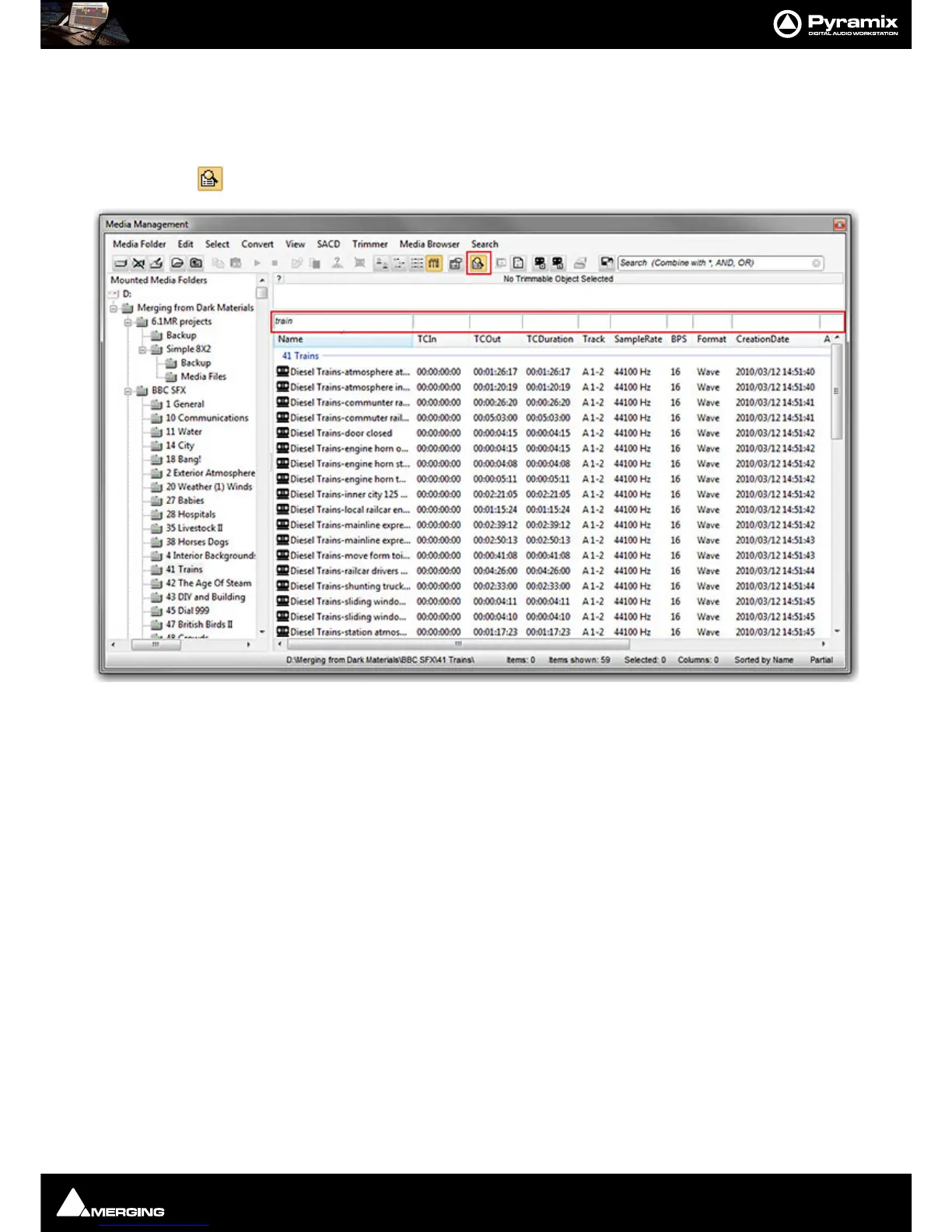
All Library views and the Media Manager view have a Filters option. Filters are accessed via View > Filters in the
Library or Media Manager View menu or by clicking on the:
Filters toolbar icon
In the screenshot above the Filter text entry boxes and Filters icon are highlighted in red.
• The specific Columns available for filtering are set in Options. Please see: Media Management and
Library Tab Columns on page 56
• Filters are not case-sensitive.
• Filters always behave as if there is a wild card at either end of the filter term. I.e. *text*.
• Multiple filters are allowed. So, for example, you could search on trains in the Name column and A 1-6 in
the Track column. This would filter the view to show only results containing *train* with six audio tracks.
• Filters are NOT recursive I.e. don’t filter sub-folders.



 To Next Page