Recording and Acquisition : Getting Audio into Pyramix Virtual Studio
7 - 142
Record Punch In (Auto)
Alt-Click on the Red Dot to toggle to Record Punch In mode. This is indicated by a Red Dot
flanked by 2 red vertical lines. In this mode, when the Master Record button is pressed in
the Transport Strip or Transport window, the Track will stay in Play mode until the current
Mark In point is reached, then the Track will go into Record mode. It will stay in Record
mode until the current Mark Out point is reached.
After Recording
New recordings will be processed according to the settings made in the Settings > All Settings > Project >
Record
page. Please see: Record on page 669
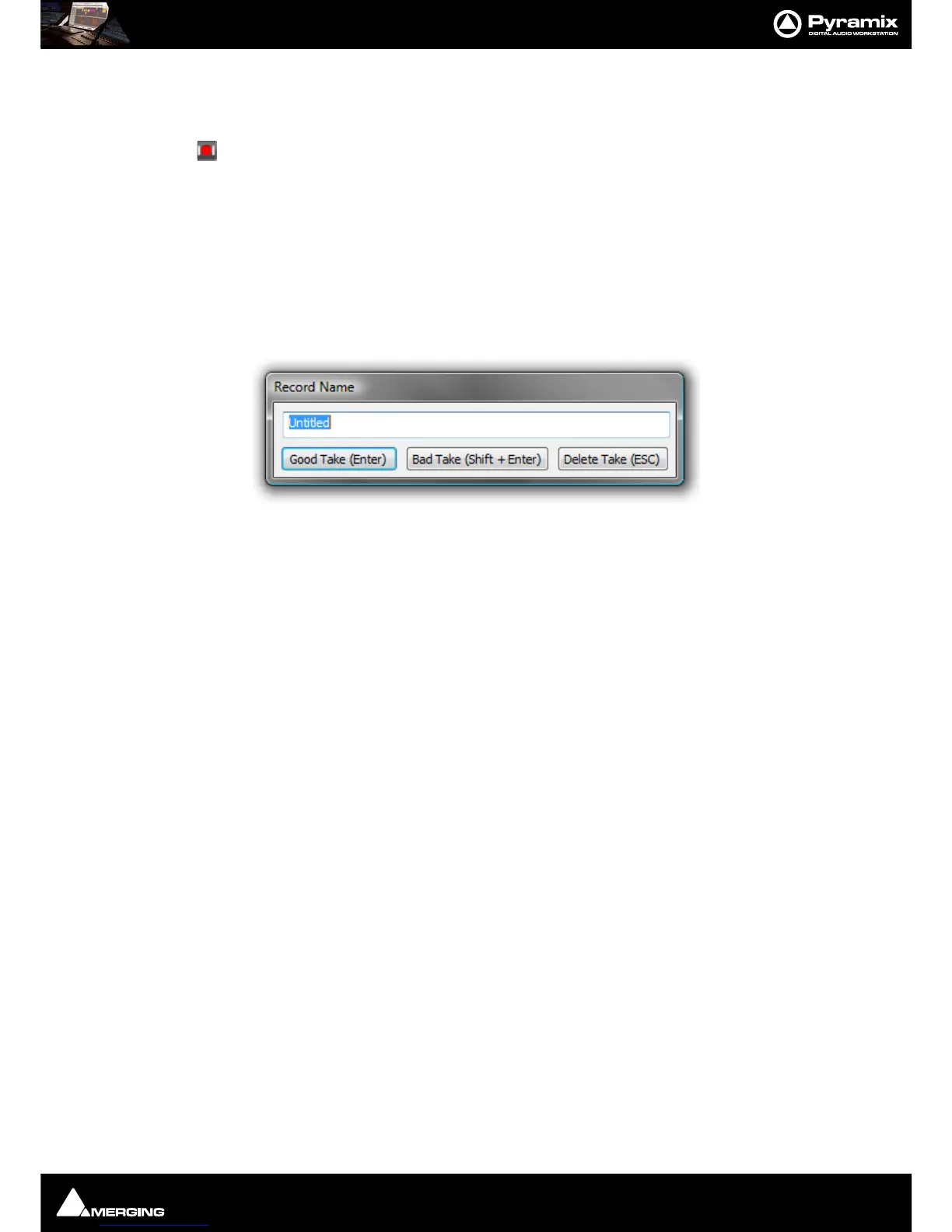
If the Prompt for name after recording box is checked the Record Name dialog appears when the recording is
finished and the transport stopped.
Type a name for the recording (or leave the default) then select one of the button options.
AutoPunch Mode
AutoPunch when Chasing TimeCode
If Tracks are set to Auto-Punch mode (Alt+Click on Rec Ready button) then the system will start recording (after
locking to TC) when it reaches the
Mark In point and punch out when it reaches the Mark Out point.
If the Mark In is located before the current location (and the Mark Out far after) then the system will immediately
record once locked and stop recording when unlocking.
Recording from a tape with Discontinuous TimeCode
Pyramix AutoPunch Mode makes this a simple operation.
• Place the Mark In at 00:00:00:00 and Mark Out at 23:59:59:24 (default values for a new project)
• Connect LTC Out from the tape machine into Pyramix
•Set Chase mode to
HARD CHASE
• Rewind the tape
• Press Play on the tape machine
Each time a valid TC is encountered Pyramix will lock and start recording a new Clip, then stop when the timecode
stops or jumps. A separate media will be created for each continuous section of timecode on the tape.
Safety Record Mode
Pyramix is equipped with a Safe Record mode for the Internal Machine.
Safety Record is turned off by default. It can be activated by selecting Machines > Internal Machine >Safety
Record
. When this mode is active an S is superimposed on the Transport Controls Record button.
Once a recording has begun the only way to stop it is to go to the Menu and de-activate
Safety Record mode.
Apart from this no key presses, mouse clicks or external control inputs will stop the recording.



 To Next Page