Mixer : Mixer Components
10 - 221
Mixer Components
Input Strips
Mixer Input Strips associated with Tracks (the main number top-left in the Track Header) are fed by and control the
monitor output of the Tracks. The Mixer Strip Channel
Live (physical) or Internal Return Bus Input goes direct to
the associated Track. When a strip has no associated Track it is fed by and controls the
Live (physical) or Internal
Return Bus
input assigned to it.
When the strip has an associated Track, the Track output is automatically switched between input and playback
output depending on transport mode, the monitoring setting in the Track header and the setting of the
Settings
> All Settings > Application > Playback/Record : Auto-monitoring
option, European Monitoring (all tracks
turn to INPUT on stop)
or US Monitoring (only Record Ready tracks turn to INPUT on stop)
Note: When strip channels have an associated Track NONE of the strip controls, fader, mute, eq
etc. affect the signal fed to the Track input.
Mixer Input Strips have the same functions as the input strips of any standard mixing console providing level con-
trol, pan, mute, etc.
The following types of input strips are available:
• Mono input Strips
• Stereo input Strips
• MS decoder Strips - decode a Sum and Difference signal to standard stereo format
• GPS (General Purpose Strip)
Direct Monitoring Input Strips
Direct Monitoring Input Strips are a special version of the basic Input Strip designed specifically for recording. The
principal feature of these strips is minimum monitoring latency for the artist. This is achieved by applying auto-
matic delay compensation only to the signal fed to the main output bus. For this reason, Aux Sends and Effects
cannot be installed in Direct Monitoring Input Strips and they cannot be routed to SubGroups. Three types are
available:
• Mono - Direct Monitoring
• Stereo - Direct Monitoring
• MS - Direct Monitoring
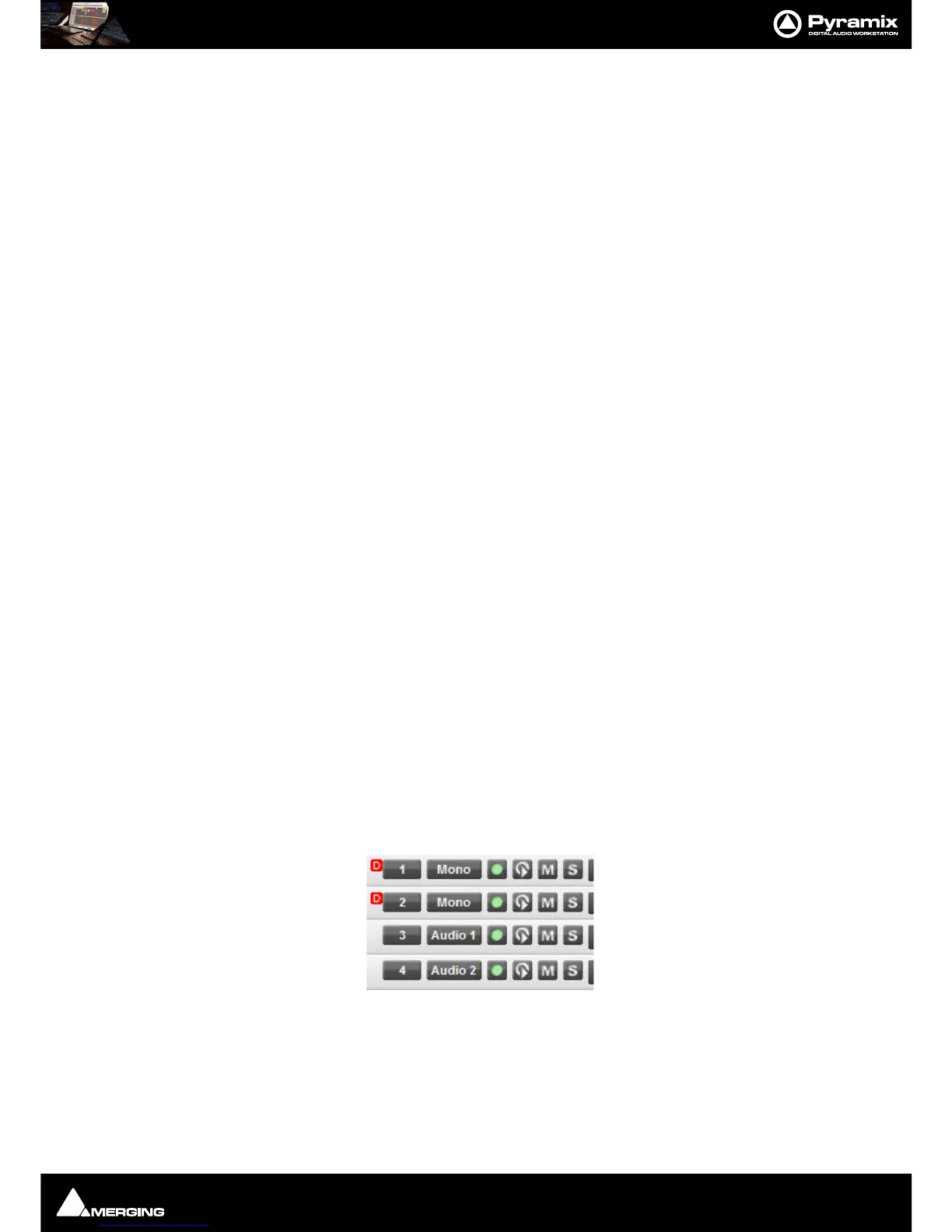
Note: Track returns to these strips do not have automatic delay compensation applied and are
intended for monitoring only. When mixing down the Track outputs should be connected to
‘normal’ strips. To indicate this clearly, Tracks feeding Direct Monitoring Input Strips show a small
red box with ‘D’ in the header:



 To Next Page