Conforming and Reconforming : Reconform
21 - 476
Reconform
Introduction
Reconform enables Tracks in an existing project to be conformed to take account of changes in the picture edit.
Reconform > Relink to new Media can be used to link to new Media files when new Cues without previously
associated Media files are produced by the Reconform.
In Pyramix there are three routes to Reconforming. The first two make use of a so-called
Change EDL. This EDL is a
standard CMX EDL generated from a “State 1 EDL” and a “State 2 EDL”.
In the first case,
CMX Reconform, the change EDL is generated by a third party application. This may be the video
editing software, or a specialized EDL manager.
Please see: Reconform Using Pyramix with an Existing Change EDL below.
Where there is no existing Change EDL there are two possibilities:
For users with Pyramix and access to both the original and modified video EDLs Pyramix can load the original pic-
ture (
Version1 if not already part of the project) plus the new picture (Version2) and generate the necessary
changes from these.
Please see: Reconforming Using Pyramix for Picture Change Detection on page 480
For users running VCube as well as Pyramix, VCube can be used to generate a Change EDL from the original
(
Version1) and revised (Version2) EDLs.
Please see Reconforming Using VCube for Picture Change Detection on page 488
Reconforming with an Existing Change EDL
The Reconform function allows picture edit changes to be applied to a project by loading a so-called “Change
EDL
”. T h e Reconform function rearranges Cues within the current project where necessary to reflect the change
from State 1 to State 2 by creating edits on all Tracks of the project using the original material as sources and plac-
ing them to the new destination TimeCodes.
Step 1
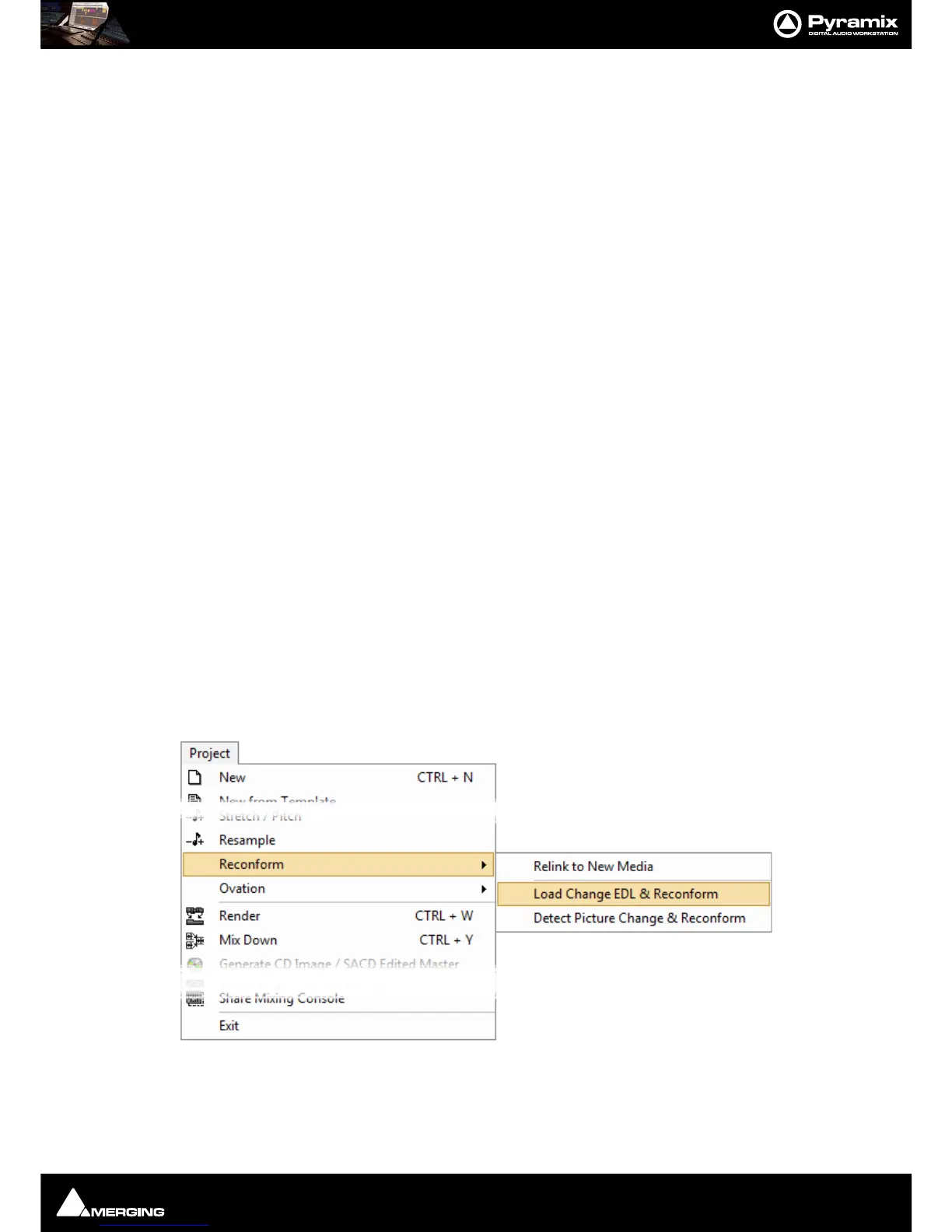
With the Pyramix project you wish to conform open in Pyramix select:
Project > Reconform > Load Change EDL & Reconform



 To Next Page