Mixer : Mixer Surround Components
10 - 255
Stereo Input Strips.
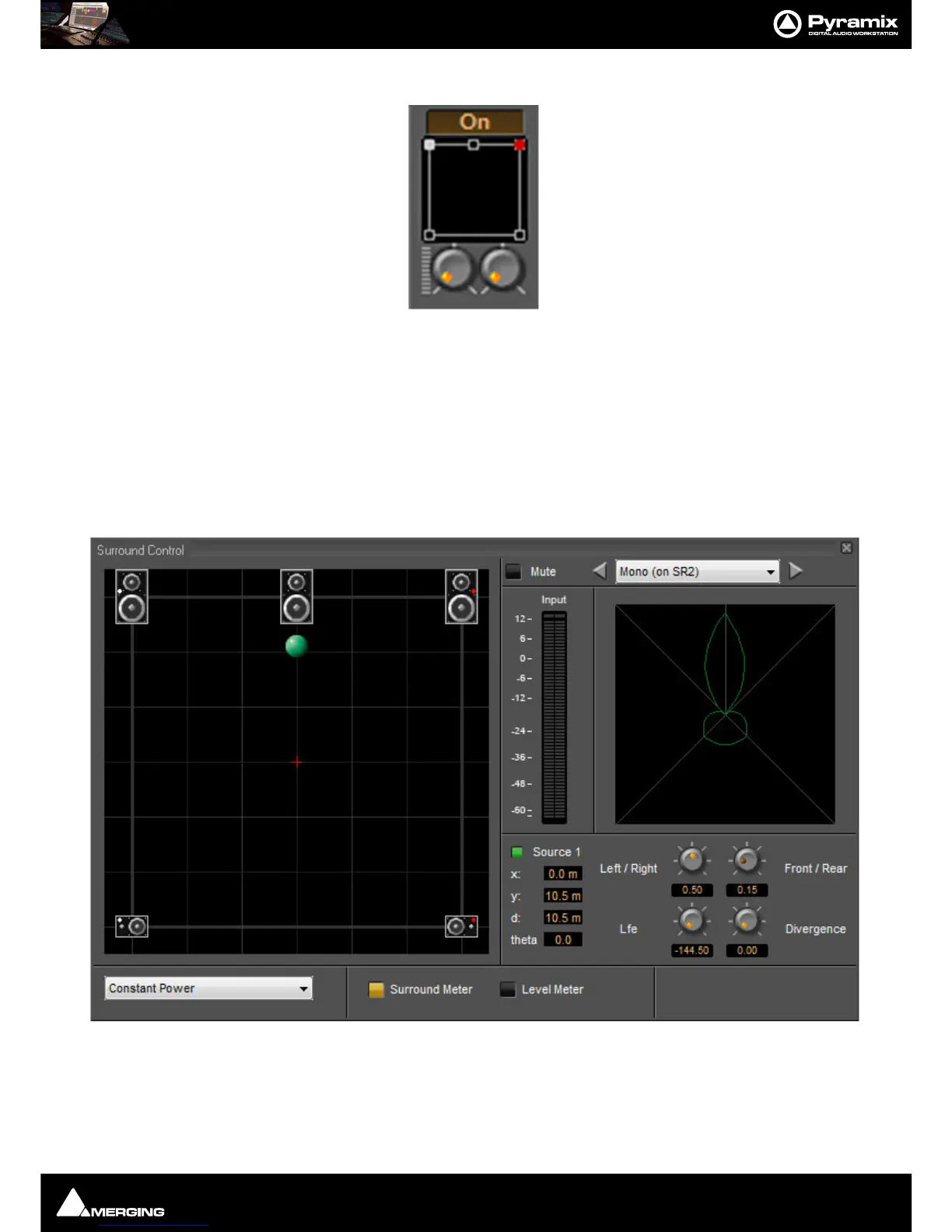
The Surround Sound Panner Position control behaves slightly differently in a Stereo Input Strip. Notice there are
now two independent position controls and two independent LFE sends. One for each input channel.
Open Surround Control
The Surround Control window offers far more information and a greater degree of control over all the surround
panning parameters than could be shown on an individual Input strip. It can be opened and closed by clicking on
the appropriate area on the strip, from
View > Windows / Tools > Surround Panner or the icon in the View Tool-
bar when an input strip with a Surround Panner is selected.
Surround Control window
Options available will depend on whether the Mixer Channel is single source (mono) or 2 sources (stereo)
.Position/Speaker Control
When a single source is used, the Position Control is displayed as a green dot on a grid with 5 speaker icons. Each
speaker icon represents a Surround Speaker Position (L, C, R, SL, SR). The position of the Green Dot determines the



 To Next Page