GPI / GPO Control : GPI / GPO Support
24 - 525
GPI / GPO Support
GPI/O support is available as a Remote Controller module.
Note: For the present the only supported GPI/O interfaces are the following models manufac-
tured by Sealevel:
• SeaPORT PLC-16** 8 in 8 out
• SeaI/O-410U 16 in 16 out
• SeaI/O-420U* 16 in 8 out
• SeaI/O-430U* 32 in 0 out
• SeaI/O-440U* 0 in 32 out
• SeaI/O-450U* 0 in 16 out
• SeaDAC P/N 8221* 16 in 16 out
• SeaDAC P/N 8222 16 in 8 out
• SeaDAC P/N 8223* 32 in 0 out
• SeaDAC P/N 8224* 0 in 32 out
• SeaDAC P/N 8225* 0 in 16 out
* Obtainable on special order.
** No longer available.
Note: Note: USB drivers are included in the Pyramix Installer. There is no need to download the
driver from the supplier’s website. For more information about the specification of the GPIO
hardware device please see:
http://www.sealevel.com
Using the GPI/O controller
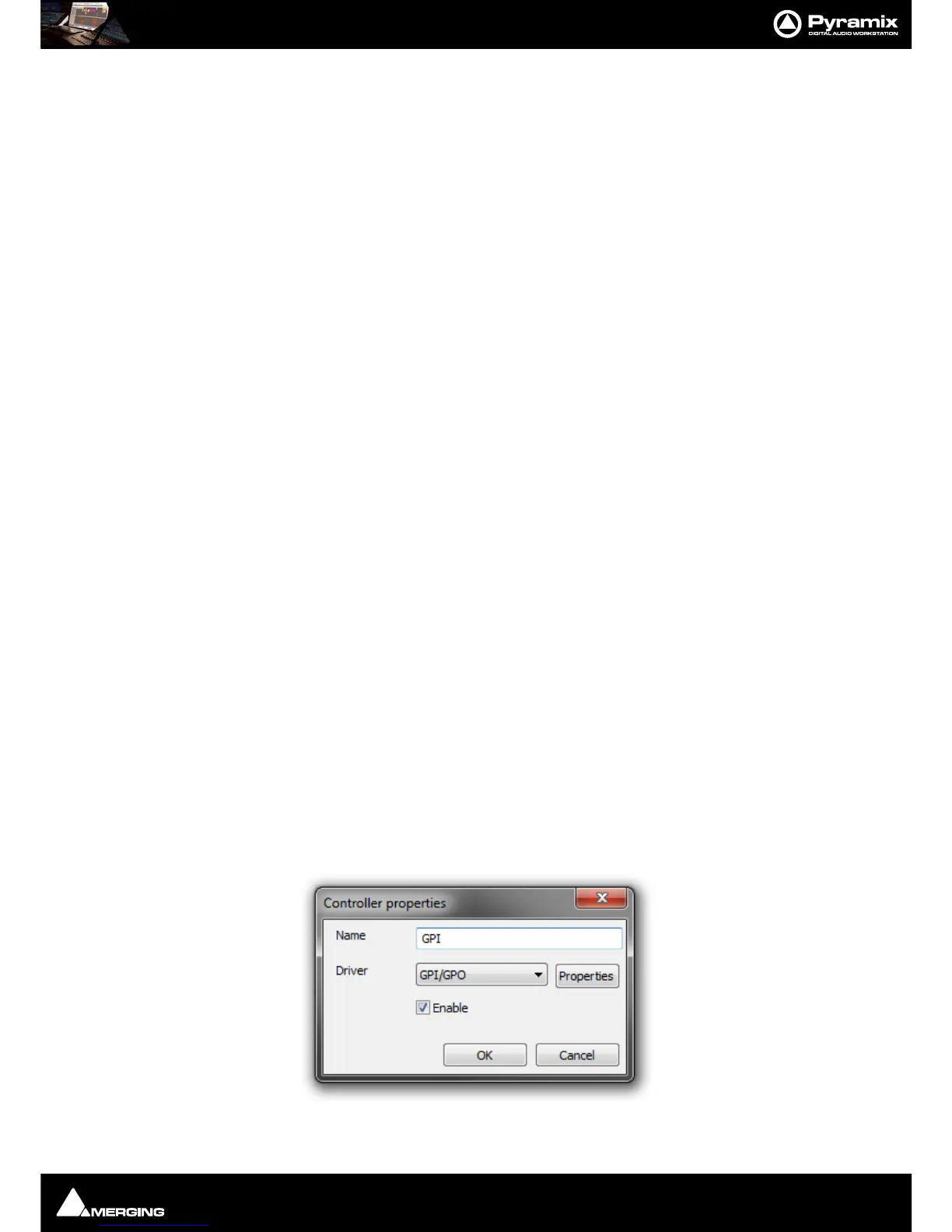
Add a GPI/O Controller
Before Pyramix can use the adaptor, it must be set up.
Select the
Settings > All Settings > Remote Control > Controller page
Click the
Add button. The Controller Properties dialog opens. Type a name for the Controller and select GPI/GPO
from the
Driver drop down list. Click OK to close the dialog and click OK to close the Pyramix Settings window.
Note: Do not do this more than once. Only one GPI/GPO controller is allowed. However this can
control more than one physical GPI/GPO USB Module



 To Next Page