Media Management & Libraries : Libraries and other View Windows
4 - 73
Libraries and other View Windows
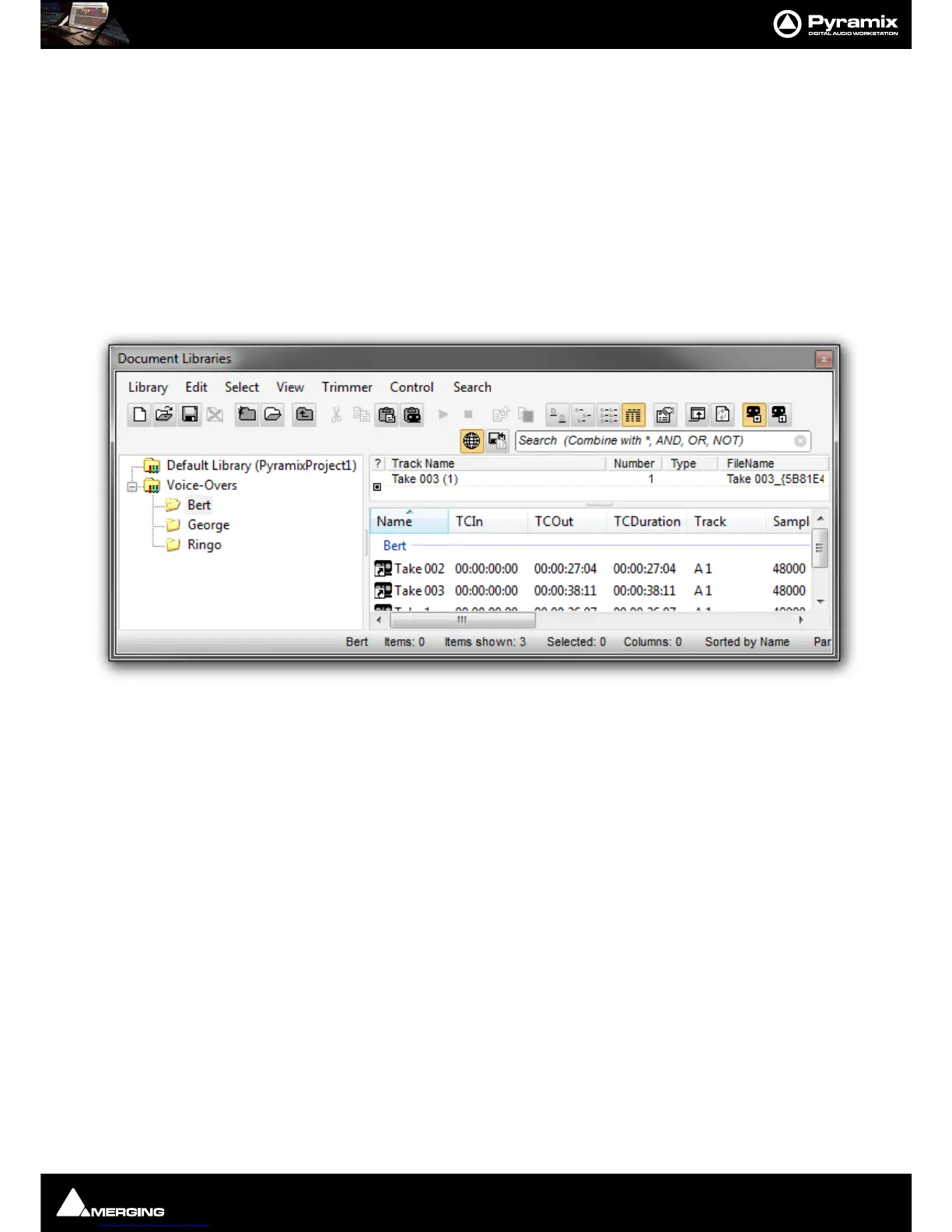
Pyramix uses Libraries to help keep Project organization tidy. Libraries are used to organize project material into
logical groupings. However,
Libraries are not the same as Windows directories or folders. They are only meaning-
ful within the Pyramix environment. A
Library is a database, containing a collection of pointers to different types
of media objects with tools designed to enable you to work quickly and intuitively.
Other View windows such as
Search Results, Used Media, Project Default Media and Non-Project Default
Media
operate in the same way as Library windows.
Shelves
A library Shelf is a sub-folder. You can create many Shelves in a Library and Shelves can also contain further
Shelves.
Project Libraries
Composition Library
Since Pyramix 7, the Composition Library is no longer present. This has been done to preserve editing interactiv-
ity.
We recommend two work flows to achieve the same results as using the Composition Library:
• Toggle the
Select Used Media view to list the Media by location, based on Timeline selection. You can
search and drag & drop from this window back into the Timeline. You can also save the
Select Used
Media
content to a User Library which can be re-opened as a Library.
• Use the
EDL view since this has been improved and is fully functional and reliable.
Default Library
Each new Project creates an empty User Library named Default Library (‘project name.pmx’). This is provided
to aid housekeeping and is kept with the project.
User Project Libraries
Further Project Libraries can be created at will. From the Document Libraries Tab choose Library > New Library.
Global Libraries
Project Libraries are kept with the Project, Global Libraries are available to all projects and users of the system.
Otherwise they are identical functionally. Global Libraries are useful for sound effects or where several users need
access to the same source material to produce different end products.



 To Next Page