Tracks and Track Groups : Tracks
5 - 90
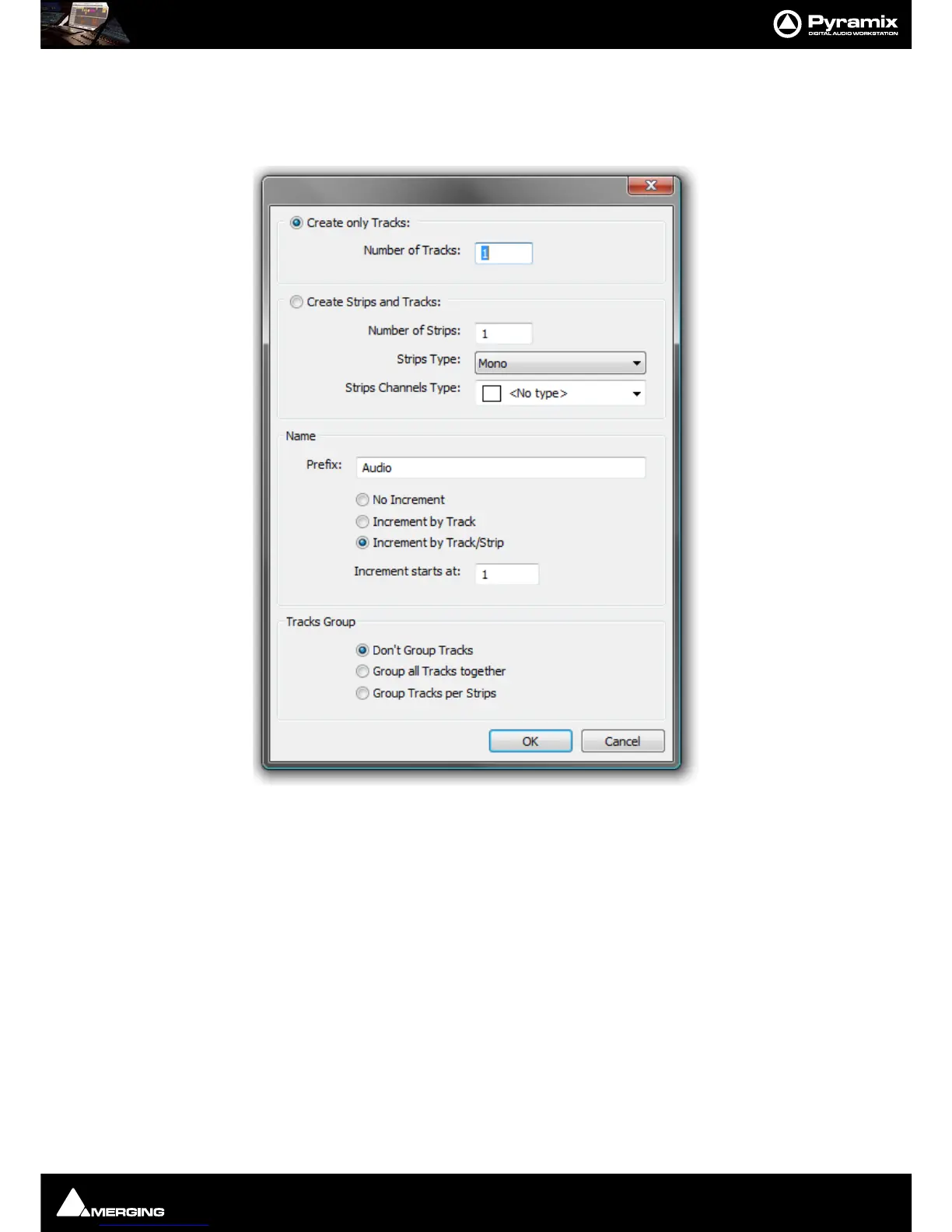
Create New Tracks
New Tracks are inserted below the currently selected Track or, if no Track is selected, at the bottom after the last
existing Track. To add
Tracks to the Timeline, select Tracks > New Audio Track (or right-click in a blank area of
the Track header and choose
New Audio Track from the context menu).
Create only Tracks: / Create Strips and Tracks:
To simply create Mono Tracks only, check the Create only Tracks radio button, enter the number of Tracks
required into the
Number of Tracks data entry box and click OK. The Track(s) will be created with the default
name
Audio numbered in ascending order from 1.
If you wish to create Mixer strips at the same time, check the
Create Strips and Tracks radio button. Enter the
number of Strips required into the
Number of Strips data entry box. Pyramix currently supports four categories of
Strip. The default is
Mono.



 To Next Page