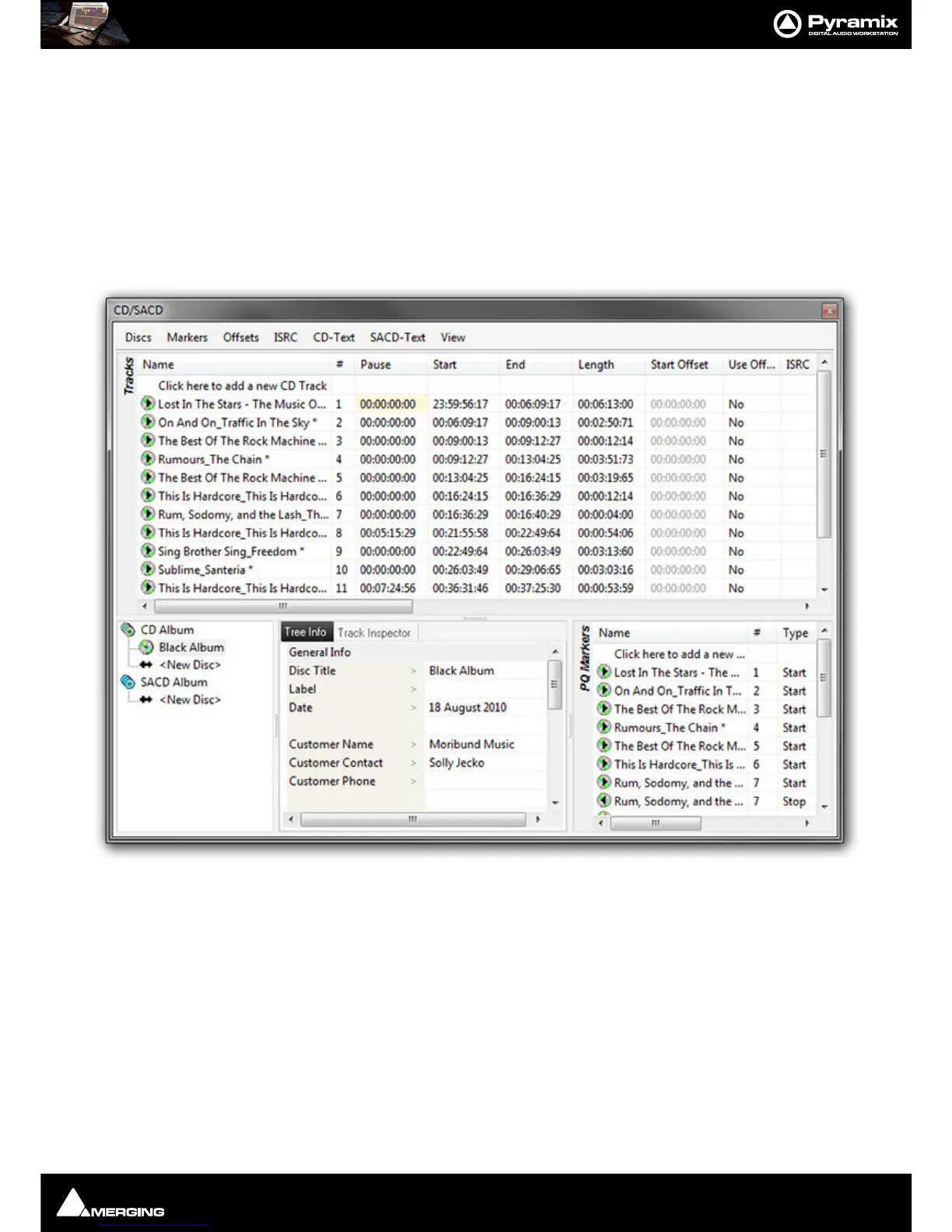
CD/SACD Mastering and Album Production : CD/SACD Tab Window
25 - 530
Convert Text Markers to CD
Text Markers can be converted into a CD.
Simply right-click on a selection of Text Markers in the
Markers Tab pane and choose Create CD Disc.
This will create a new CD disc and select it. A final Stop marker will be added at the end of the next Clip found (if
any) after the TimeCode of the last Start marker. (So it only creates CD Start Markers on the first and intermediate
Cues, but also creates a Stop Marker after the Cue that has the last Start Marker, in order for the CD to be valid).
CD/SACD Tab Window
All the mastering features are grouped in the CD View; in three sections.
The
To p Pane is the Tracks list for the current CD/SACD Project.
The lower half of the window is divided into three, the
Album area, the Tree Info/Track Inspector section and the
PQ Markers list.
Album, All Markers and Track Inspector
The Right pane shows the track list fields. (see below)



 To Next Page