Mixer : Audio Bridge
10 - 260
Audio Bridge
Overview
•The Audio Bridge enables Pyramix to connect to a non Merging Technologies Audio Device in the sys-
tem. This can be an internal Sound Card or an external ASIO device.
• This is used typically for monitoring the signals coming from a primary MassCore or ASIO based Horus
unit, deployed as a stage box, locally on a secondary Audio Device.
• Since this Secondary Audio Device mode is bi-directional it also provides talkback support for the Pyramix
operator to talk to an operator near the Horus deployed remotely.
• Recordings should only be made using signals from the primary unit. The secondary unit should NOT be
used as a record source since it employs a sample rate converter to maintain perfect sync with the main
unit. This obviates the need for an external hardware sync connection.
• The Audio Bridge also enables an ASIO or Rewire enabled application’s output to be merged into the
MassCore engine and I/O and to send audio to an ASIO or Rewire application.
•The
Audio Bridge provides 8 to 96 I/O channels (depending on the ASIO or Rewire application or Second-
ary Audio Device’s capabilities.)
The appropriate
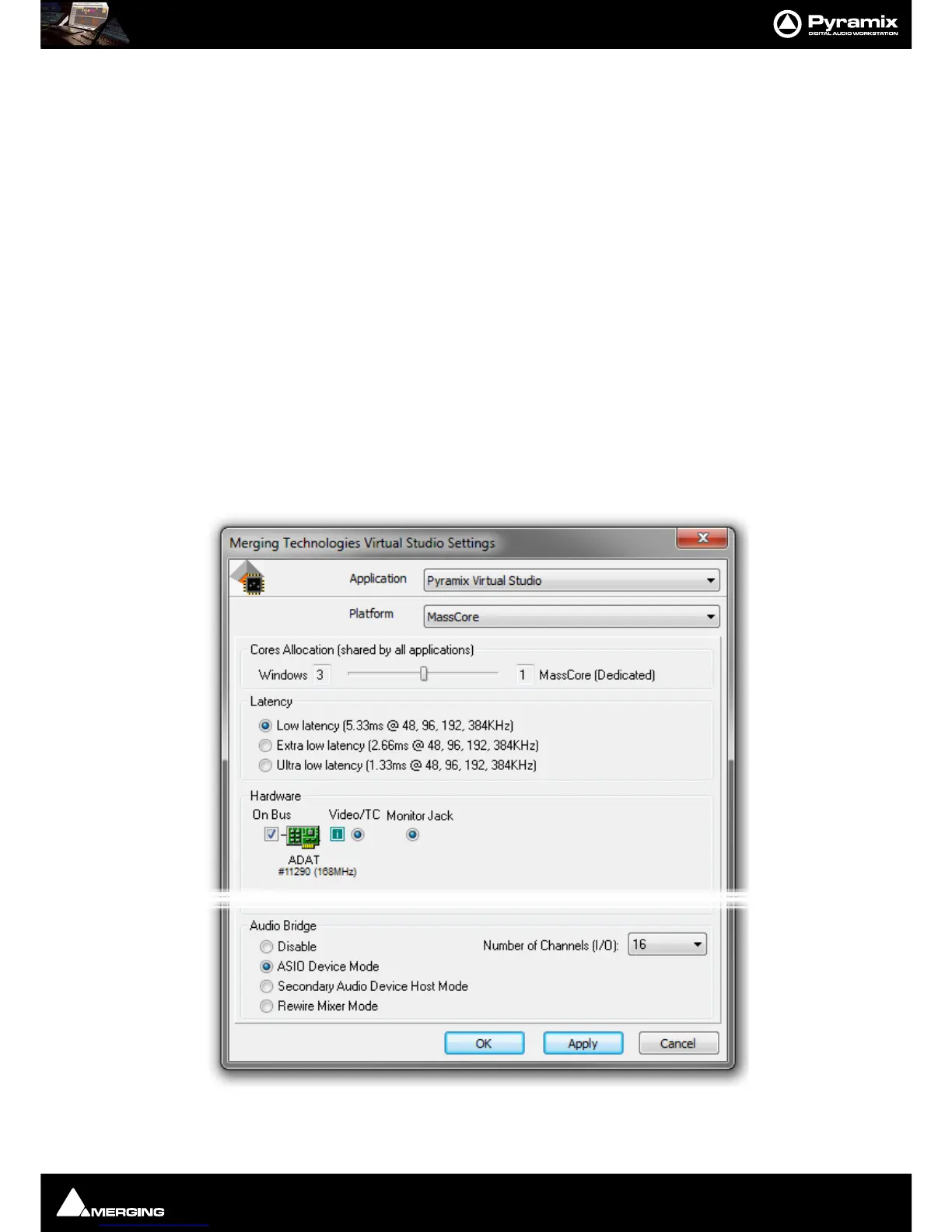
Audio Bridge option must first be enabled in the VS3 Control Panel (to a maximum of 96 chan-
nels with the extended Native Version) Pyramix must first be closed (if open) before the VS3 Control Panel is
launched.
ASIO Device Mode



 To Next Page