Tracks and Track Groups : Track Envelope and Static Gain
5 - 109
Envelope Punch
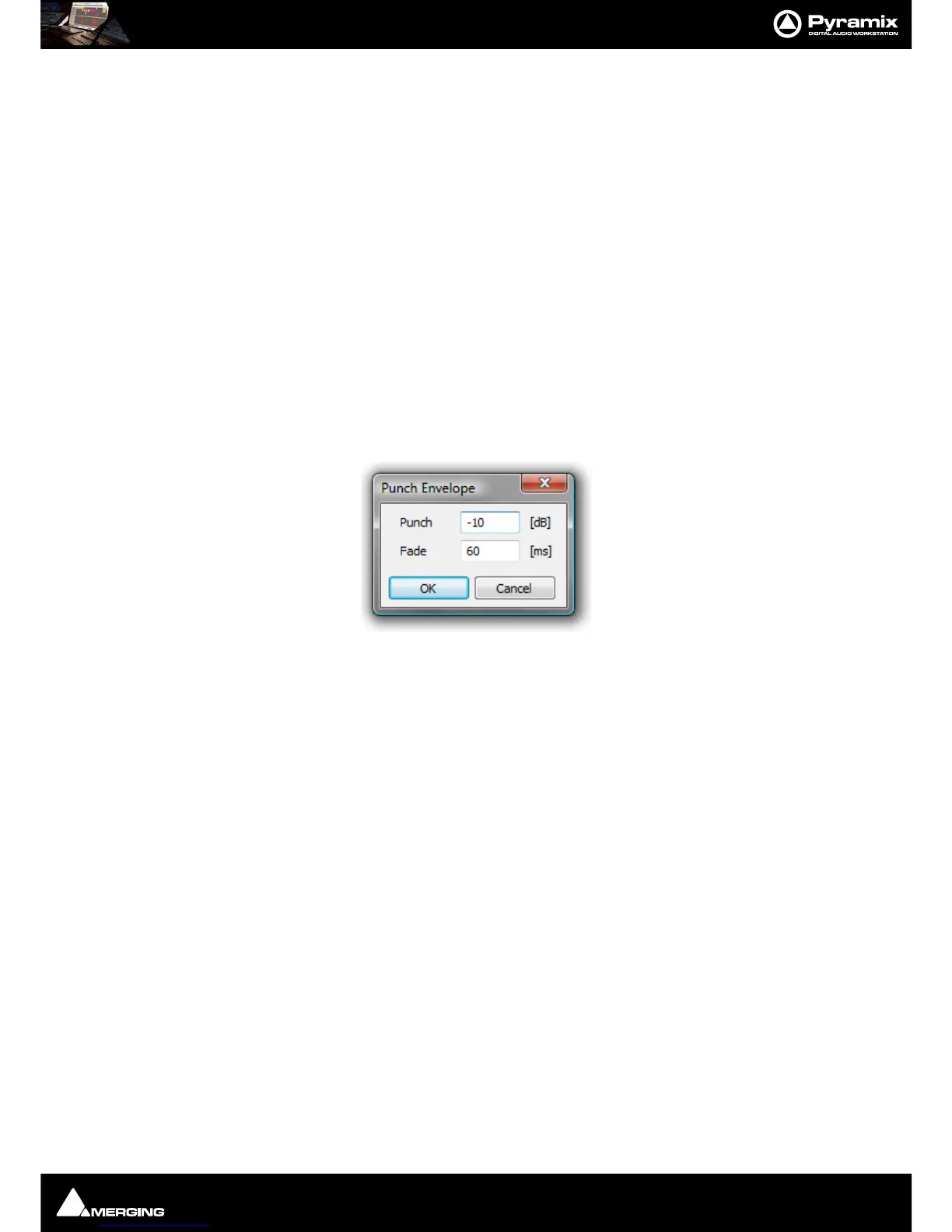
Places four new envelope nodes at the bounds of the selection on the Track under
the mouse cursor when Punch is chosen and opens the Punch Envelope dialog
box
Envelope Punch Selection Carries out the same operation as Punch but to all Tracks in the current Selection.
Envelope Shortcuts
If Envelope features in your workflow it is well worthwhile learning some keyboard shortcuts:
Envelope Reset Ctrl + R
Envelope Reset Selection Ctrl + SHIFT + R
Envelope Copy to Selection Ctrl + SHIFT + C
Envelope Punch Ctrl + P
Envelope Punch Selection Ctrl + SHIFT + P
Punch Envelope
Punch Envelope is a powerful method of adjusting gain within a Clip in many circumstances, especially when edit-
ing dialog.
When invoked from the
Clips > Envelopes menu or by Ctrl + P or Ctrl + SHIFT + P the Punch Envelope dialog
appears :
Type the gain change required in the
Punch field. (Type a - minus to attenuate)
To add a fade at each end of the Punch, type the required duration in
ms in the Fade field.
Click on
OK to execute the change or Cancel to reject it.



 To Next Page