Tracks and Track Groups : Track Envelope and Static Gain
5 - 108
Note: Adjustment nodes on Automation Tracks are circular and nodes on Envelopes are square
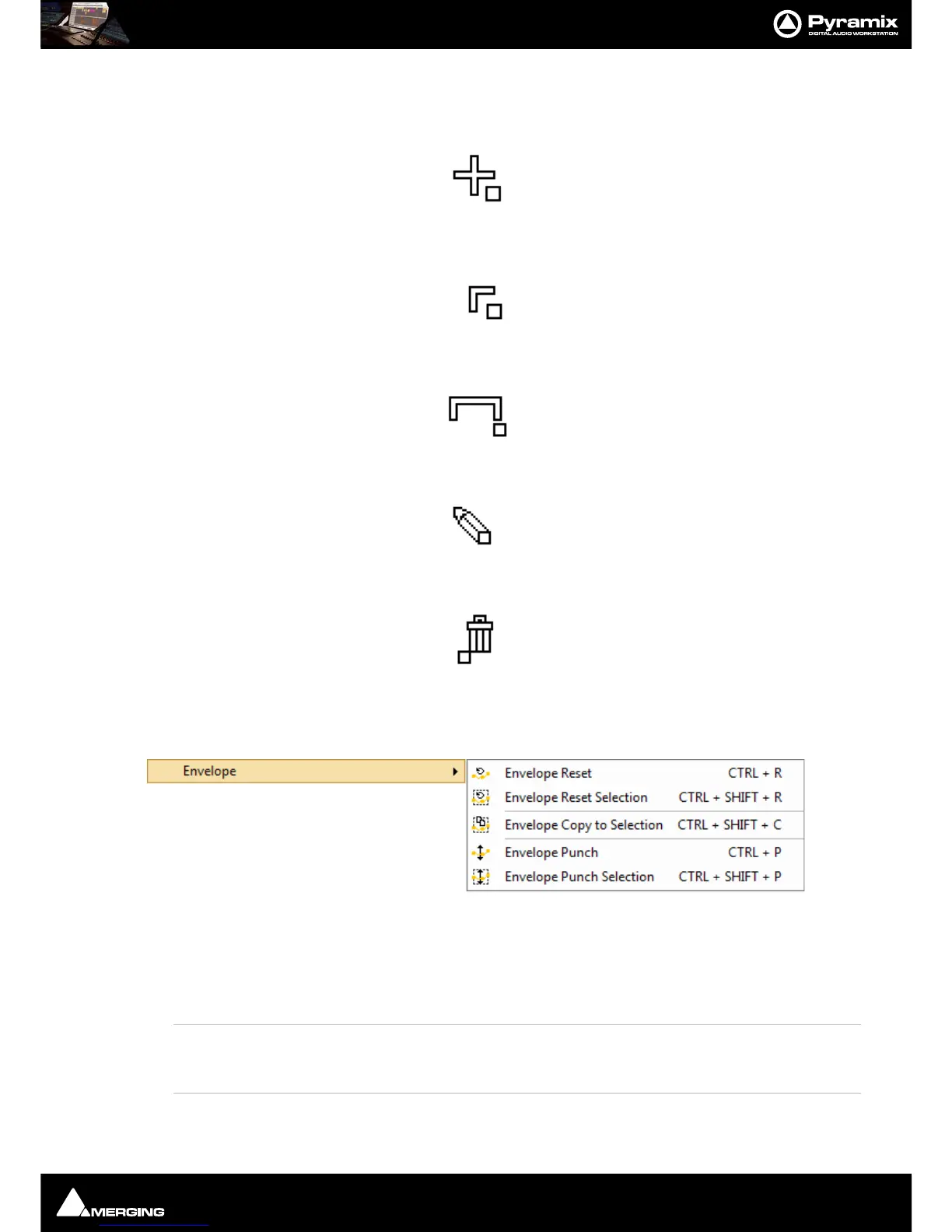
Left Click anywhere on the Envelope line to make a new node:
Left Click on an existing node to adjust it:
Ctrl + Click on an existing node to adjust all nodes in the Region selected currently:
Alt + Click anywhere on the Envelope line to draw nodes freehand:
Ctrl + Alt + Click on an existing node to erase it:
Clip Envelope Menu Functions
Clips > Envelope offers a number of powerful Envelope related functions :
Envelope Reset Reset the gain envelope for the whole selection by deleting all envelope nodes
within the selection only on the Track under the mouse cursor when Reset is cho-
sen.
Envelope Reset Selection Reset the gain envelope for the whole selection by deleting all envelope nodes
within the selection.
Envelope Copy to Selection Copies the values of all envelope nodes within the selection from the Track
under the mouse cursor when Copy to Selection is chosen to all other Tracks in the
selection



 To Next Page