Automation : Dynamic Automation Levels
15 - 367
Console Strips Release Mode - Auto-Release
An interpolation is created from the current value to the value written in the
previous pass. I.e. a fade. The length of this is defined in
Automation Settings > Auto-
Release Time
.
Console Strips Release Mode - Write to Next The same value is kept after the last written point until the next point is found in
the previous pass.
Console Strips Release Mode - Write to End Writes the current value to the end, ignoring previously written points. (If any)
Release Auto-Writing Immediately releases all controls currently recording automation. This option is provided
for controllers without touch sensitive faders etc.
Note: Ctrl + Alt + Esc releases Auto-Write
Dynamic Automation Transport Modes
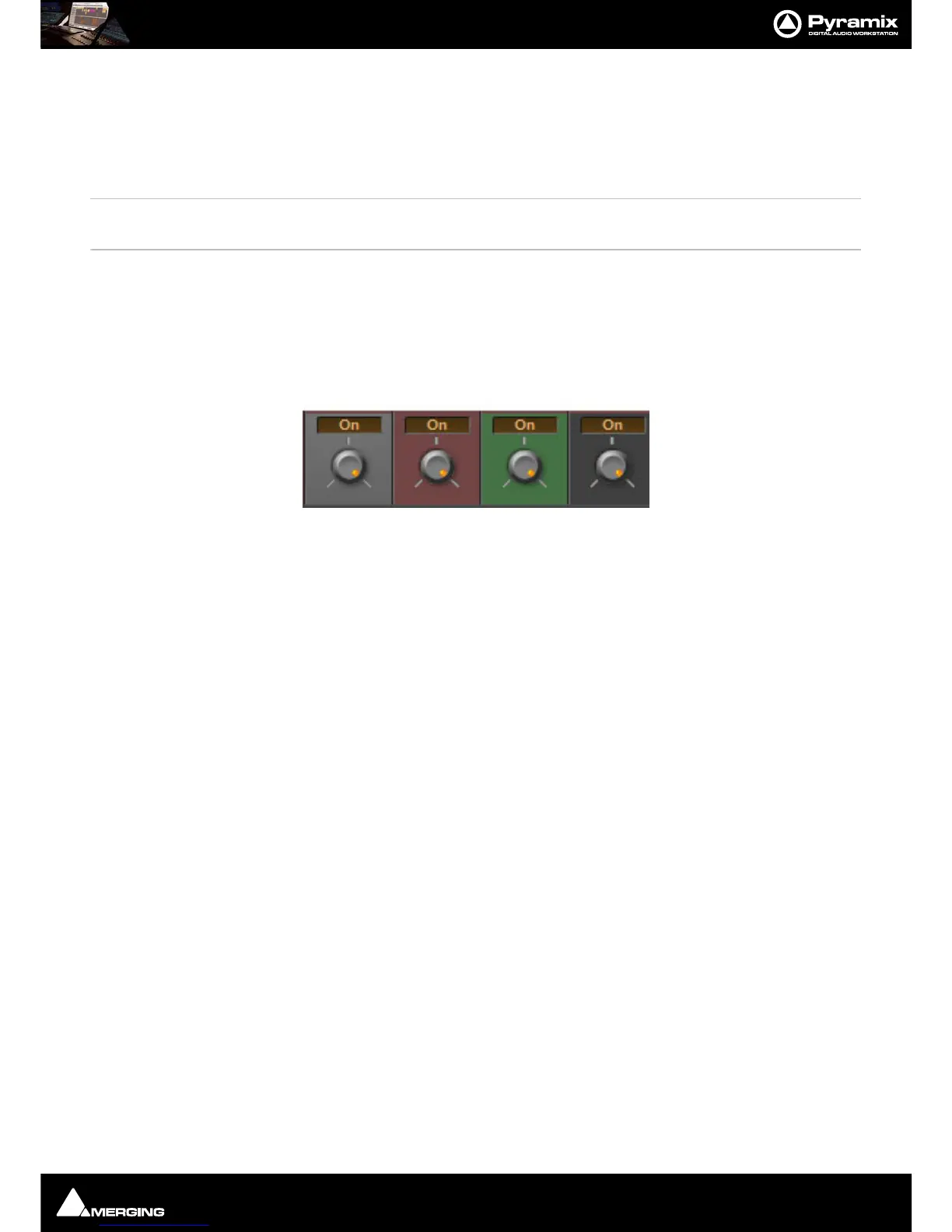
Every control in the mixer can be set to one of four dynamic automation transport modes. The automation mode
can be set for individual controls, for channel strips, for buses, for groups of controls or for the whole mixer. The
current mode is shown by the background color.
Auto-Write
Default background color.
With the transport in
Play, and the Master Automation Controls in Read or Write modes, the control(s) Read
(play back) previously recorded automation data.
In
Write mode When a control is moved new automation data is written until the control is released. Behavior
when the control is released, or the transport stopped, is governed by the choices made in the
Automation menu
and in
Automation > Automation Settings.
Write
Dull red background.
With the transport in Play, and the
Master Automation Controls in Write mode, the current state of all controls in
Record mode is recorded as automation data.
Read
Dull green background.
The control(s) follow the last automation data recorded for them or maintain their default position where no previ-
ously recorded automation data exists.
Isolate
Charcoal gray background.
The control(s) are isolated from any automation moves already recorded. Controls can be moved without affecting
existing automation data.



 To Next Page