Tracks and Track Groups : Automation Tracks
5 - 102
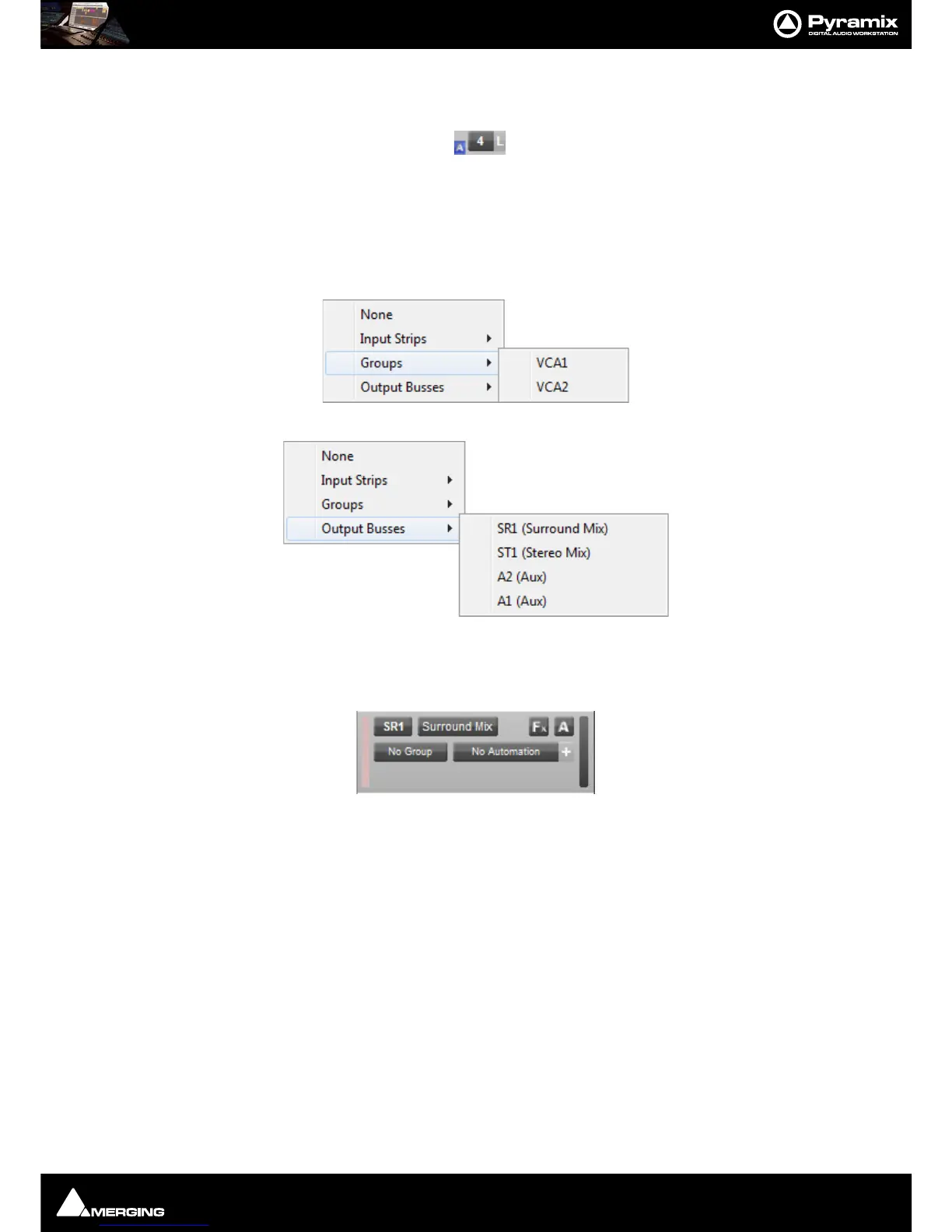
When one or more Automation Sub-tracks exist a small blue [A] button is shown adjacent to the Strip number.
Clicking this button toggles all Automation Sub-Tracks associated with this Audio Track visible/hidden.
Bus and VCA Group Automation Tracks
Normal Audio Tracks are used to display and manipulate Bus and VCA Group Automation.
Clicking on the top-left button, used for assigning Tracks to Mixer Strips Now also has the option of connecting to
VCA Group Strips and Bus Strips :
A Bus is connected without consideration of the number of Channels in the strip.
The Bus ID is displayed in the connection Box (SR1, ST2, A3, etc…)
The Bus Name is displayed in the Name Box, but is not editable currently.
The Fx button remains available.
The Automation button [
A] is available.
The Automation Name and [+] are available.
Automation Sub-Tracks [+]) are available.
Notes:
When connected to a Bus the Track does not play back any audio. It can, however carry Clips.
When right clicking on the [A] button or left clicking on the Automation Name or [
+] all menus enabling Automa-
tion Tracks to be selected filter available Tracks following the Bus controls as is the case for Input Strips.



 To Next Page