Mixer : Mix !
10 - 206
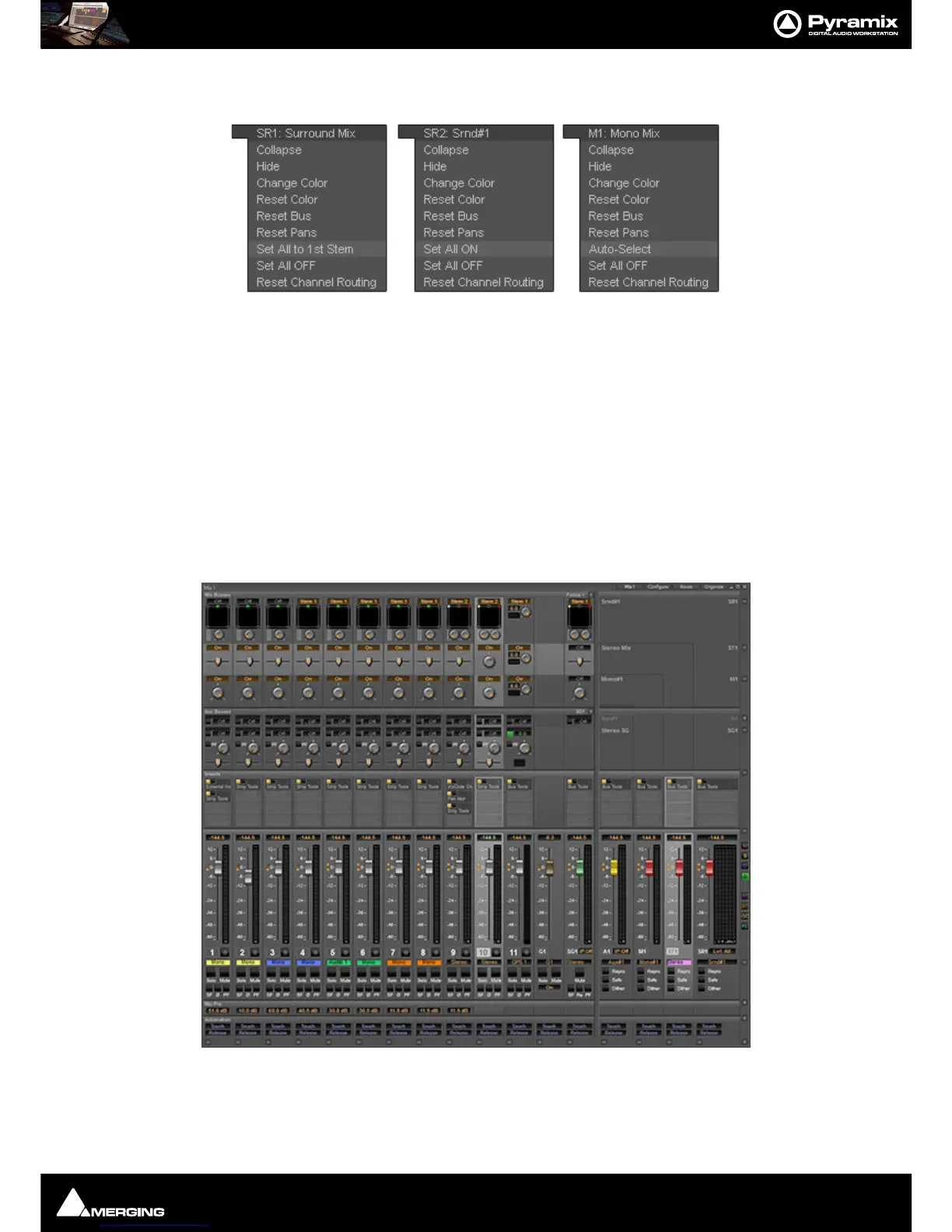
Bus + - context menus
The precise content of this pop-up depends on the type of bus and whether there are multiple stems:
Set All to 1st Stem
As it says. All sources will be routed to the first stem of a multiple bus.
Set All ON/OFF
Activates/deactivates the routing to a Bus or Bus Stem for every Input Strip.
Auto-Select
Is exactly the same function as the one provided in the right-click menu over a Multi Mono bus from the 1st strip;
i.e. it auto-sets the routing of every strip’s channels to a Multi Channel Bus, so that (as far as possible) each Input
Strip channel is routed to a Bus channel matching the same grid index (diagonal routing).
Highlighting
To aid in comprehension strips and buses are highlighted when selected. Highlighting a bus strip also highlights
all its sends.
In this screenshot Strip 10 is selected along with the Stereo Bus. Strip highlights follow the Tracks selected in the
Timeline. Multiple selections are possible.



 To Next Page