Appendices : Appendix III VS3 Control Panel
30 - 732
Platform
This drop-down list determines which processing platform mode will be used. Dependant on the options installed
these may include MassCore and Native - ASIO. If you choose
MassCore the Hardware section will show the
Mykerinos boards present in the system. If
MassCore is chosen in a multi-board system the Buses Mode drop-
down appears. .
Core Allocation
Note: This setting is only available in MassCore Systems and only when the MassCore SMP key is
present. This setting applies to ALL applications.
The slider enables the number of processor cores dedicated to MassCore to be varied. The numbers shown vary
according to the number of cores available on the specific system.
Latency
These options are only available when MassCore is installed and chosen as the Platform and then only with cer-
tain Mykerinos cards.
Please see: Pyramix Latency Modes for MassCore on page 37
Hardware
All installed Mykerinos cards are shown here with check-boxes which determine if they are On Bus (I.e. will be
used), for the selected application and which On-Bus board will be used for
Video/TC. In a multi-board system
with boards having different capabilities this will normally be the most powerful board available.
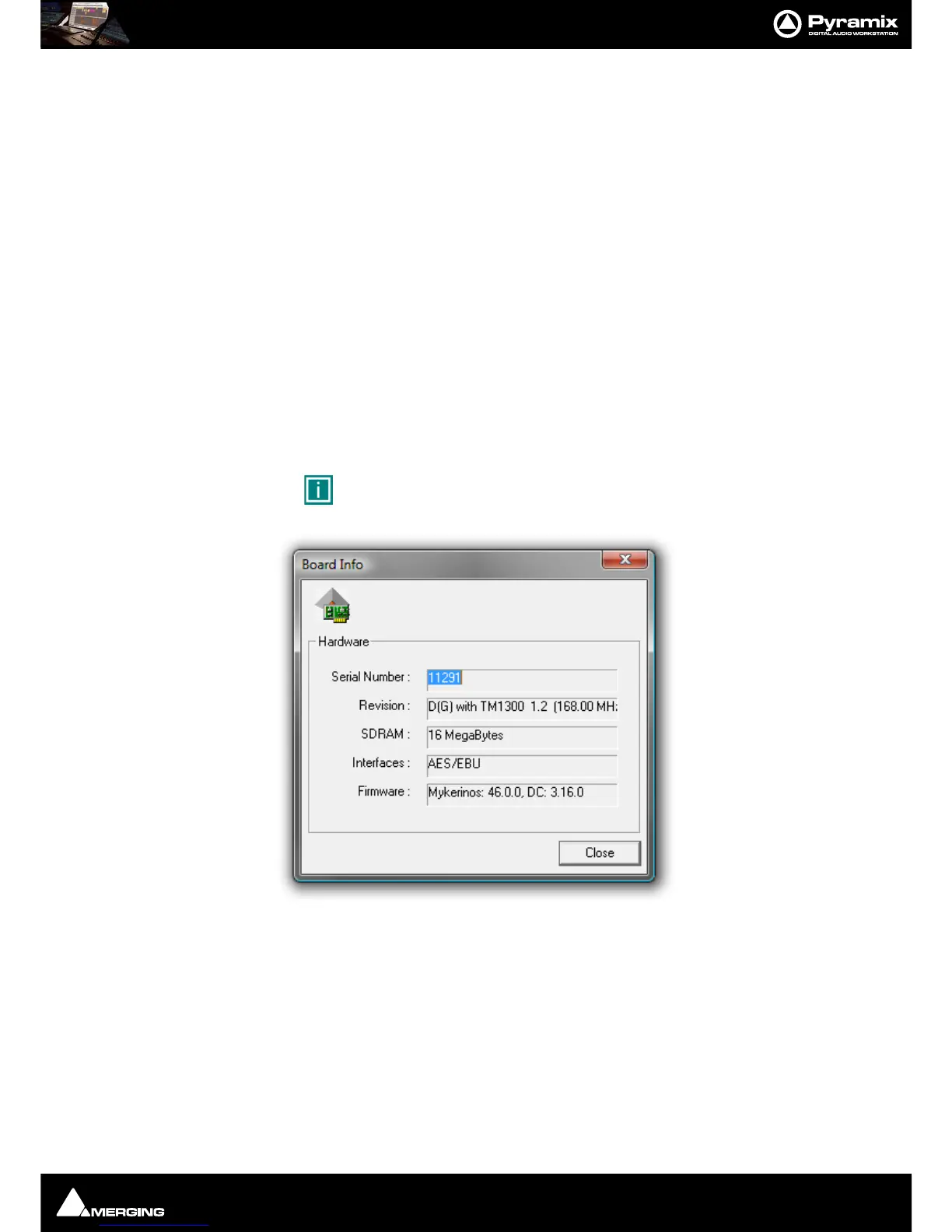
Clicking on the small icon next to the image of each board opens the
Board Info pop-up for the board:
Here you will find:
Serial Number:
Revision
Details the processor type and speed.
SDRAM Shows how much RAM is installed.
Interfaces Describes the Daughterboard installed.
Firmware version Lists the current firmware version.



 To Next Page