Transport and Navigation : Navigation
6 - 118
Bars & Beats Scale Ruler
As with the other Scale Rulers clicking in the header area pops up a context menu with show/hide for the Alter-
nate, Feet and Bars & Beats Scale bars plus two extra options,
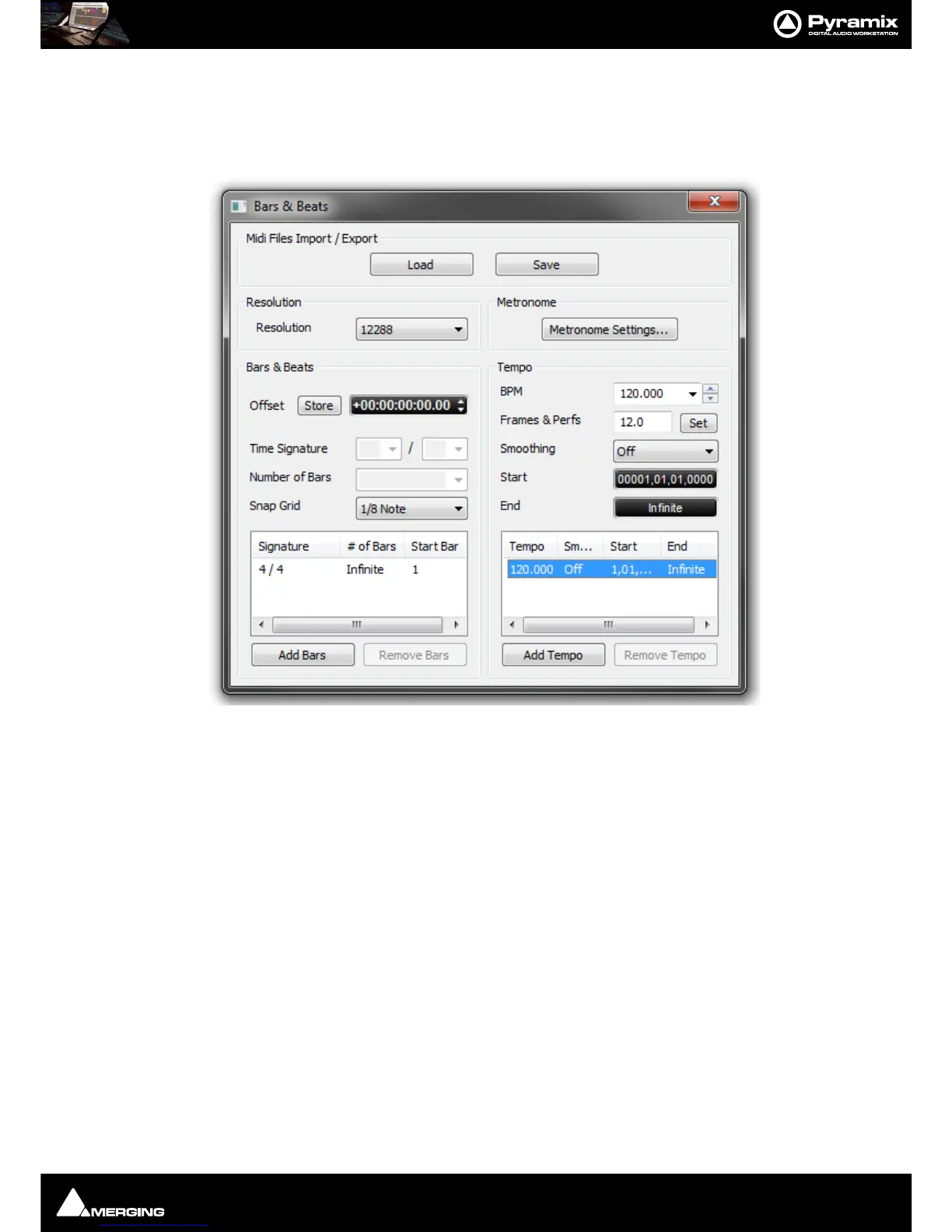
Bars & Beats Settings and Tempo Map. The Tempo
Map
option shows the current Tempo Map below the Bars & Beats Scale Bar.
Midi Files Import / Export
Load
Save
Both buttons open a Browser Window to enable navigation to a file to load or a location to save to.
Note: Currently, when MIDI files of type 2 are imported, only the Track 1 Tempo Map and Time
Signature is imported.
Resolution
Sets the clock resolution in Pulses Per Quarter Note, PPQ. The combo box offers a choice of values between 192
and 49152
Bars & Beats
Offset Offsets the Bars & Beats scale start from the main Time Scale. Value can be typed
in the TimeCode register and or nudged up or down with the increment, decre-
ment buttons.
Store Offsets the Bars & Beats scale start to the current Playhead Cursor position.
Note: Offsets can be negative or positive.



 To Next Page