Recording and Acquisition : Take Logger
7 - 151
Clicking on the button adds a Media marker with the rating False Start (colored dark gray). All preceding Media
Markers are also changed to dark gray to indicate that this portion of the recording is bad.
Bad Take
Clicking on the button Stops the recording on the selected recorder. A Bad (xxx) suffix is added to the file name(s)
and to the Take Name. The resultant Clips will be colored in the
Bad Take color specified in Settings > All Set-
tings > Application > Timeline Layout : Clips & Waveforms
.
Abort & Delete Take
Clicking on the button Stops the recording on the selected recorder. The recorded file(s) are deleted and the Take
number is not incremented.
Note: If the Take Logger is being used to control a Background Recorder, the Media and Clips in
the Timeline are NOT deleted.
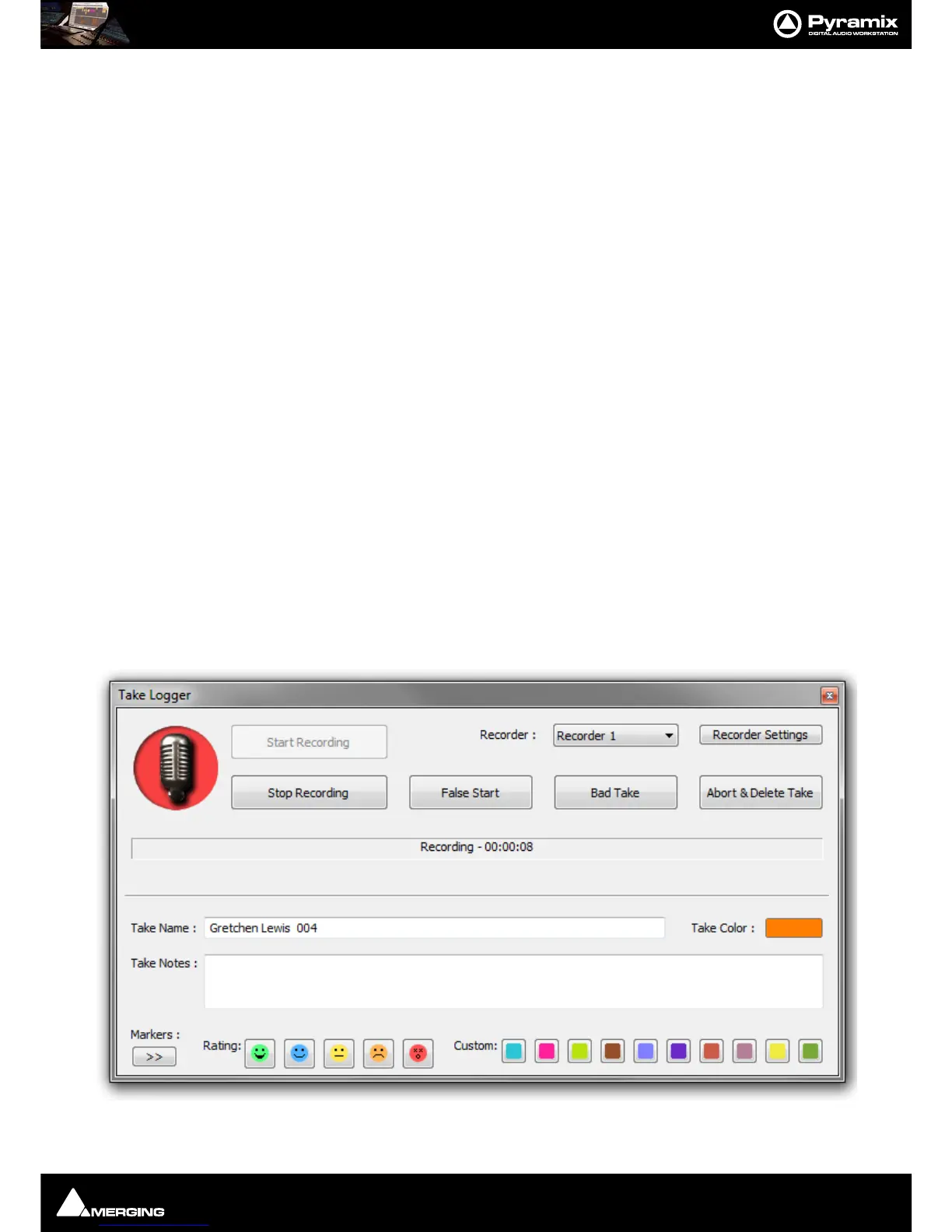
Recorder :
The field shows the recorder selected currently. Clicking on the field drops down a list of available recorders. This
will include the Active Project and any Background Recorders which have been set up.
Recorder Settings
Clicking on the button opens the Settings page for the selected recorder.
Status Field
The Status Field shows information about the current state of the recorder being controlled by the Take Logger.
This will be one of the following:
Stopped
Ready
The selected Recorder is Enabled and ready to record.
Ready - Prebuffering The selected Recorder is in Enabled mode and is buffering audio to the duration
set in Background Recorder Settings.
Recording - 00:12:23 The selected Recorder is recording. The counter shows recording duration.
When recording the background of the mic symbol flashes red:



 To Next Page