Recording and Acquisition : Take Logger
7 - 153
Lower Section
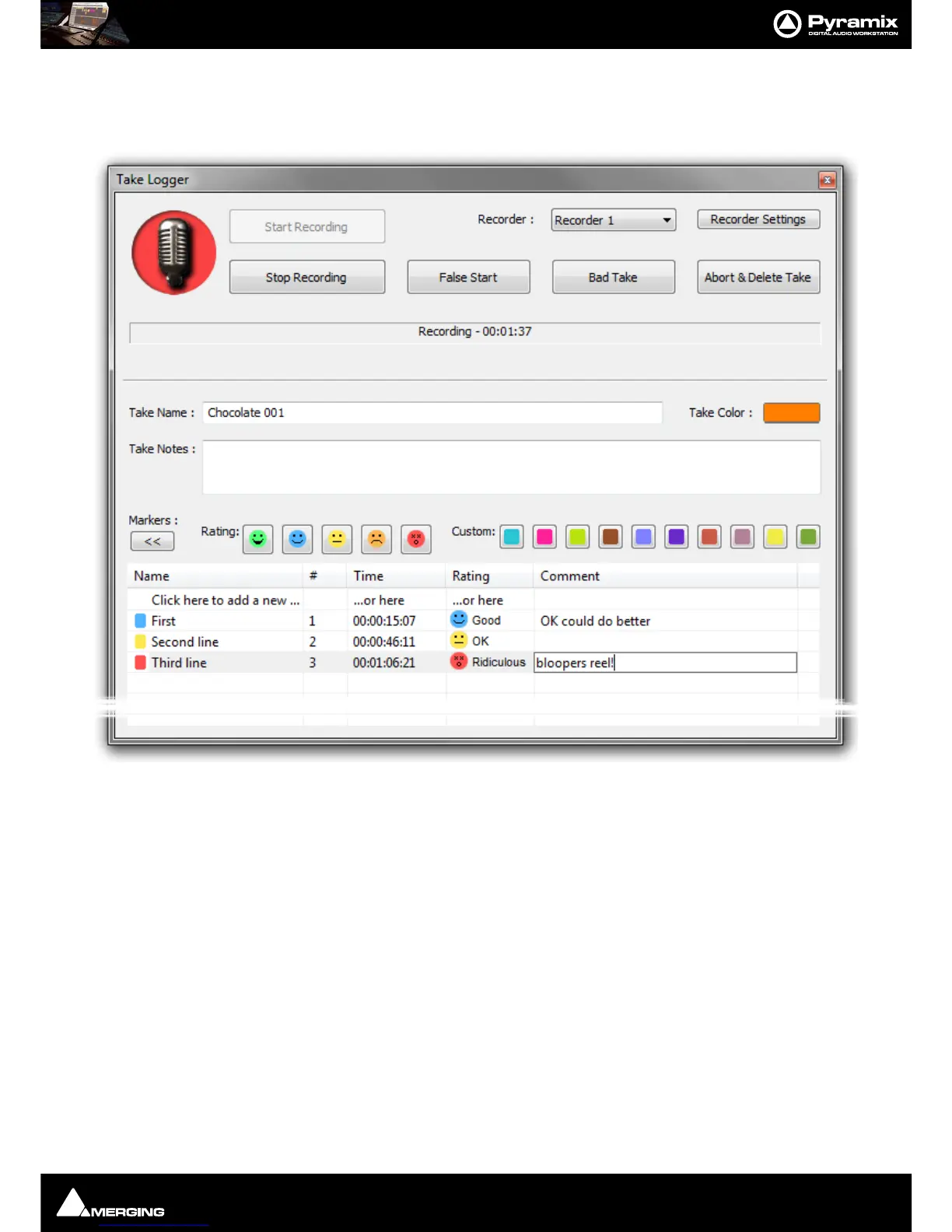
>> Clicking on the [>>] button expands the Take Logger window to show Media Markers added to the recording
in progress. The button changes to [<<] clicking it contracts the window again.
Clicking on the first entry in the
Name, Time, or Rating columns also creates a new Media Marker. In this case it is
given the rating
Good by default.
Name A free text field
# Media Marker Number. This field is filled in automatically.
Time Shows the position of the Marker.
Rating Shows the Rating selected. To change a Rating click in the field to drop-down a list
with the five options and select.
Comment A free text field.
Note: Media Markers shown in the list remain editable whilst the recording continues. When the
recording is Stopped the list is removed.
Note: Media Markers are saved in the MMD (Media MetaData) file in the same location as the
recorded Media file(s).



 To Next Page