Recording and Acquisition : Importing Audio Files into Pyramix Virtual Studio
7 - 156
3.
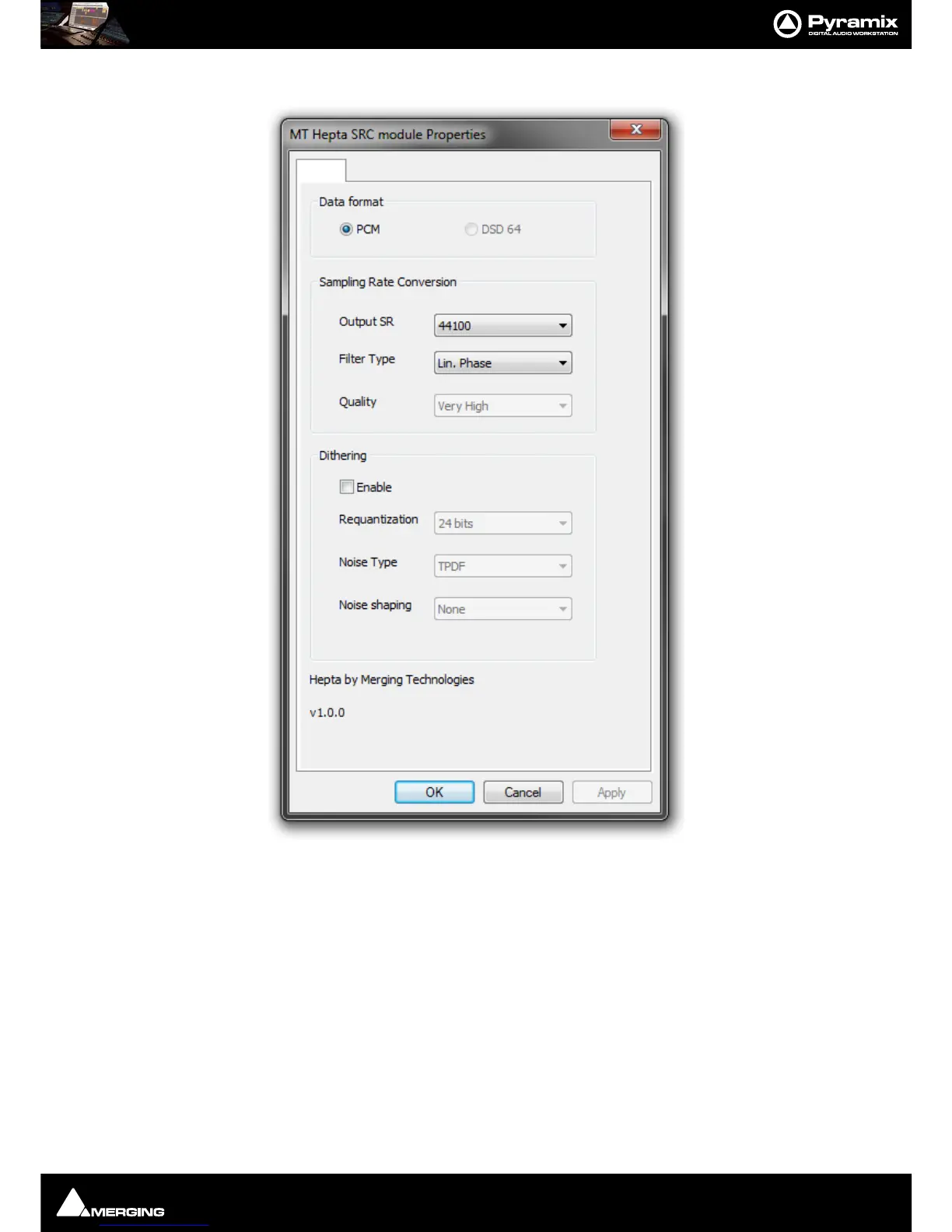
Selecting Properties opens the MT Hepta SRC module Properties dialog:
4. Choose the required target sample rate by clicking on the Output SR down arrow to drop-down the list of all
available Sample Rates.
5. Filter Type offers the choice of Lin. Phase, Min Phase or Apodising.
•
Linear Phase features constant group delay, thanks to the linear phase, and has a symmetric impulse
response, but also longer rings.
•
Minimum Phase features an asymmetric impulse response and, eponymously, minimum phase response
•
Apodizing offers the steepest response around the Nyquist point and linear phase. It offers the best of
both worlds for the about the same computational effort as the 2 other designs
6. Conversion Quality defaults to Very High. In the Dithering section there is a check box to enable dithering,
a
Requantization drop-down to select the desired bit depth and a further drop-down to select the desired
Noise Shaping. Finally click on OK to close the dialog



 To Next Page