Monitor : Talkback
11 - 284
Operation
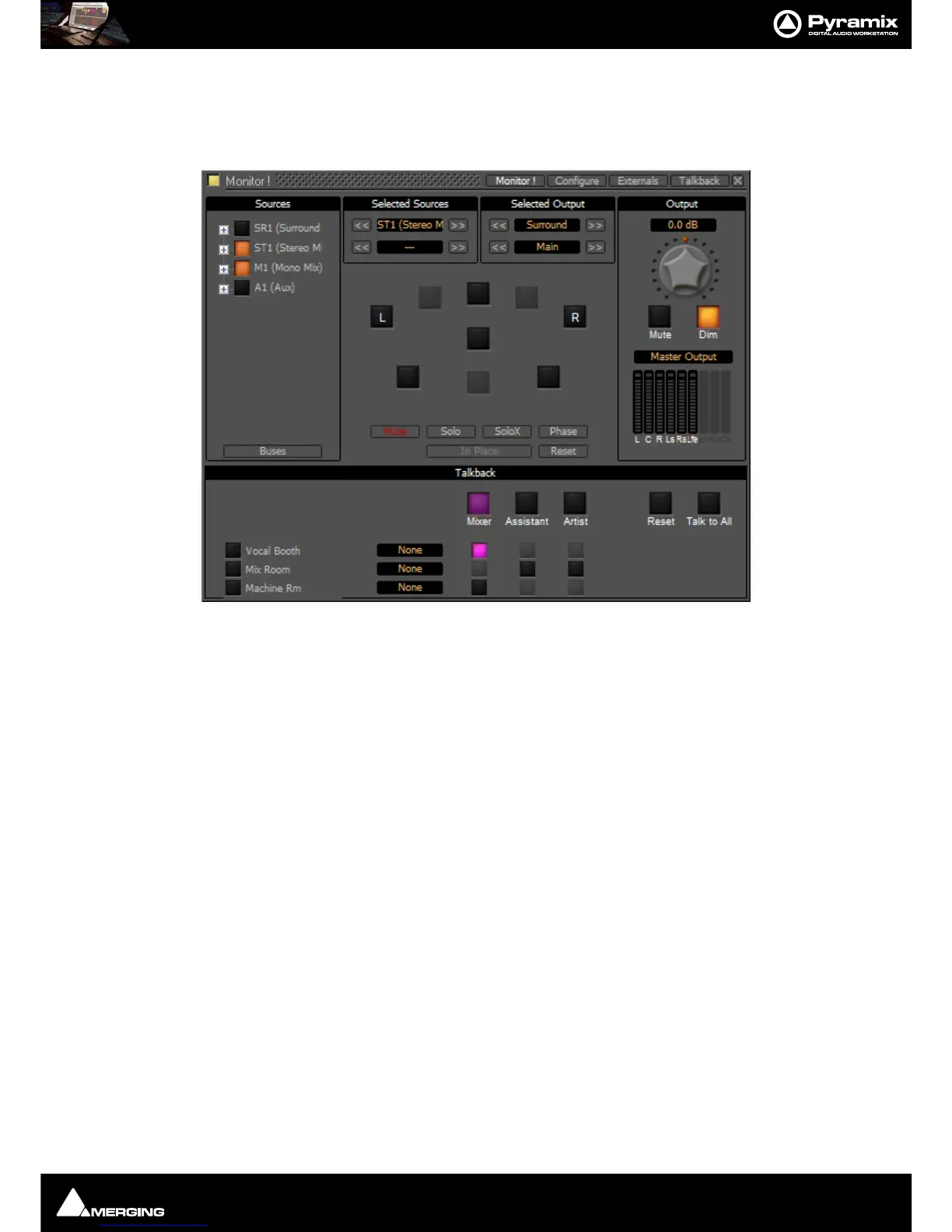
The smaller buttons vertically below the bigger, labelled Source buttons initiate talkback from the horizontal
sources to the vertical destinations. These are the buttons you are most likely to want to map to
GPIs. For example
in the following screenshot the
Mixer is talking to the Vocal Booth:
Note: Notice that, due to the settings made earlier, Mixer talking to Vocal Booth also Dims the
Main Monitor Output.
Talkback Button Operation
All the Talkback buttons are dual mode. A press of less than one second latches the Talkback open. A second press
cancels. A press of more than one second initiates Talkback on press and cancels when the button is released.
Reset cancels all latched talkbacks.
Talk to All initiates open Talkback between all enabled Sources and Destinations



 To Next Page