Meter Bridge : Meter Bridge
12 - 292
Meter Settings
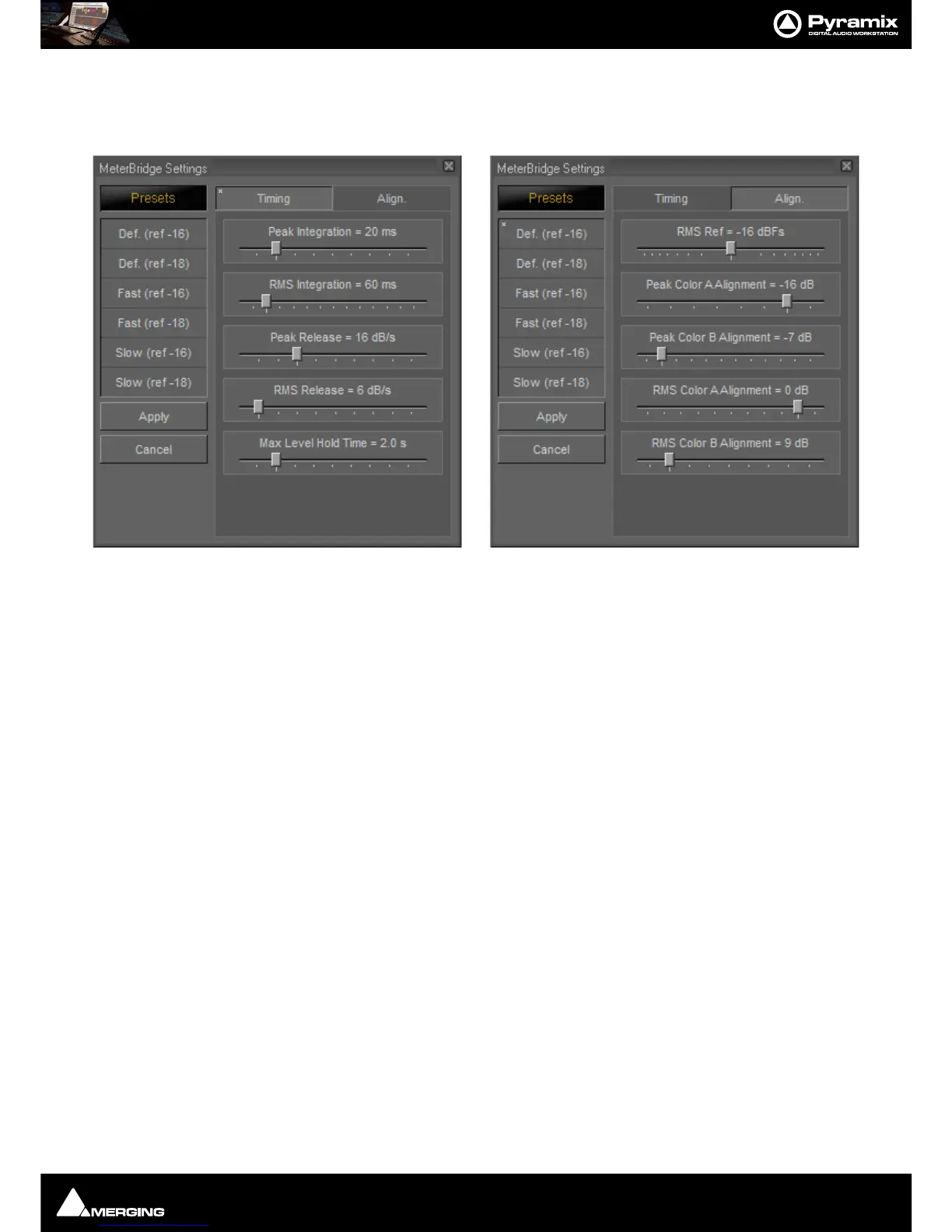
Clicking on the Meter Settings button opens the MeterBridge Settings window. This is divided into two tabs
Timing and Align.ment.
Presets
A number of presets are provided in each tab. To apply a preset click on the desired preset in the list. A * will
appear in the top left-hand corner of the selected preset. Click on the
Apply button to apply the preset and close
the window. Alternatively click on
Cancel to retain the existing settings and close the window.
Timing Tab
The Timing tab offers a number of Presets on the left of the window and individual parameter control sliders on
the right.
Peak Integration = 20 ms 1ms to 100 ms
RMS Integration = 60 ms 20 ms
to 300 ms
Peak Release = 16 dB/s 1 dB
to 50 dB
RMS Release = 6 dB/s 1 dB
to 50 dB
Max Level Hold Time = 2.0 s 0.1 s
to 10 s
Align. Tab
RMS Ref = -18dBFs -32 dBFs to 0 dBFs
Peak Color A Alignment = -18 dB -48 dB
to -10 dB
Peak Color B Alignment = -9 dB -17
dB to -48 dB
RMS Color A Alignment = 0 dB -48 dB
to 8 dB
RMS Color B Alignment = 9 dB 1 dB
to 48 dB
Note: The Peak Integration setting determines the range of settings available to the RMS Inte-
gration slider. This is because the RMS integration time is a simple multiple of the peak integra-
tion time. Hence, a 1ms integration time for peak offers the best resolution for RMS integration.
The A and B color change alignment sliders’ ranges are interactive. The A setting determines the
level at which the first color change occurs and the B setting determines the level at which the
second color change occurs.



 To Next Page