Effects and Plug-Ins : Adding and Managing Effects
14 - 314
Storing Presets
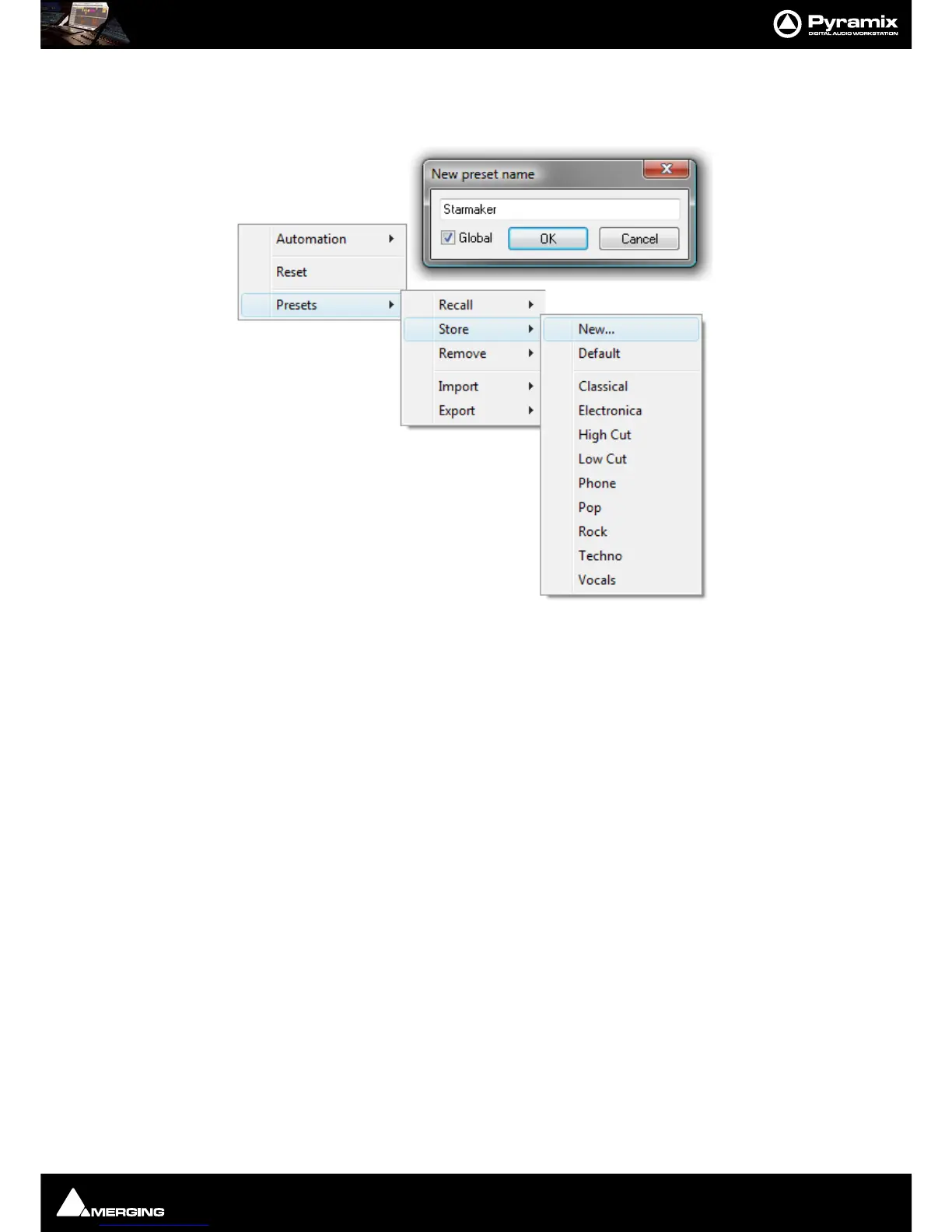
Creating a new preset stores a snapshot of the current values. Store > New opens the New Preset Name dialog
box.
If the
Global box is checked, the Preset will be available in all future Projects.
Default
Choosing Presets > Store > Default makes the current parameters the default. These can be from new values or a
previously recalled Preset
Modifying an Existing Plug-in Preset
To modify or update an existing preset, set the effect's parameters to the desired new settings. Right-click and
select
Presets > Store then choose the Preset name in the list to update or modify. A Store preset dialogue box
will appear asking if you wish to replace the chosen Preset. Click
OK to accept or Cancel to reject. The new settings
will overwrite the previous preset parameter settings.
Deleting Presets
To delete the current preset, right click in the effects window. Then choose Presets > Remove then choose the
preset you wish to remove.



 To Next Page