Strip and Bus Tools : Strip and Bus Tools
16 - 391
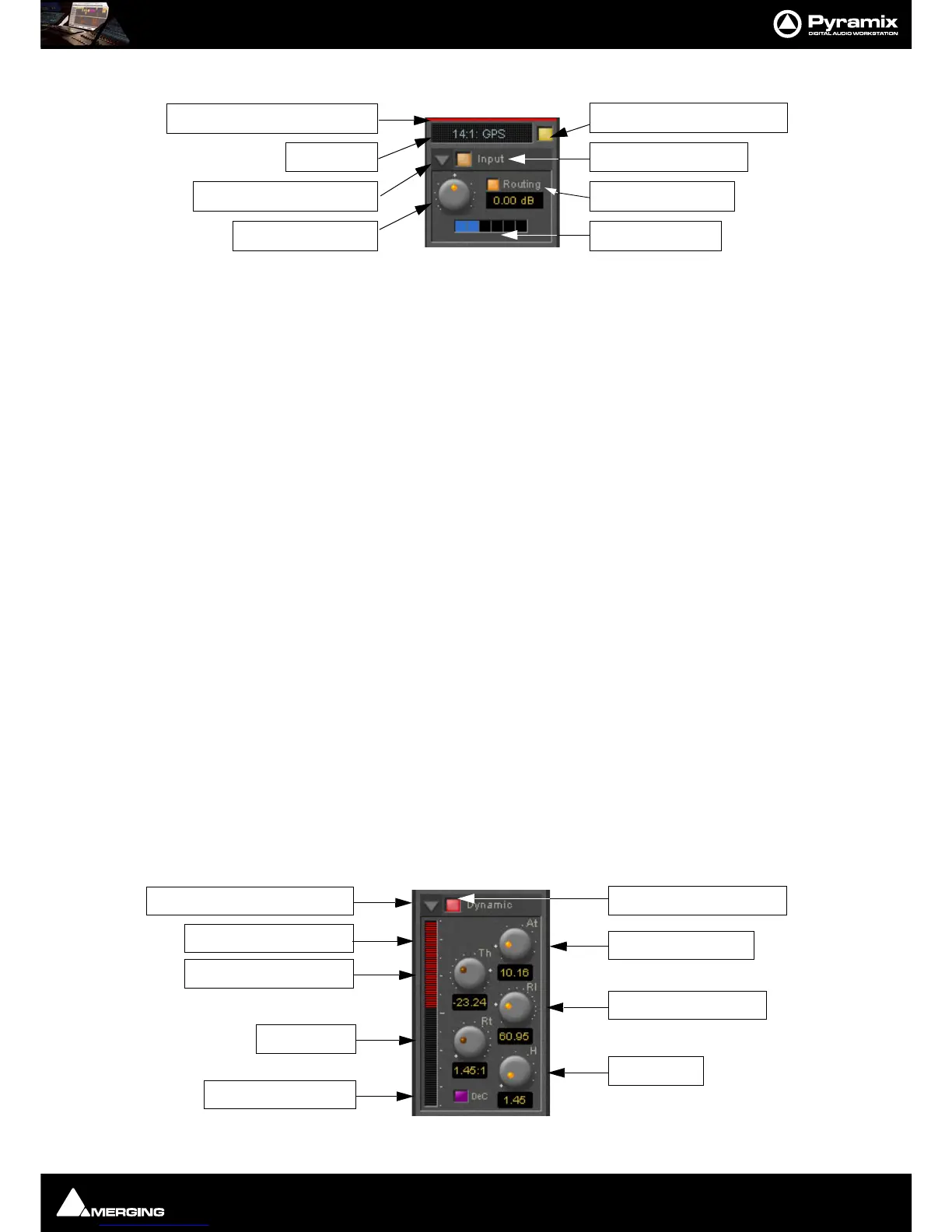
Input Section
Color Bar
Indicates strip is selected.
Strip Name
Displays the name of the strip the plug-in is assigned to. The name for the plug-in can be changed by double-click-
ing on the strip name, then typing in a name and hitting the
Return key to confirm. If a plug-in name is changed in
this way, subsequent changes to the parent mixer-strip name do not affect the plug-in strip name. To recover the
name of the parent strip, simply remove the strip name.
The strip name is saved with presets and within Pyramix projects.
Activate/deactivate plug-in
This button switches the entire Strip plug-in on or off. Note that when the plug-in is switched off, it doesn’t con-
sume any DSP power.
Show/Hide input section
Input section on/off
Input level control
Adjusts the input level over a range of -48 dB to +48 dB.
Show/hide Routing
By default Routing buttons are hidden. This button toggles between Showing and Hiding the Routing Buttons.
Routing remains active when hidden.
Routing Buttons
Determine which audio streams running through the strip will be processed by the plug-in. The number of but-
tons depends on the number of steams controlled by the strip. This means one for a mono input channel or two
for a stereo input channel and so on up to 8 for a 7.1 input channel. Streams which are not selected will be left
untouched.
Dynamics Section



 To Next Page