Conforming and Reconforming : Reconform
21 - 484
Step 4
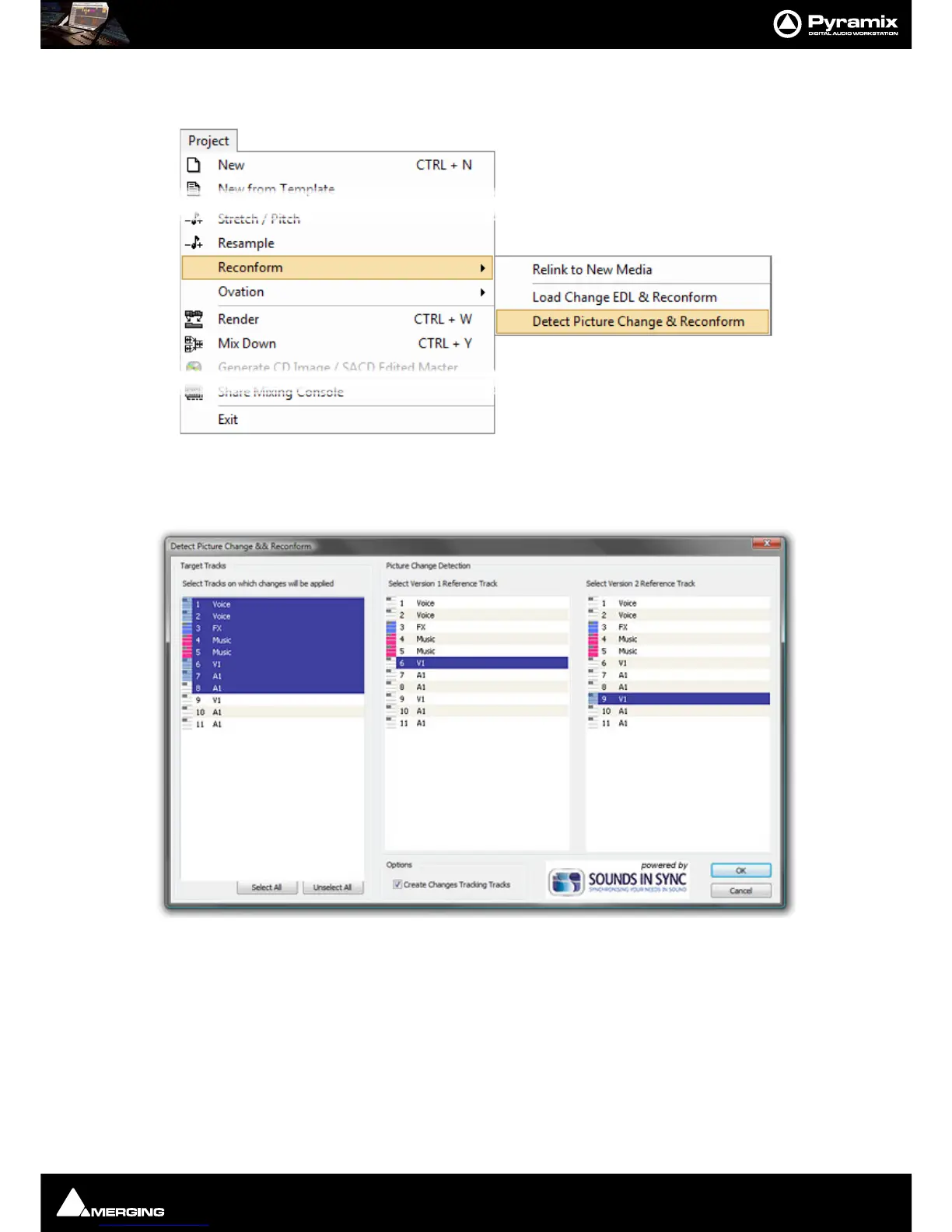
Select, Project > Reconform > Detect Picture Changes & Reconform (Ctrl+R):
The
Detect Picture Change & Reconform dialog opens.
Step 5
Select all Tracks that will have to be reconformed (generally all Tracks in the project except those belonging to the
Version2 Video project, but including Version1 Video and Audio Tracks). Select the Track that will be the
Version1
Reference Track for the picture change detection (generally the
V1 Track of the Version1 Video Project), then
Select the Track that will be the
Version2 Reference Track for the picture change detection (generally the V1 Track
of the
Version2 Video Project).
Tick the
Create Changes Tracking Tracks box if these are required.
When all the selections have been made click on
OK to perform the Reconform:



 To Next Page