CD/SACD Mastering and Album Production : Album Publishing
25 - 548
Adding Output Formats
The formats available currently are:
•
FLAC (lossless compression),
•
Ogg Vorbis (lossy compression),
•
WAVE (uncompressed)
•
AIFF (uncompressed)
•
MTFF (uncompressed or lossless compression. Merging Technologies File Format)
• LC-AAC (lossy compression. Low Complexity Advanced Audio Coding.)
•MP3-ABR (lossy compression. MP3 Average Bit-Rate compression. This is less aggressive than VBR)
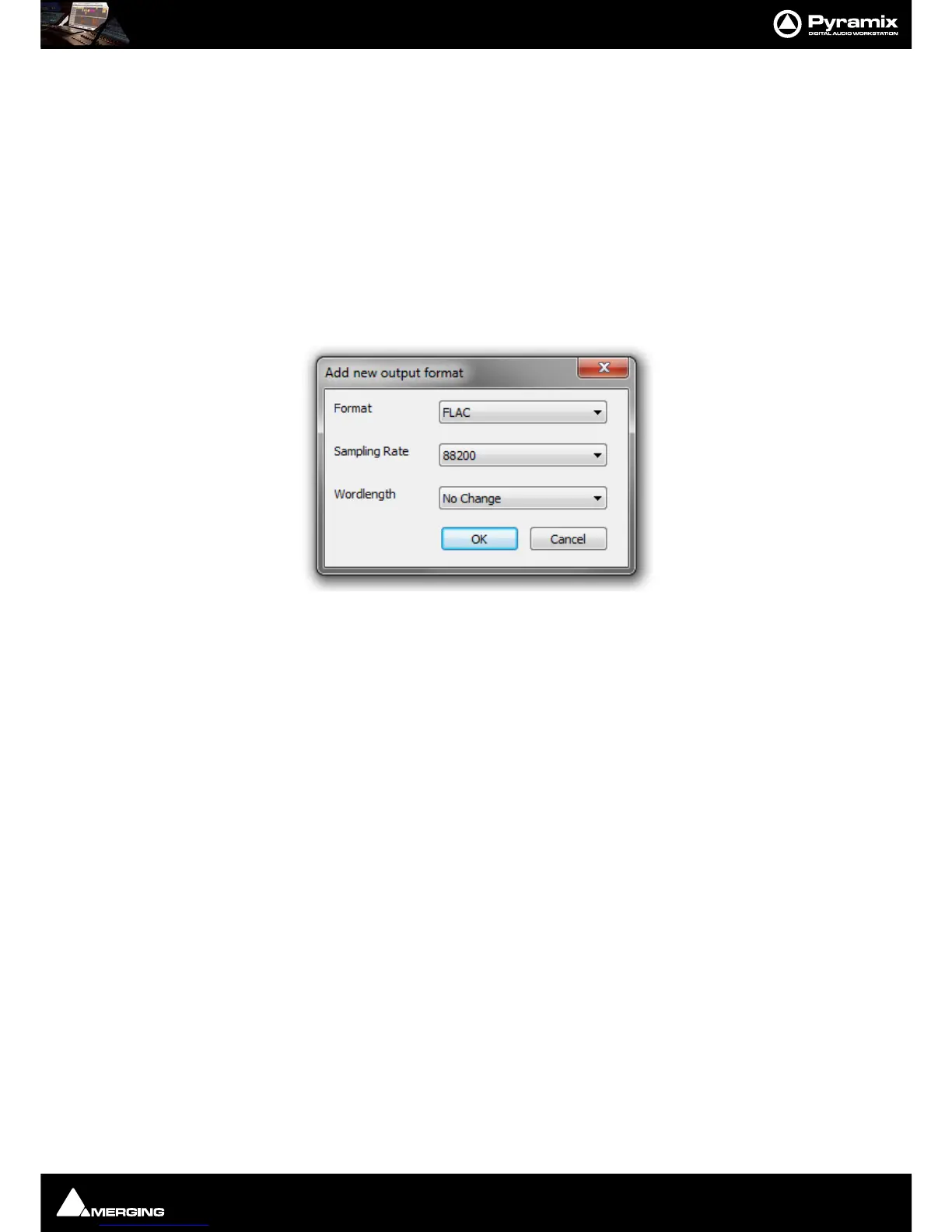
Click on the
Add button to open the Add New Output Format dialog.
Format Choose the format required from the drop-down list.
Sampling Rate The default is No Change in which case the Project sampling rate will be used.
Otherwise, choose the required sampling rate from the drop-down list.
Wordlength The default is No Change in which case the Project Wordlength will be used. Other
wise choose the required Wordlength from the drop-down list.
Settings for (format name) export
One contiguous audio file + Cue File When ticked a single contiguous audio file and a Cue file will be generated.
Unicode (UTF8) encoded CUE Sheet When ticked a Unicode CUE Sheet is also generated. (CDEx generates CUE
files this way while ExactAudioCopy uses ASCII/multibyte coding.)
One audio file per track When ticked an audio file is produced for each track in the Album.
Include Pause When ticked (default) CD pauses are included. Untick to produce CD Pause
free exports.
Compression Setting :
The slider varies the compression settings.
For
FLAC the choice is on a scale between 0 - Fast Encoding and 8 - Best compression.
For
Ogg Vorbis the choice is on a scale between ~64kbps - Lower quality - smaller files and ~500kbps - Higher
quality - bigger files
.
For
MTFF the choice is between Not Compressed and Lossless compressed.
For
LC-AAC the choice is on a scale between 8kbps - Lower quality - smaller files and 320kbps - Higher quality
- bigger files
.
For
MP3-ABR the choice is on a scale between 32kbps - Lower quality - smaller files and 320kbps - Higher
quality - bigger files
.



 To Next Page