Productivity : Tab Windows
26 - 579
Tab Docking and Nesting
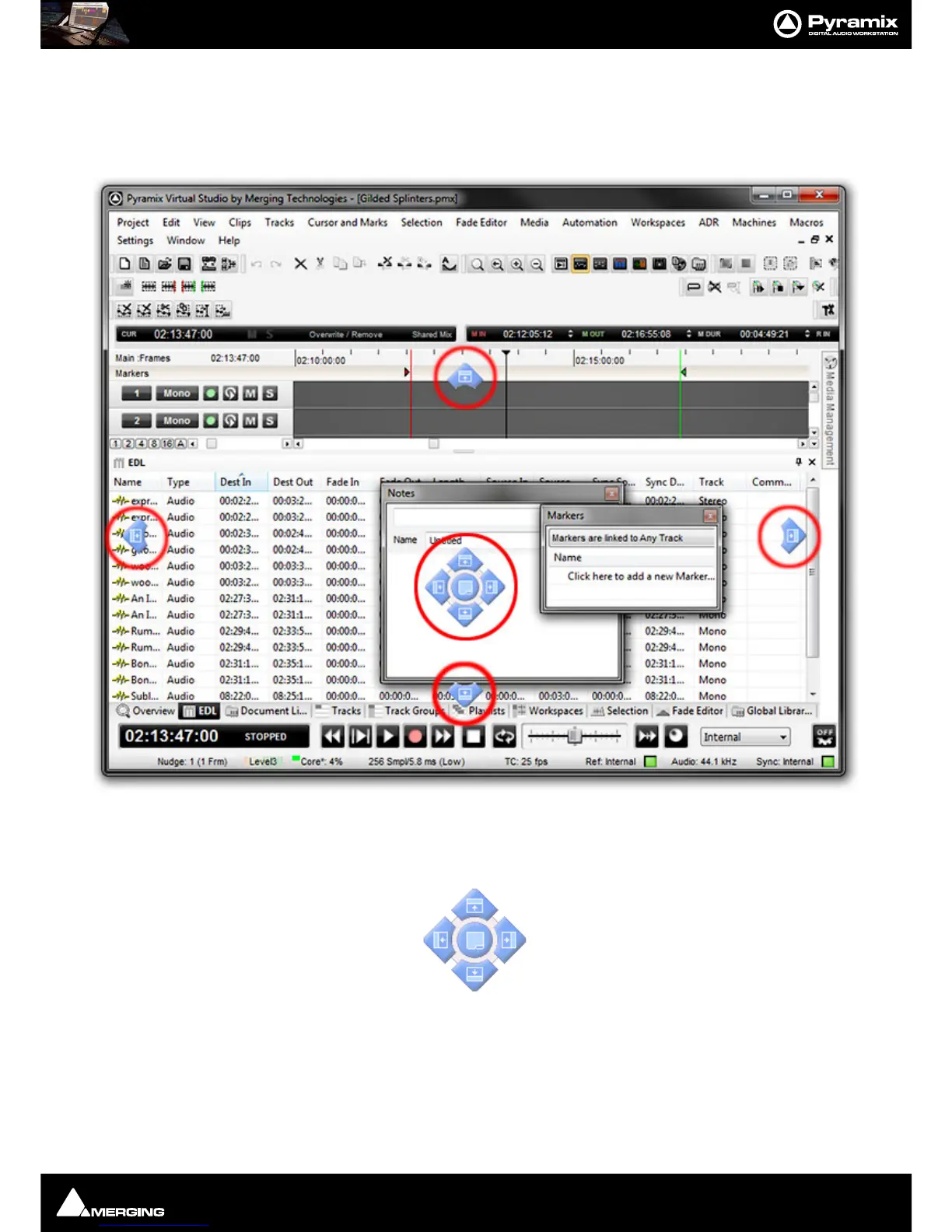
Floating Tab Windows can be nested or docked together in the Program Window or in floating Windows by simply
clicking and dragging. When a Tab Window or group of Windows is clicked and dragged, small blue “landing
lights” appear indicating where the Tab can be docked in the main Program Window with a center block of five
indicating where the Tab can be docked in the Window or panel it is currently being dragged over.
Thus, in the highly artificial screenshot above, it is the
Markers Tab Window that has been clicked and dragged.
The peripheral blue landing lights indicate where in the main programme window it can be docked and the centre
landing lights indicate where in the
Notes Tab Window it can be docked.



 To Next Page