Menus : Clips
27 - 612
Send Sync Point to Cursor
Sends (moves) the currently selected Clip so that its Sync Point is aligned with the current
position of the Play Cursor
Group Groups together all selected Clips in the Timeline
Ungroup Ungroups members of a selected group Clip in the Timeline
Lock Locks selected Clips so that they can no longer be edited or moved in the Timeline
Unlock Unlocks selected locked Clips so that they can be edited again
Lock Horizontal Drag When enabled, Clips cannot be dragged horizontally (left to right)
Clip Gain Displays an audio fader to set the audio level for the selected Clips
Mute Clip Mutes all selected Clips
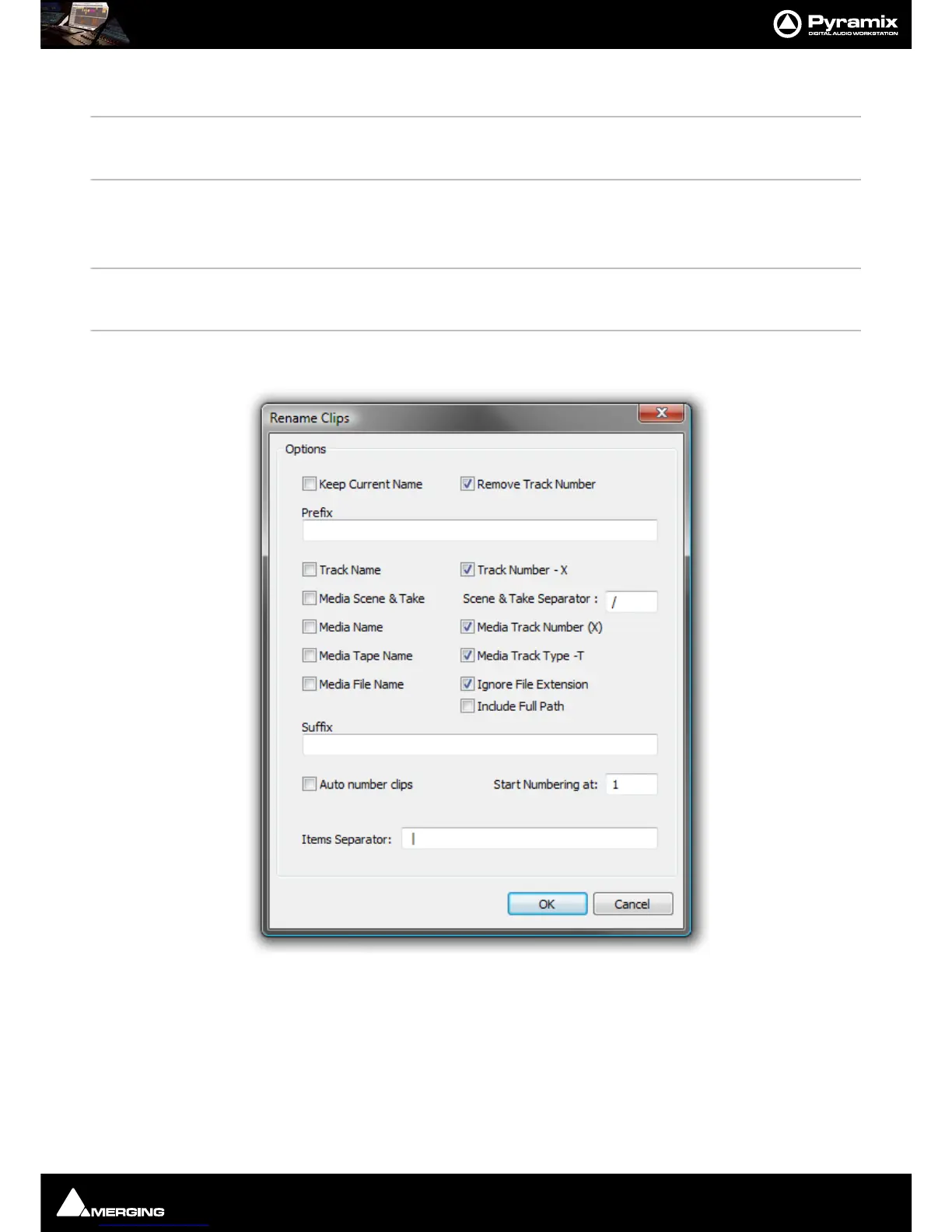
Rename Enables a selection of Clips to be renamed with various combinable options chosen in
the
Rename Clips dialog
Options
Keep Current Name
When checked the current name is retained but with the choice of keeping or
removing the current Track number in parenthesis
Remove Track Number Removes Track Number from the Clip Name
Prefix Text entry box where a new custom Prefix may be added adding a custom prefix
and suffix text to the automatic renaming and automatically renumbering all
Clips.
Track Name



 To Next Page