Media Management & Libraries : Media Management Tab Window
4 - 65
• Track File Name (If the Media is recorded in One File Per Track mode)
Auto-Generate Waveform Waveforms are automatically created for objects without them.
Media Browser Menu
Mount Currently Displayed Media Folder allows easy mounting of the Media Folder currently displayed in the Media Browser.
(Typically when the correct folder is located).
Search Menu
Search All Mounted Media Folders Toggles between Global and Local search. When Active, all Mounted Folders are
searched. When Inactive only the current Folder is searched.
Add to Search Results Creates a new Search Results folder named by date and time and the search term(s).
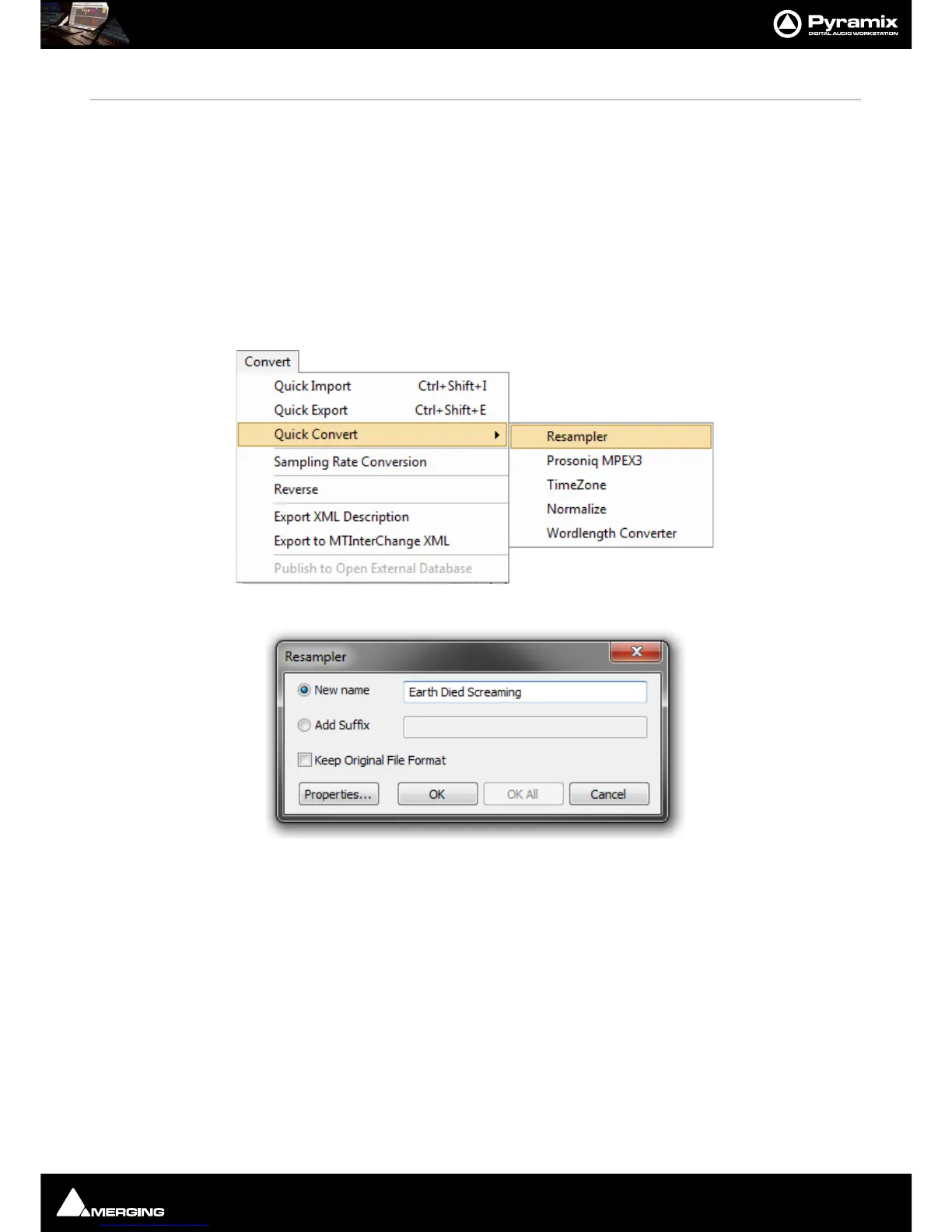
Convert - Quick Convert sub-menu
Output Dialog
All these options produce new media files on disk. Whichever conversion option is chosen, this dialog box will
pop-up with a title reflecting the selected process. Either a new name may be chosen or the existing one kept with
a new suffix. If you wish to process multiple files in one operation the Add Suffix button must be selected. When
multiple files are selected and when this option is chosen the OK All button is available. The Keep Original File
Format check box does what it says. The Properties... button opens a dialog box specific to each conversion type.
(See below)



 To Next Page