Settings : Mixer
28 - 666
Alternatively, choosing I/O Configuration groups the Plug-ins by I/O Configuration and within each group lists
them alphabetically by name.
Please see also: VST Plug-ins Display Order on page 358
VST plug-ins folders
The box shows which folders Pyramix will scan for VST Plug-ins on launch.
By default,
\Program Files\VSTPlugins and or \Program Files\Steinberg\VSTPlugins directories are scanned if
they exist. Further directories may be added to the scan list using the
Add button, which opens a File Browser win-
dow. Directories are removed from the list by selecting them in the list and clicking on the
Remove button.
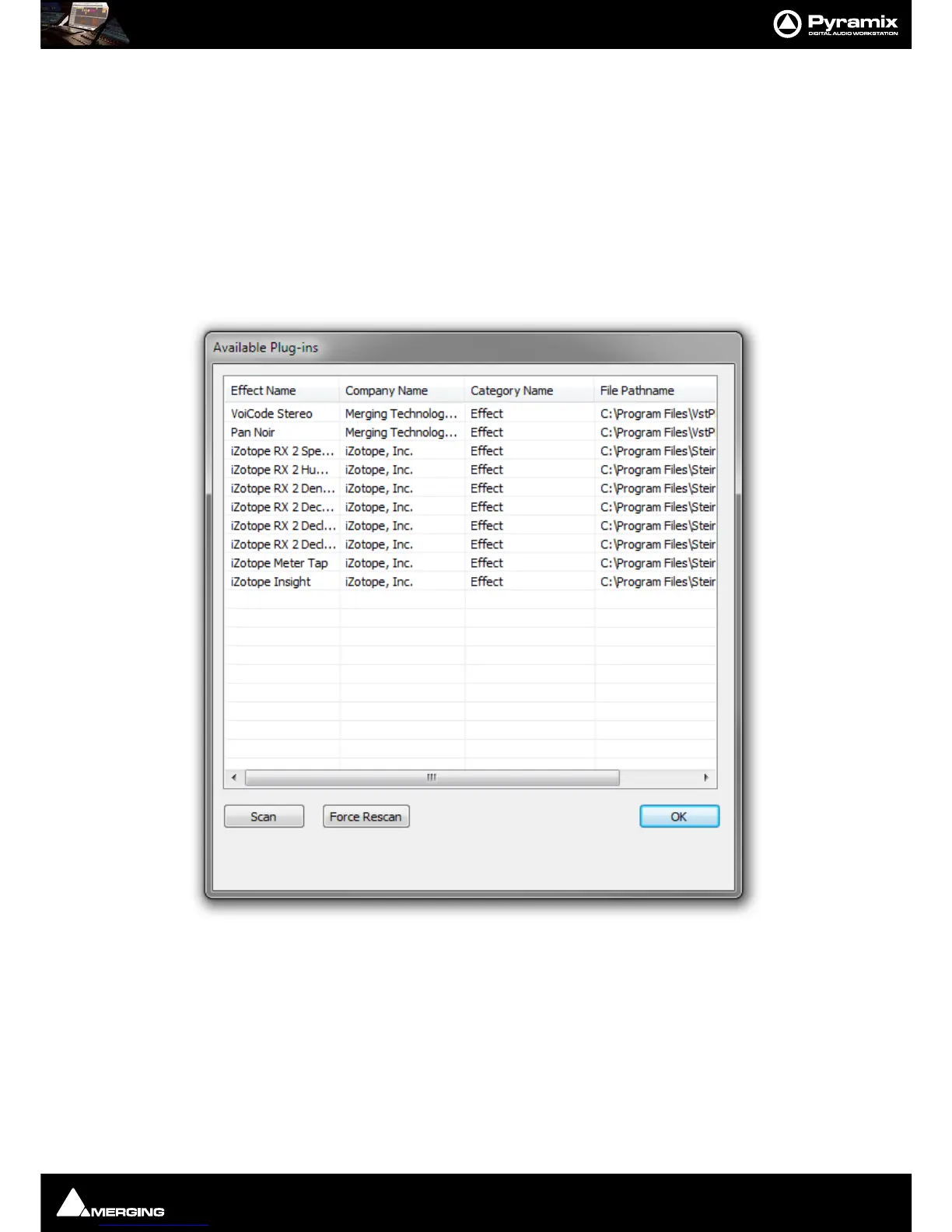
Show Available plug-ins
Clicking on the button opens the Available Plug-ins dialog:
The list shows all VST Plug-ins which have been scanned and are available to Pyramix.
Scan Initiates a scan of any directories added to the VST Plug-ins Folders list since
Pyramix was launched.
Force Rescan Inititates a forced rescan of all the directories in the VST Plug-ins Folders list.
OK Closes the dialog.



 To Next Page