Settings : Remote Control
28 - 703
Apply only on Chasing Machine
When ticked the links are only applicable to machines currently in
Chase mode.
Add
Clicking on the Add button opens the Machine Properties dialog box (see below)
Remove
If a machine is selected (highlighted) in the list, clicking Remove uninstalls the machine and removes it from the
list.
Properties
Clicking on the Properties button opens the Machine Properties dialog box (see below)
OK
Click OK to accept changes (if any) and close the Machines page.
Cancel
Click Cancel to reject changes (if any) and close the Machines page.
Apply
Click Apply to apply changes without closing the Machines page.
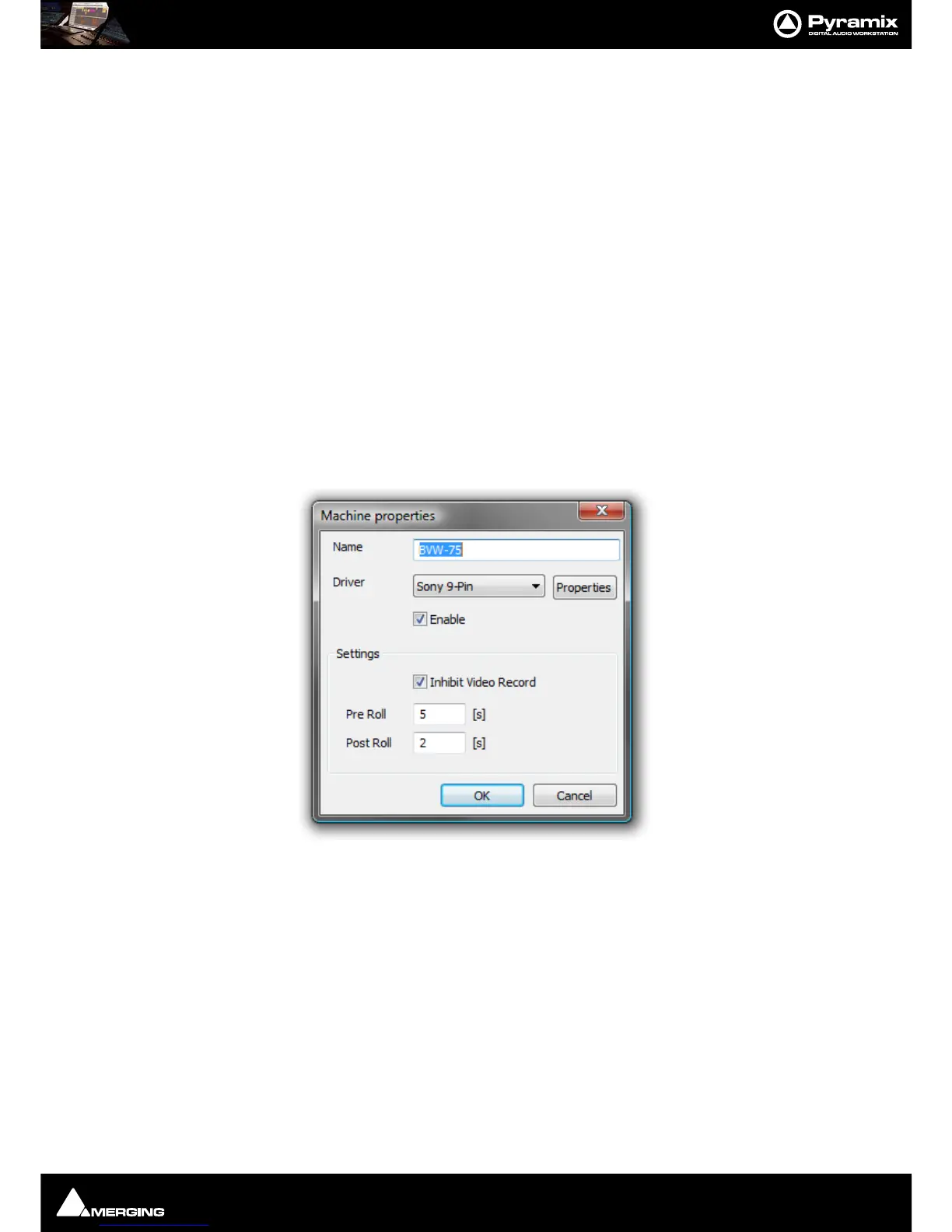
Machine Properties
When the Machine Properties dialog is opened by the Add button, the Name, Protocol and Port displays are
blank. When the dialog is opened by the
Properties button the displays reflect the name etc. for the selected
machine.
Name
Displays the name of the current selected machine. When adding a new machine, type a suitable name here.
Driver
Displays the current interface protocol Sony (9-pin P2 protocol) in the drop-down list. (Currently Sony only)
Driver - Properties
Opens the Sony 9 - Pin Protocol Configuration dialog box (see below) when SONY is selected. There are cur-
rently no options for
MMC



 To Next Page