Troubleshooting : The I/O Status window
29 - 719
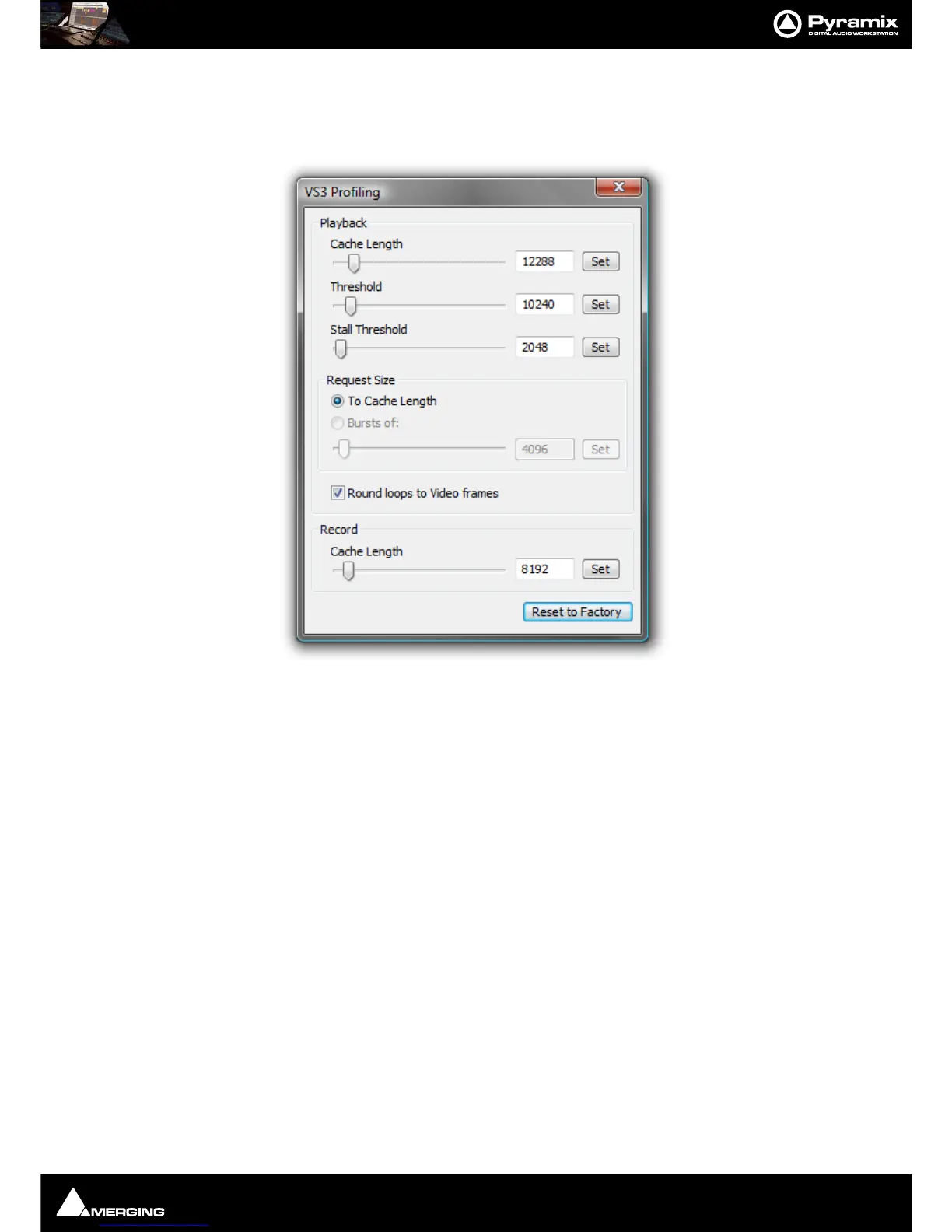
The Profiling Window
The VS3 Profiling window contains the parameters used to fine-tune the performance of hard disk accesses for
Pyramix. These parameters are not intended for user modifications, and Merging cannot guarantee the proper
functionality of Pyramix when modifications are made in this window.
Cache length
This is the size of the playback buffers allocated in the host PC’s RAM. Pyramix allocates one buffer per Track. When
the audio playback is started, all the buffers are completely loaded by reading the data from the hard disk before
the actual playback starts. Increasing the buffer size offers the benefit of a larger immunity against short term hard
disk access stalls and other operating system slow-downs at the cost of longer latency at initial playback start.
Threshold
During playback, the audio data is read from the playback buffers, which are thus progressively emptied. When
the amount of data in a buffer falls below the threshold value, new data is read from the hard disk to refill the buf-
fer.
Request size
This parameter determines how much data is read from the hard disk when the threshold level is reached. One
option is to completely fill (To Cache Length), the other option is to load a defined amount of data (Bursts of ).
Stall Threshold
When the amount of data falls below the stall threshold, this means that the system has serious performance
problems. Playback will be temporarily stopped, while a stall warning is issued.
Round loops to Video Frames
This option, which is enabled by default, rounds the start and the end point of a playback loop to complete video
frames. The start point will always be rounded down, and the end point will always be rounded up, so that the
loop will always contain at least the initial range intended for the loop.
Record cache length



 To Next Page